
Converts DVD movies and episodes to iPod compatible files with this easy-to-use application that uses uses CPRx error correction technology #Dvd to ipod #Ipod converter #Dvd ripper #Dvd2ipod #Ripper #Converter

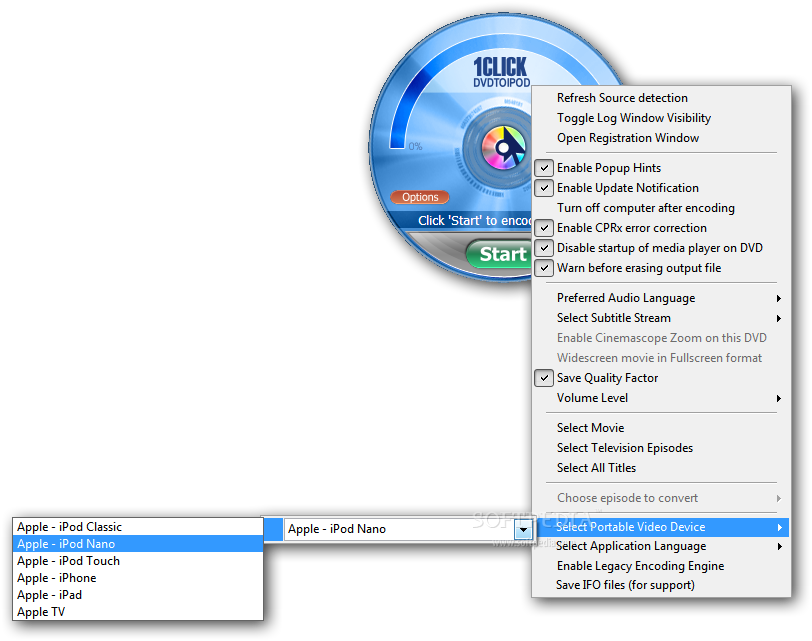
1CLICK DVDTOIPOD is a video converter designed to help you prepare your DVD movies for being played on a mobile device. Although the name only mentions iPod, the program is able to convert to file formats compatible with iPhone, iPad and Apple TV.
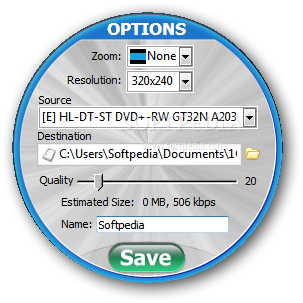
The interface of the converter is simple and allows you to configure the conversion by selecting the disc drive, resolution and overall image quality. You can also load the DVD movie from a local folder and change the zoom level applied to the video content.
During the conversion, the interface only displays the progress and the option to cancel the operation. Unfortunately, it does not provide you with a video preview window or allow you to trim the video file before starting the conversion.
Most of the application settings are available from the context menu which enables you to change the device type and to enter the preferred language used for extracting the sound and the subtitles.
The program is designed to convert the DVD movies with just one click and is suitable for most casual users. However, experienced users that want to finetune the output settings or manually select certain chapters from the DVD need to find another solution.
During our test, the program had no impact on the computer performance and converted a 4GB DVD movie in about 20 minutes. However, these statistics depend on the system configuration and the output settings.
Overall, 1CLICK DVDTOIPOD is an easy to use tool for converting your movies if you want to view them on your mobile device. Although it does not provide you with advanced preferences, it has the advantage of being accessible to the casual users.
Download Hubs
1CLICK DVDTOIPOD is part of these download collections: Convert DVD to iPod
What's new in 1CLICK DVDTOIPOD 3.2.2.1:
- CPRx version 1445 updated for new movies.
1CLICK DVDTOIPOD 3.2.2.1
add to watchlist add to download basket send us an update REPORT- runs on:
-
Windows 11
Windows 10 32/64 bit
Windows 8 32/64 bit
Windows 7 32/64 bit - file size:
- 12.2 MB
- filename:
- 1clickdvdtoipodsetup3.2.2.1.exe
- main category:
- iPod Tools
- developer:
- visit homepage
7-Zip

4k Video Downloader

IrfanView

calibre

Bitdefender Antivirus Free

Microsoft Teams

ShareX

Zoom Client

Windows Sandbox Launcher

Context Menu Manager

- Zoom Client
- Windows Sandbox Launcher
- Context Menu Manager
- 7-Zip
- 4k Video Downloader
- IrfanView
- calibre
- Bitdefender Antivirus Free
- Microsoft Teams
- ShareX