Softpedia
 

WINDOWS CATEGORIES:


GLOBAL PAGES >>
SOFTPEDIA REVIEWS >>
MEET THE EDITORS >>
WEEK'S BEST
  • Sticky Password FR...
  • Parallels Workstat...
  • ESET NOD32 Antivir...
  • BitDefender Total ...
  • WinPatrol 24.6.201...
  • PerfectDisk Free D...
  • Adobe Photoshop CS...
  • PerfectDisk Profes...
  • Windows 8 Consumer...
  • Atlantis Word Proc...
  • Home > Windows > Multimedia > Audio > Audio Editors/Recorders
     Report malware

    SuperEZ Wave Editor (formerly Gold Wave Editor) 11.3.1

    download button

    Part of the Audio Recorders download hub (+2 others)
    Downloads: 15,154  Tell us about an update
    User Rating:
    Rated by:
    Very Good (4.3/5)
    109 user(s)
    Developer:

    License / Price:

    Size / OS:

    Last Updated:

    Category:

    Trial / USD 29.95 buy button
    10.2 MB / Windows All

    C: \ Multimedia \ Audio \ Audio Editors/Recorders

     Read user reviews (10)  Send to friend   Follow (0 users)

    Softpedia Editor's Review for SuperEZ Wave Editor (formerly Gold Wave Editor)

    EDITOR'S RATING:

    Record your own music, voice or other sounds, import and export lots of audio files formats

    Written by Elena Opris on March 16th, 2012

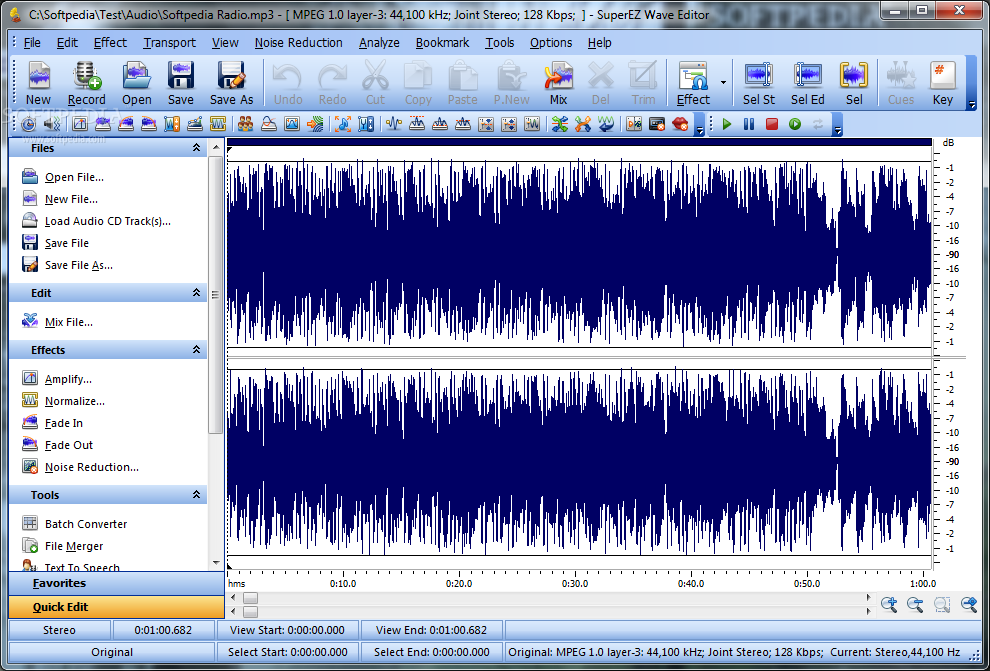
    SuperEZ Wave Editor is an application that you can use to record and edit audio tracks of several formats, including WAV, MP3, OGG, CDA and RAW.

    The interface of the program may appear a little cluttered at first, but SuperEZ Wave Editor is actually simple to use, especially if you have some basic experience in audio editing tools.

    You can import audio tracks from file or disc by using either the file browser or the "drag and drop" method.

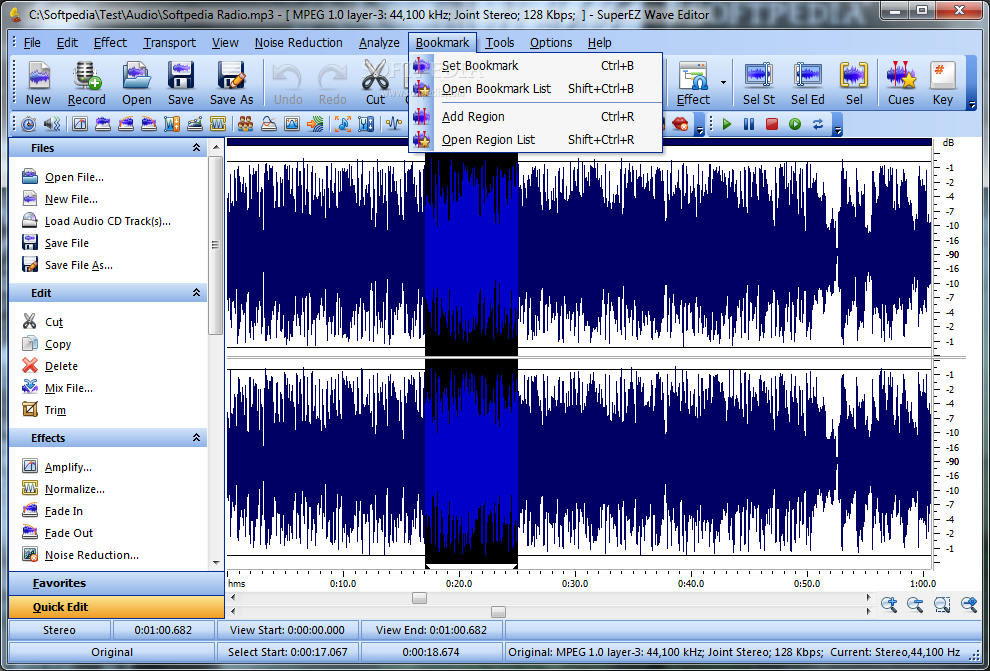
    So, you can cut and copy a selection, trim the start or end of the audio file, as well as crop, repeat, insert silence or another file.

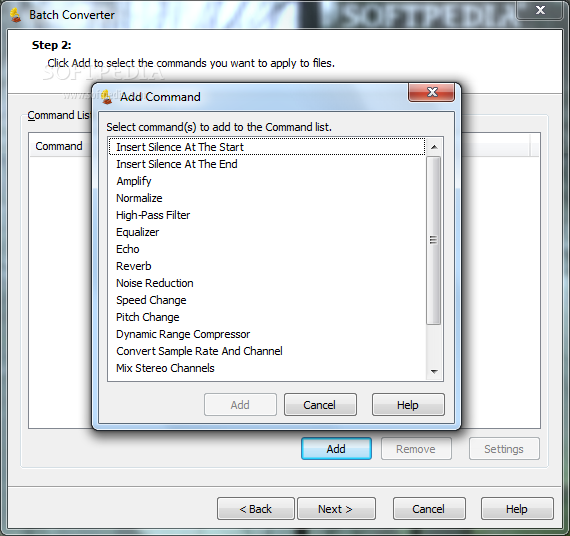
    In addition, you can apply several effects which include echo, vibrato, amplify, fade, compressor, envelope, chorus, reverb, flanger, pitch change and noise reduction.

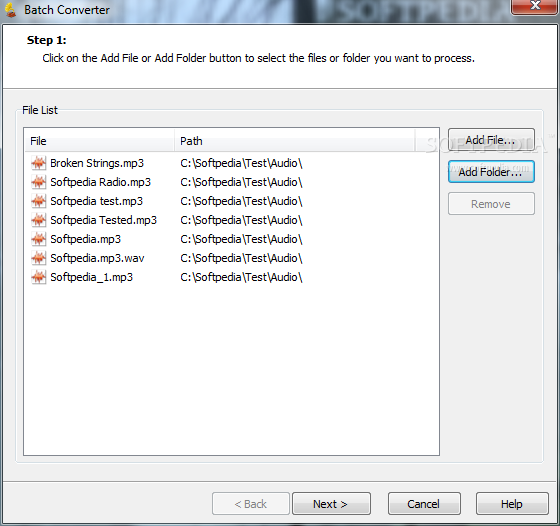
    Furthermore, you can record at the current position, fast forward, rewind, toggle between waveform and spectral mode, view the left or right channel only, zoom in and out, analyze the frequency, as well as use a batch converter and text-to-speech tool.

    Moreover, you can set a bookmark, add a region, view a window mixer, convert the sample frequency rate, edit ID3 tags, create a favorites list (with functions), use keyboard shortcuts, and more.

    The software requires a low-to-moderate amount of system resources and includes a comprehensive help file for newbies. No errors have occurred during our tests and SuperEZ Wave Editor didn't freeze or crash either.

    The bottom line is that SuperEZ Wave Editor is an excellent tool for audio editing and we strongly recommend it to all users, especially the experienced ones.

    SuperEZ Wave Editor (formerly Gold Wave Editor) description

    Here are some key features of "SuperEZ Wave Editor (formerly Gold Wave Editor)":

    Recording:
    · Record new audio file from a microphone or another sound source.

    Editing:
    · Open, create and save audio files. Play an audio file or any part of it. Visually edit an audio file (Cut, Copy, Delete, Paste, Paste From File, Mix, Mix From File and Insert or Delete noise or silence in an audio file).

    Display:
    · Display a waveform window of an audio file and apply zooming.

    Digital effects:
    · Apply different effects (Amplify, Delay, Equalizer, Fade, Flanger, Invert, Normalize, Reverse, Multi Tap Delay, Silence, Stretch, Vibrato, Echo, Chorus)

    Audio filters:
    · Apply different filters to the selected part of an audio file (Ban Pass Filter, High Pass Filter, High Shelf Filter, Low Pass Filter, Low Shelf Filter, Notch Filter)

    Support all major audio formats:
    · Gold Wave Editor supports a wide range of audio formats, such as MPEG (MP3, MP2), WAV, Windows Media Audio, Ogg Vorbis, Audio Tracks and Dialogic VOX. It is easy to convert an audio
    · file from one format to another

    Ease of use:
    · Gold Wave Editor Pro provides a customizable interface, allowing you to build projects the way you want. It also supports standard Windows keyboard commands and mouse shortcuts

    Markers:
    · Use markers in your audio file to quickly select between different selections!

    Selection tool:
    · Select a part of your audio file precisely with the selection tools of Gold Wave Editor

    · Build-in Powerful Audio Tools

    Requirements:

    · CPU: >750MHz Intel or AMD CPU
    · 64 MB RAM or above

    Limitations:

    · 30 days trial
    · Nag screen
    · Save feature disabled

     Softpedia guarantees that SuperEZ Wave Editor (formerly Gold Wave Editor) 11.3.1 is 100% CLEAN, which means it does not contain any form of malware, including spyware, viruses, trojans and backdoors. [read more >]


    TAGS:

    Wave Editor | audio editor | audio recorder | recorder | editor | grabber


    HTML code for linking to this page:


    Go to top

    WindowsGamesDriversMacLinuxScriptsMobileHandheldNews

    SUBMIT PROGRAM   |   ADVERTISE   |   GET HELP   |   SEND US FEEDBACK   |   RSS FEEDS   |   UPDATE YOUR SOFTWARE   |   ROMANIAN FORUM