
An mp3 and ogg vorbis joiner/cutter (without need to decode and reencode).

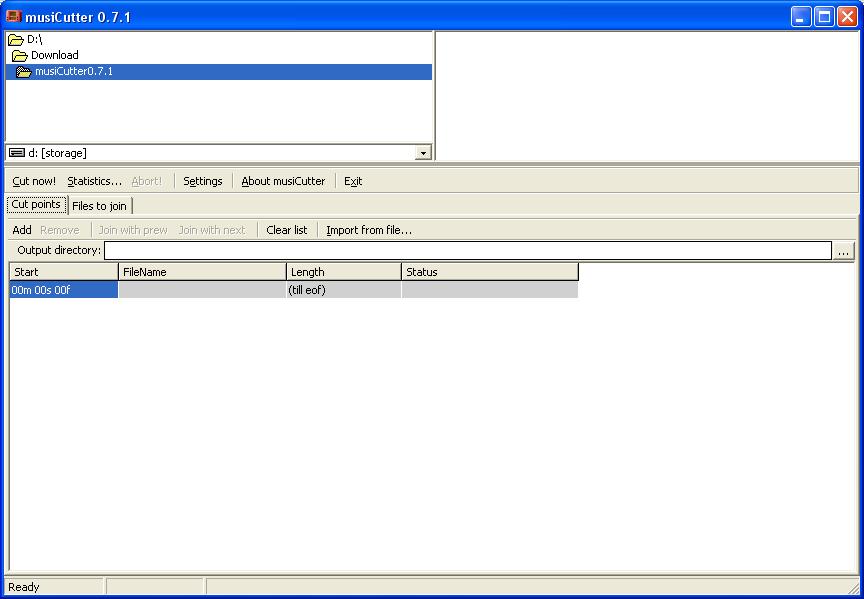
musiCutter is a very simple application designed to cut and join audio files with minimum configuration options.
As we all know by now, the market comes with tons of similar software solutions and it's only natural to expect a complex application with lots of settings but no, musiCutter is not that kind of program.
Instead, it attempts to make things a bit easier for all types users, offering a clean look with all features grouped in a single window.
You can thus browse the local disks, pick a file to process, cut or join files from a single window, especially thanks to its multi-panel layout. The way it performs these two tasks however is less impressive, especially because they're both based on minimal parameters.
If you wish to cut a specific segment of an MP3 or OGG file, you need to define the start point and the length, but there's no way to preview or at least select these two points. Which means that you have to listen to the audio files in a different app and pick the start point manually.
The file joiner on the other hand shows no configuration option in the main window, so the whole process only comes down to picking the two files and the output folder.
A “Settings” menu is however available, allowing you to configure the default folder for saving processed files and the default filename for merged files.
As you can see, musiCutter is nothing special and everything works without a flaw on all Windows versions, but in case you need assistance, there's no help file to lend you a hand.
- runs on:
- Windows All
- file size:
- 350 KB
- filename:
- musiCutter0.7.1.zip
- main category:
- Multimedia
- developer:
- visit homepage
calibre

Windows Sandbox Launcher

4k Video Downloader

Context Menu Manager

Microsoft Teams

Bitdefender Antivirus Free

IrfanView

7-Zip

Zoom Client

ShareX

- 7-Zip
- Zoom Client
- ShareX
- calibre
- Windows Sandbox Launcher
- 4k Video Downloader
- Context Menu Manager
- Microsoft Teams
- Bitdefender Antivirus Free
- IrfanView