
A program for editing, adding, or deleting ID3 TAGs in MP3 files.. #Edit id3 #Mp3 id3 #Id3 tag #Id3 #Tagger #Tag

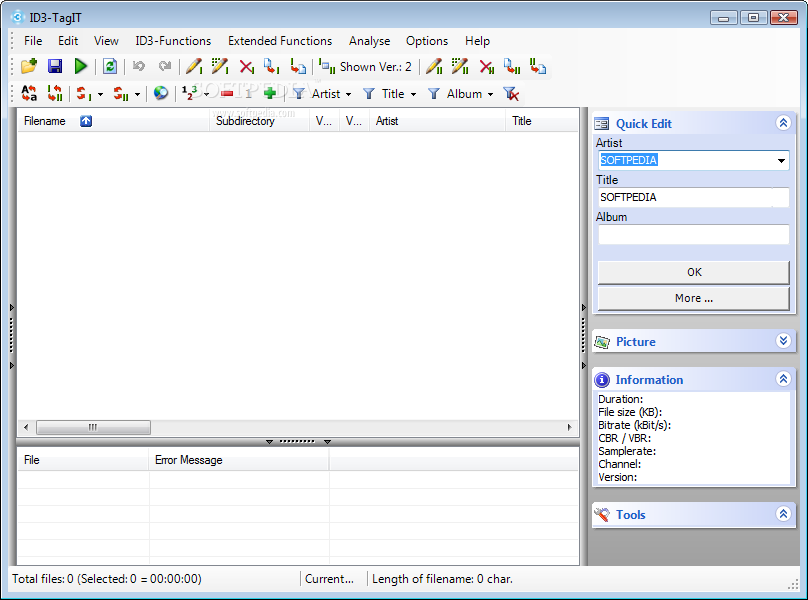
ID3-TagIT is a software that lets you easily edit the ID3 tags of your MP3 files.
The interface of the program looks a little cluttered but navigating through ID3-TagIT's features is easy. You can use a treeview to locate MP3s.
You can use the "Quick Edit" box to input the artist, title and album of the file.
But you can also click the "More" button to edit other entries, such as year of recording, track number, BPM, position in media set, genre, comment, comment descriptor and language, and more.
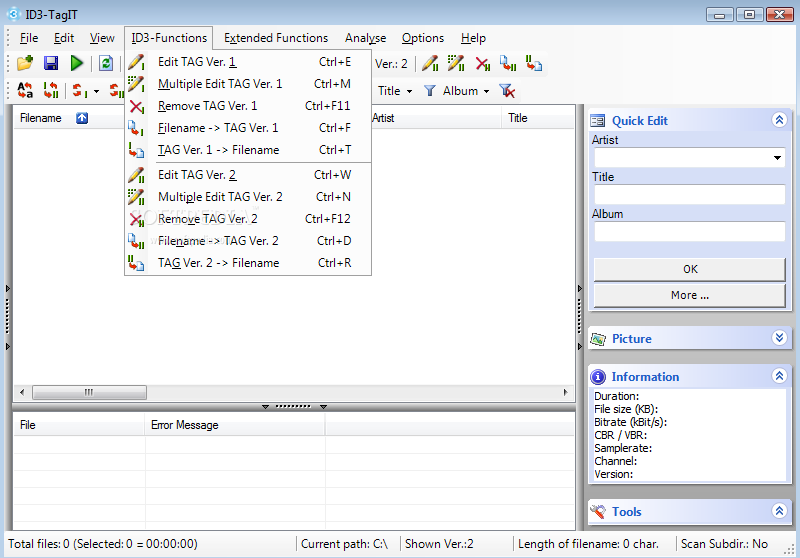
You can open the context menu to access ID3v1 and ID3v2 functions - edit or multiple-edit tags, remove tags, transfer file name information to tags or viceversa.
Moreover, you can swap tag entries (artist, album, title), play an audio track or open its file location, move, copy and delete files and tag information, as well as use the "Undo" and "Redo" functions.
You can find duplicate files, compare file names with tag information, edit libraries, use case conversion and a tool for transferring and converting tags, scan subdirectories, and more.
The program consumes a moderate amount of system resources, supports several languages and didn't pop up any errors during our tests. There is no help file available. However, ID3-TagIT can be used by both novices and experienced individuals. We strongly recommend it.
What's new in ID3-TagIT 3.30:
- Editing dialogs got a new structure
- Editing dialogs got some new functions
- Main window got a new structure
- Pictures will be displayed in the main window
ID3-TagIT 3.30
add to watchlist add to download basket send us an update REPORT- runs on:
- Windows All
- file size:
- 1.3 MB
- filename:
- ID3-TagIT-Setup33.exe
- main category:
- Multimedia
- developer:
- visit homepage
Microsoft Teams

Zoom Client

Bitdefender Antivirus Free

4k Video Downloader

ShareX

IrfanView

7-Zip

calibre

Context Menu Manager

Windows Sandbox Launcher

- calibre
- Context Menu Manager
- Windows Sandbox Launcher
- Microsoft Teams
- Zoom Client
- Bitdefender Antivirus Free
- 4k Video Downloader
- ShareX
- IrfanView
- 7-Zip