
Connect several audio applications together in real time, examine information and configure settings using this advanced software tool. #Audio Cable #Virtual cable #Connect application #Recorder #Cable #Virtual

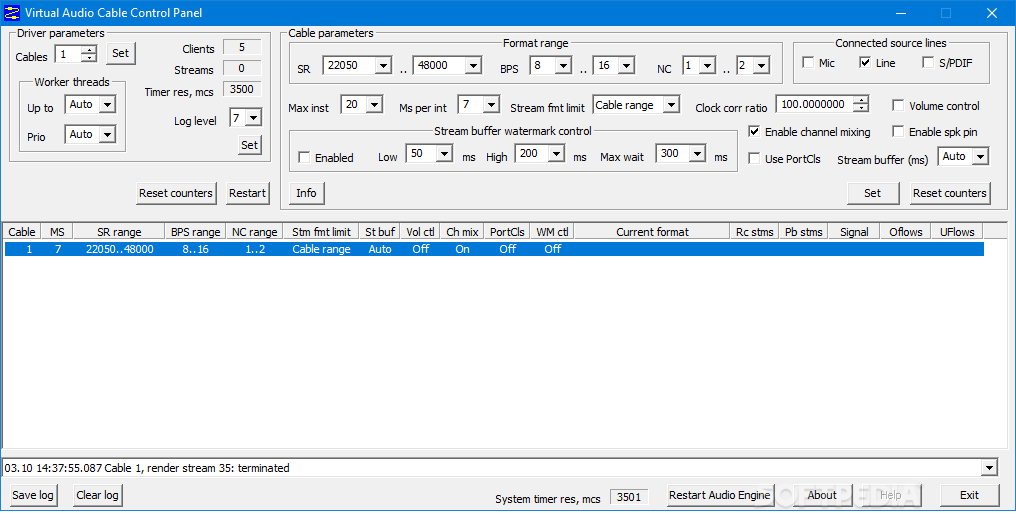
Virtual Audio Cable is a multimedia driver designed to connect one or more audio applications in order to transfer audio streams between them.
This software tool introduces the 'virtual cables', which refer to a set of virtual audio devices containing input and output ports. Practically, the input port records the audio signal (from a music player, for example) and sends it to the destination program (such as a sound processor or analyzer) using the output port.
Once you install the driver, you are able to access its control panel in order to configure the working parameters. While the customizatin process might seem easy due to the organized interface, making the application work is quite a challenge. Before starting, it is strongly recommended to go through all the documentation carefully.
Some of the displayed parameters concern the driver, while others refer to each cable. The first item you can change is the number of virtual cables created by the program. Adding a new one displays a new item in the monitoring pane. You can view the number of detected streams and change the worker thread number and priority.
On the other hand, there are various other parameters to configure for each cable. Setting the maximum instances number, the sampling rate and bits per sample range and the channel number are just some of the options that you can modify according to your preferences. You can also enable the stream buffer watermark, volume control, as well as channel mixing.
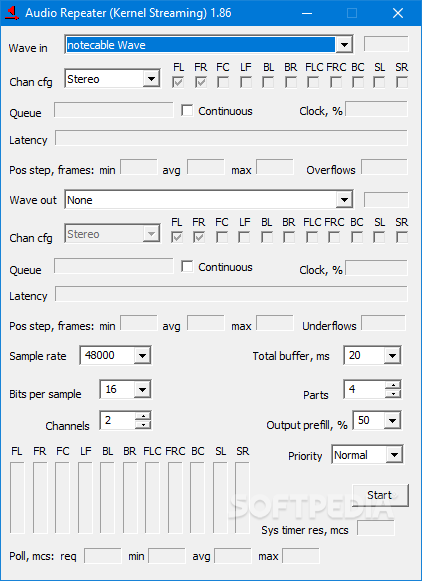
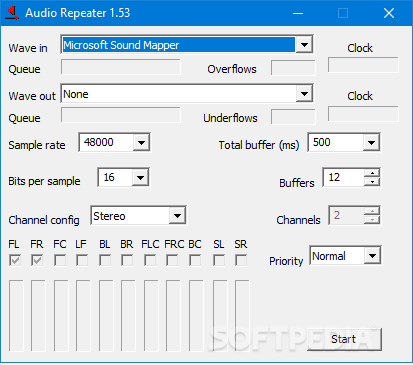
When the configuration process is over, you need to open an audio producing program that allows you to choose a playback device. The Audio Repeater application is the one that does the actual transfer, from the recording port to the other audio device. If more than one application sends audio streams to Virtual Audio Cable, the driver mixes the signal together.
Although it can be definitely qualified as hard to use, Virtual Audio Cable promises to pass the audio signal with no quality loss and can prove handy once you get the hang of it.
What's new in Virtual Audio Cable 4.70:
- Added ARM64 binaries.
- Fixed a driver bug that caused render streams to speed up when volume control and/or format conversion are used.
- Fixed a driver bug that caused OF/UF values in the stream termination event to always be zero.
- Added client clock adjustment feature to the driver, allowing applications to adjust cable clock on the fly, without changing cable clock correction value permanently.
Virtual Audio Cable 4.70
add to watchlist add to download basket send us an update REPORT- runs on:
-
Windows 11
Windows 10 32/64 bit
Windows 8 32/64 bit
Windows 7 32/64 bit
Windows Vista 32/64 bit
Windows XP 32/64 bit - file size:
- 890 KB
- filename:
- vac470.exe
- main category:
- Multimedia
- developer:
- visit homepage
4k Video Downloader

Bitdefender Antivirus Free

ShareX

Windows Sandbox Launcher

calibre

Context Menu Manager

IrfanView

Zoom Client

7-Zip

Microsoft Teams

- Zoom Client
- 7-Zip
- Microsoft Teams
- 4k Video Downloader
- Bitdefender Antivirus Free
- ShareX
- Windows Sandbox Launcher
- calibre
- Context Menu Manager
- IrfanView