Search Perform an advanced search query SOFTPEDIA
 
SOFTPEDIA
Updated one minute ago
HomeSubmit a program for being reviewedAdvertise on our websiteGet help on surfing our websitesSend us your feedbackGet information about our XML/RSS backend and how to use itBrowse the news archiveVisit our discussion forumVizitati forumul in limba romana


Program Finder NormalFreeware onlyShareware only

DSLR Remote Pro 1.6 Report spyware 

Click to download DSLR Remote Pro
View more DSLR Remote Pro screenshots (3)
 Downloads: 1,633
Rating: Fair (2.6/5) | Rated by: 17 user(s)
Add to download basket     Send us update information
 Developer: Breeze Systems | More programs by this producer
 License: Trial , 95 $ to buy 
 Size / OS: 5.92 MB, Windows All
 Last Updated: December 6th, 2007, 07:47 GMT
 Category: C: \ Multimedia \ Graphic \ Digital Photo Tools
 Read user reviews (0) Add a review Refer to friend Subscribe
    Download DSLR Remote Pro

DSLR Remote Pro description
The professional's software tool for remotely controlling your Canon EOS digital SLR from a PC

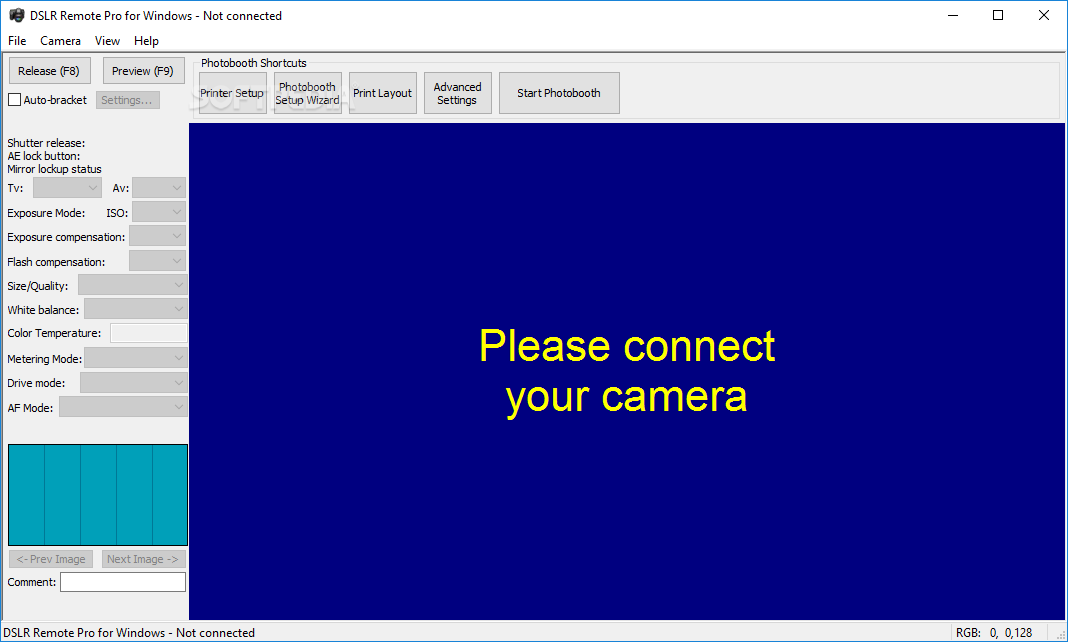
DSLR Remote Pro is the professional's software tool for remotely controlling your Canon EOS digital SLR from a PC using a FireWire or USB cable.

Here are some key features of "DSLR Remote Pro":

· Take control of your Canon DSLR camera from your PC
· Retain full control from the camera
· Choose to take photos from the camera or from the PC
· Photos automatically downloaded to the PC and displayed in a large preview window
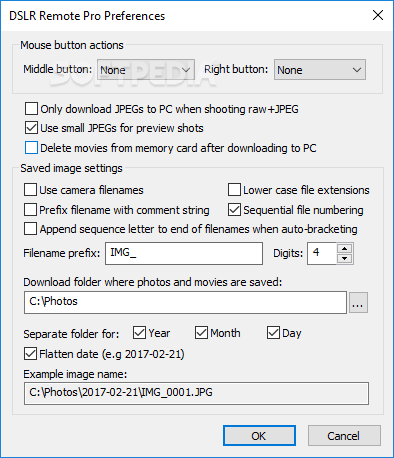
· Photos are saved on the PC's hard disk and can also be saved on the memory card in the camera
· Full size preview window can display a critical area of the photo e.g. the eyes and face of your
model during a portrait shoot
· Flashing highlight display to highlight over exposed areas
· Grid overlay display for accurate alignment of studio shots. The size and color of the grid is user definable
· Focus point overlay display for more precise control of auto focus
· Color management and sharpening options for more accurate display of preview images
· Auto bracketing of up to 15 shots ideal for HDR images, interior shots and product photography
· Automatic screen blank option - blanks the screen before taking a photo so that the light from the PC display doesn’t affect the subject lighting
· Fullscreen mode for large, uncluttered display of images
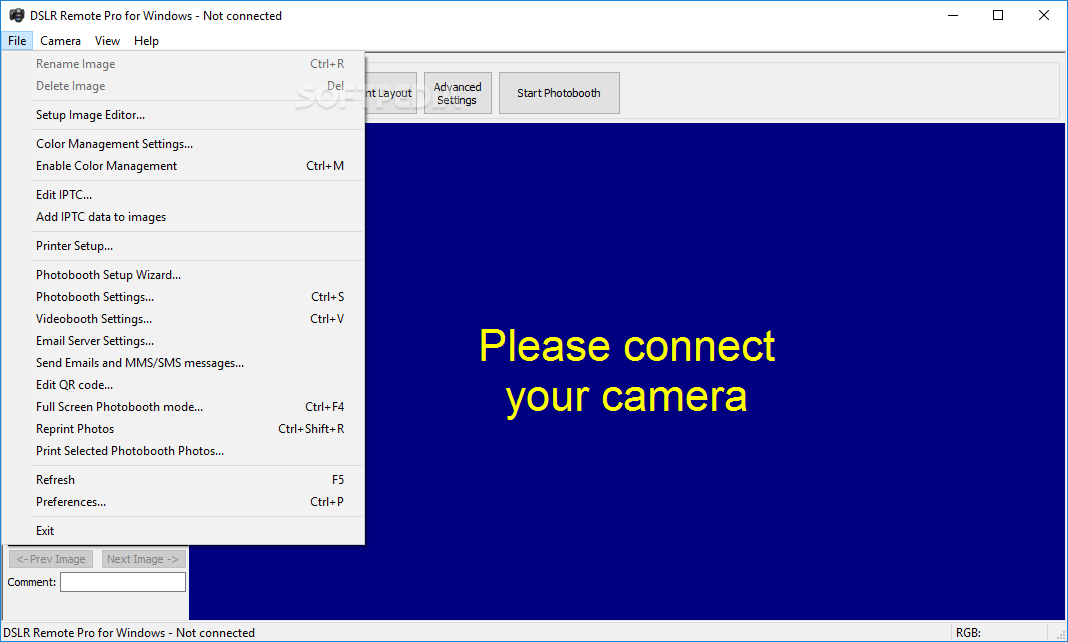
· Automatic edit option - automatically loads the image after downloading into the editor or program of your choice
· Automatically stores a short comment in the shooting data of images for easy identification e.g. the person’s name when taking id photos. The comment can also be used for the image filename to make it easier to identify images when taking product shots, school portraits etc.
· Automatically stores IPTC data in images as they are downloaded
· Time-Lapse feature which allows the number of photos in a sequence and the interval between shots to be specified.


Limitations:

· 15 days free trial


Softpedia guarantees that DSLR Remote Pro 1.6 is 100% CLEAN, which means it does not contain any form of malware, including but not limited to: spyware, viruses, trojans and backdoors.

This software product was tested thoroughly and was found absolutely clean, therefore it can be installed with no concern by any computer user.

However, it should be noted that this product will be retested periodically and the award may be withdrawn, so you should check back on this page from time to time. (click here for more information)


Related downloads IT News Popular downloads New additions   Latest reviews  
Abac Camera 1.1
Using PC camera to take photos with nice backgrounds
Capture Perfect 1.3
A software utility that allows you to control your Canon digital camera from the comfort of your PC
IRCAS Alarm 4.0.9
Low cost and great performance PC based home alarm system
Digital Camera Poster Creator 2.52
Makes customized photo quality posters of any size/shape from your digital pics
PSRemote 1.52
PSRemote controls Canon PowerShot cameras from a PC via a USB connection
Smilecam 3.0
SmileCam messenger merges high-quality video conferencing capabilities with a high-speed, wide-range pan/tilt camera
VintaSoftTwain.NET Library 4.0
Control your scanner or camera from .Net, VB, Delphi, Web.
10DRemote 1.1
10DRemote gives you total control of your Canon EOS 10D, 300D or Digital Rebel from a computer
G2Remote 1.2
G2Remote gives you control of virtually all camera settings inc. exposure mode, shutter speed and aperture
DSLR Remote Pro Multi-Camera 1.0.5
Allows you to control up to 25 Canon cameras remotely from a single computer

go to top Use the following code to link to this page:


Welcome!
Hello, Guest

Login if you have a Softpedia.com account.

Otherwise, register for one.

Main categories:
  • Antivirus
  • Compression tools
  • CD/DVD Tools
  • Office tools
  • Programming
  • Authoring tools
  • File managers
  • Desktop Enhancements
  • Internet
  • Network Tools
  • IPOD TOOLS
  • Mobile Phone Tools
  • Multimedia
  • Tweak
  • System
  • Security
  • Others
  • Science / CAD
  • UNIX
  • Windows Widgets
  • PORTABLE SOFTWARE

  • Week's best:
  • Adobe Media Player 1...
  • Registry Mechanic 8....
  • BitSpirit 3.3.2.263
  • AnyDVD 6.4.5.6
  • Firefox 3.0.1 / 2.0....
  • AutoCAD 2009
  • Norton AntiVirus 200...
  • Norton Internet Secu...
  • The Bat! Professiona...
  • WinRAR 3.80 Beta 3 /...
  • GMail Drive shell ex...
  • DAEMON Tools Lite 4....
  • UBCD4WIN 3.2.0
  • Adobe Reader 9.0.0 /...
  • Total Commander Ulti...
  • System Mechanic 8.0....
  • Adobe Acrobat Profes...
  • iPhone PC Suite 1.0....
  • Portable Firefox 3.0...
  • MPlayer for Windows ...
  • Vista Codec Package ...
  • Windows Live Messeng...
  • WinBubble 1.73
  • Kaspersky Anti-Virus...
  • Malware Removal Tool...
  • Royale Noir Theme fo...
  • IBM Lotus Symphony 1...
  • Adobe Dreamweaver 10...
  • Adobe Fireworks 10.0...
  • BitDefender Total Se...
  • © 2001 - 2008 Softpedia. All rights reserved.
    Softpedia™ and Softpedia™ logo are registered trademarks of SoftNews NET SRL.
    Copyright Information | Privacy Policy | Terms of Use | Contact Softpedia | Update your software | Archive