
Adjust date and time information in images, batch rename files, add captions, watermarks and much more, with this useful application. #Date Changer #EXIF Date #EXIF Modifier #EXIF #Metadata #Caption

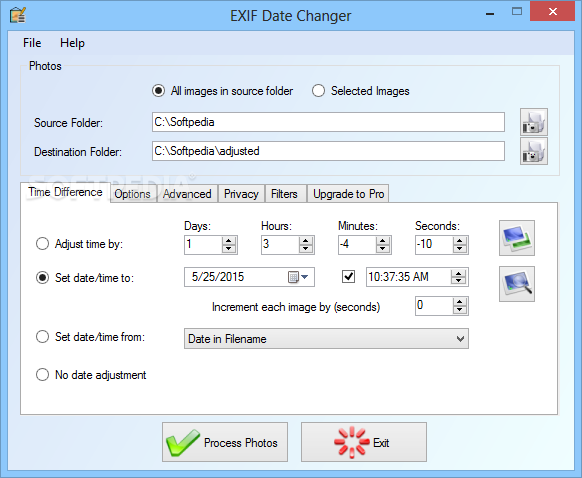
EXIF Date Changer is an application that was designed with a single goal in mind: help you change the time and date information stored in the Exchangeable Image File Format data of your photos.
In fact, the program is supposed to deal with an issue that is giving headaches to many users from all around the world. When traveling abroad in a different timezone, the EXIF data doesn't store the correct time and date information, so the application lends a hand to modify all these wrong entries.
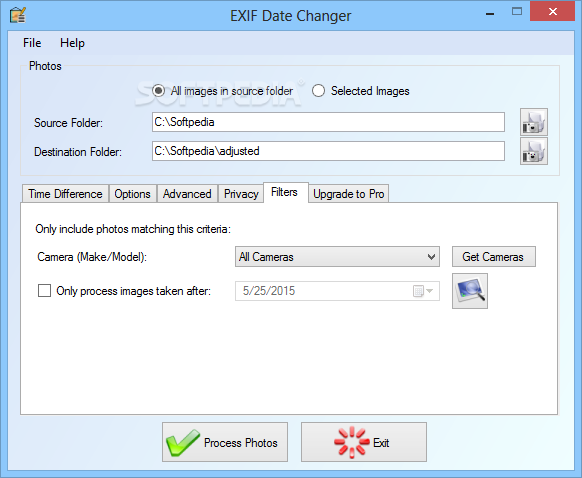
The interface makes the whole process quite straightforward because you are prompted to input the path to the source folder and choose the destination where the modified photos will be stored.
Then, you have to choose one of the three available options: adjust time by a given amount of time, set date and time to a specific value or do not adjust the date at all. After all this, simply press the 'Process Photos' button and you are all set.
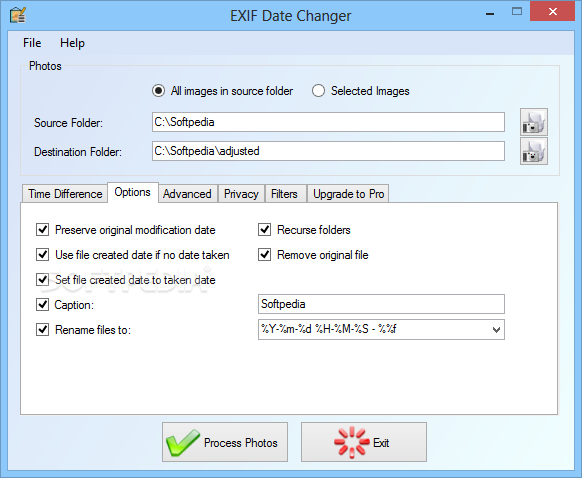
You can have a look in the Options tab where you will find dedicated settings to preserve original modification date, set file create date to taken date and remove the original file. You can use EXIF data to rename files as well, so yes, the app can also do batch renaming.
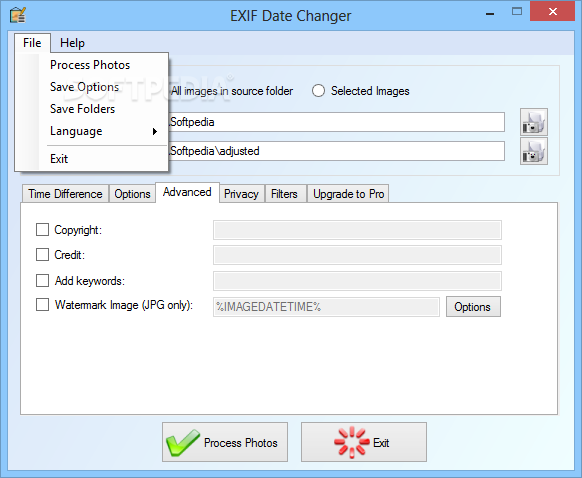
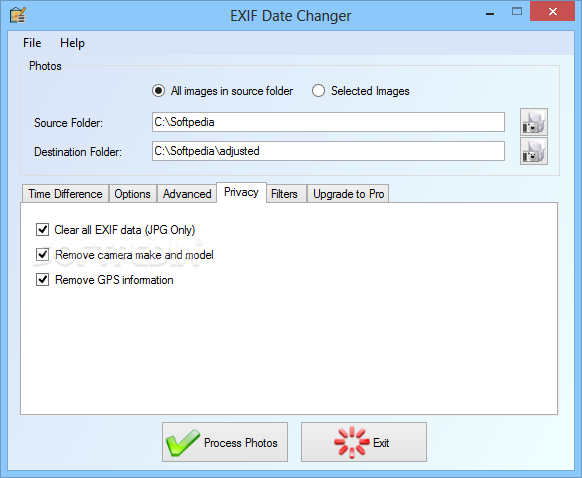
The Advanced tab holds some extra goodies in the form of several fields to enter copyright, credit, keywords or even an option to clear all EXIF data for JPG files.
Of course, it all works smooth and fast and you shouldn't encounter any problem when using it, even on older computers, as the amount of needed resources remains very low all the time.
So as a conclusion, if you need this kind of tool, EXIF Date Changer should be close to number one in your choices.
Download Hubs
EXIF Date Changer is part of these download collections: EXIF Editors, EXIF Managers
What's new in EXIF Date Changer 3.9.10.0:
- Filter on images without date taken:
- Quickly process only your images which don’t currently have a date taken. This works well when assigning the date based on the file created date, or from a date within the file name to add any missing date taken information to your photos.
EXIF Date Changer 3.9.10.0
add to watchlist add to download basket send us an update REPORT- runs on:
- Windows All
- file size:
- 9.8 MB
- filename:
- EXIFDateChangerSetup.exe
- main category:
- Multimedia
- developer:
- visit homepage
Context Menu Manager

calibre

IrfanView

Bitdefender Antivirus Free

Zoom Client

Microsoft Teams

4k Video Downloader

7-Zip

ShareX

Windows Sandbox Launcher

- 7-Zip
- ShareX
- Windows Sandbox Launcher
- Context Menu Manager
- calibre
- IrfanView
- Bitdefender Antivirus Free
- Zoom Client
- Microsoft Teams
- 4k Video Downloader