
Accessible and reliable instrument that can be used to create software demonstrations and develop videos for training and tutoring #Screen capture #Capture screen #Desktop recorder #Capture #Recorder #Screen

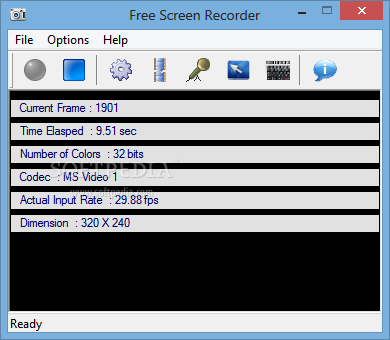
Free Screen Recorder allows you to record your desktop activity and save it to a video file. It is a very useful tool that can help you create a video tutorial for a computer program or other computer activity. The program saves the video as an AVI file that almost every computer user is be able to view with the default media player.
The program records the movements of the mouse cursor and basically every action that takes place in a certain area. To be more precise, you can configure it to record the entire screen or define an area of interest where the subject of the presentation is placed.
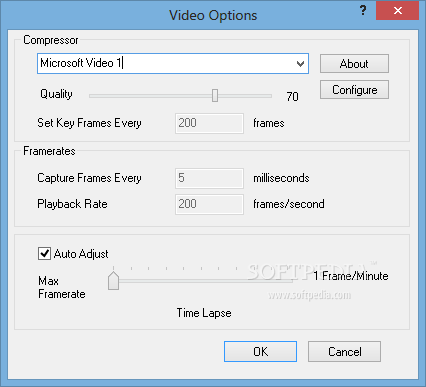
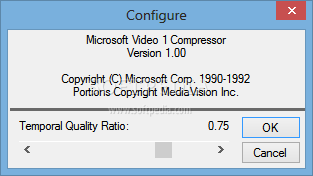
The output file can also be configured by choosing the video compressor that is used and the overall quality. For certain codecs you can configure the bit rate and other advanced settings in a separate window. If your actions are not very fast you can set the program to capture a frame per second or even less.
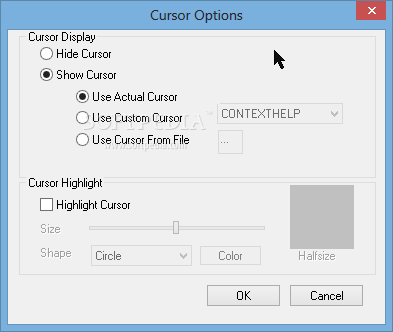
If you need to create a tutorial where the mouse movement has little or no importance, you can choose to hide the cursor in the recording. Conversely, if the cursor is very important for the presentation you can highlight it or even replace it with a special cursor that is more visible and emphasizes it.
Most tutorials have a greater impact if the trainer talks to the audience and explains each step. This program allows you to record the video file with sound that is captured from the microphone. You can change the settings of the sound track such as the recording format or the audio encoder that will be used.
The quality of the output file is rather good, all the mouse cursor movements are clearly visible even without being highlighted. The output file is rather large, yet if you use a video compressor it should reduce the size without too much trouble.
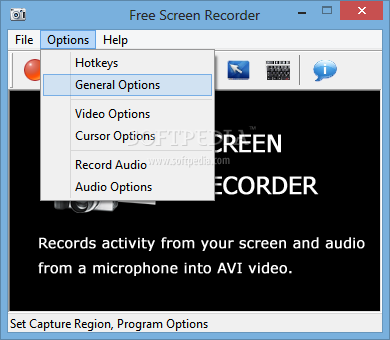
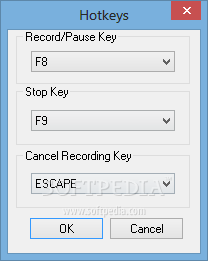
To focus on the recording you can minimize the program's window and use hotkeys to control the status of the recording that can be paused if you need to take a break or change the settings.
In conclusion, Free Screen Recorder is a pretty efficient piece of software, dedicated to all types of users that are interested in creating tutorial movies or other similar recordings. There are sufficient options to keep you busy for quite a while, the computer’s performance is not going to be hampered and we did not come across any errors or crashes.
Free Screen Recorder 2.9
add to watchlist add to download basket send us an update REPORT- runs on:
- Windows All
- file size:
- 592 KB
- filename:
- screenrecorder.exe

- main category:
- Multimedia
- developer:
Bitdefender Antivirus Free

4k Video Downloader

Zoom Client

Context Menu Manager

calibre

7-Zip

ShareX

Windows Sandbox Launcher

IrfanView

Microsoft Teams

- Windows Sandbox Launcher
- IrfanView
- Microsoft Teams
- Bitdefender Antivirus Free
- 4k Video Downloader
- Zoom Client
- Context Menu Manager
- calibre
- 7-Zip
- ShareX