
A software application that enables users to take screenshots, record their activity and share them on the Internet by using a cloud service. #Screen capture #Record activity #Share screenshot #Capture #Screenshot #Printscreen

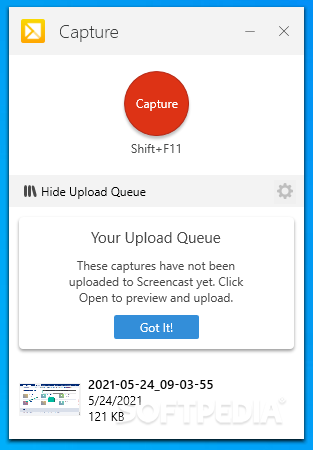
TechSmith Capture is the rebrand product that replaces Jing, which was retired due to Adobe’s support to pullback Flash back in 2020. The new application provides a modern-looking and cost-free screen recorder and capture software tool that aims to meet the new post-Flash security standards. Mandatory account sign in required
As soon as you start TechSmith Capture, you are prompted to login to your account or sign up for a new one for free. This step is mandatory due to the sharing options in TechSmith Capture, which allow you to upload files to Screencast.
It is just as easy to take screenshots and record the desktop activity with TechSmith Capture as it was with Jing, if not easier. The application displays a simple window with a single red and shiny button to start capturing. A section of the GUI is hidden, namely the upload queue for sharing screenshots and recordings, as detailed in the following.
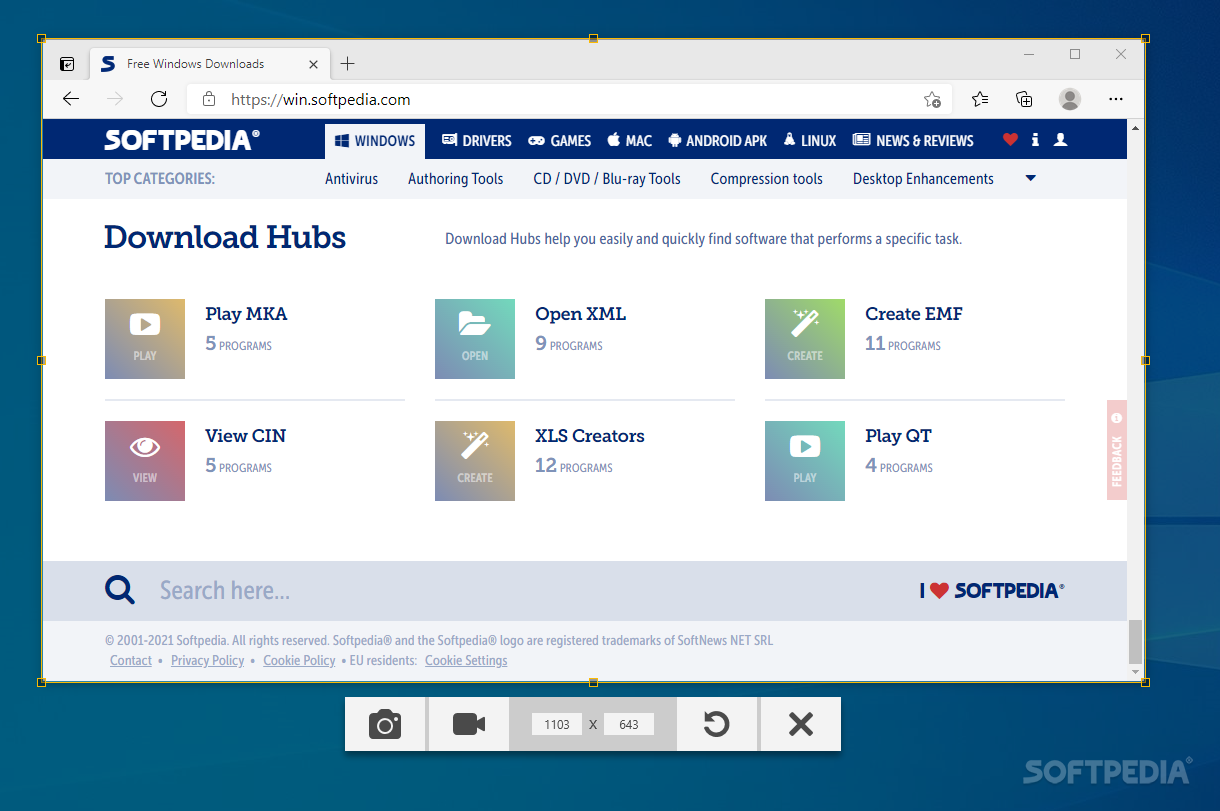
Once you hit the capture button to use the SHIFT+F11 key combination, a target symbol is displayed, allowing you to choose the region or the window to capture. TechSmith Capture can also capture or record the entire screen. It is advisable you hit the F1 help button to get instructions on how to perform the target selection, at least until you get used to the application.
The selected area is highlighted, while the rest of the desktop is shadowed and a toolbar is displayed to let you choose whether to take a screenshot or record the desktop activity.
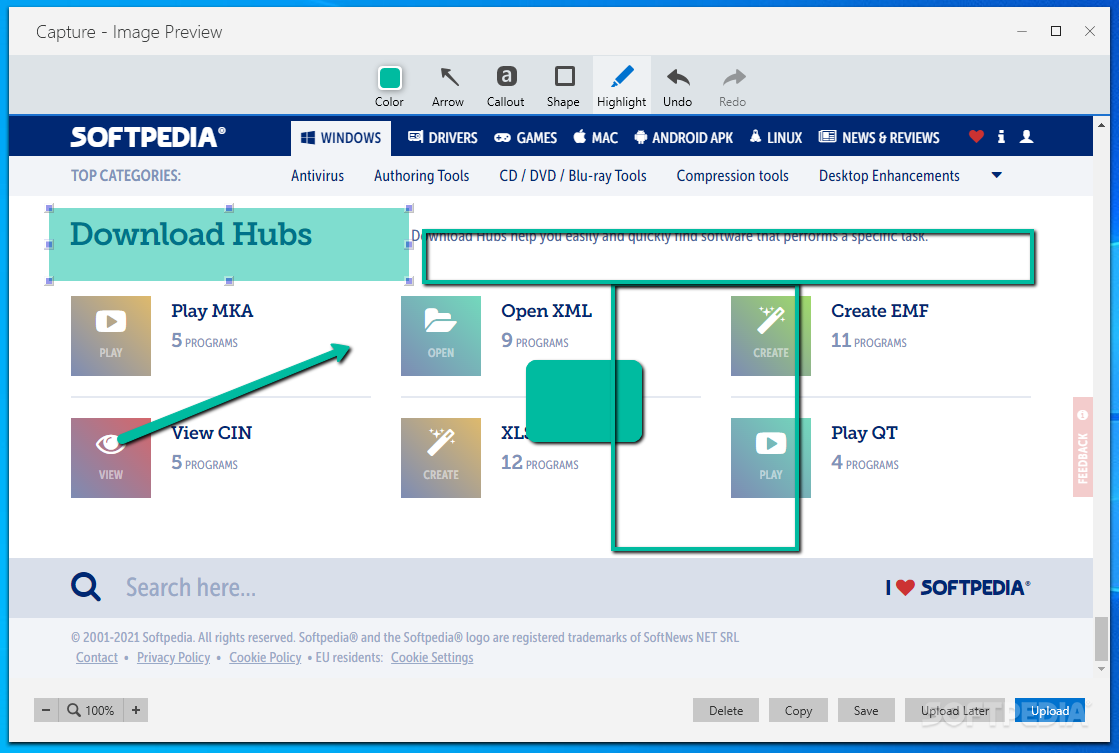
TechSmith Capture displays a preview of the screenshot, where you can use the available annotation tools to highlight important areas. You can draw arrows, shapes or callouts and use the highlighter to point something out. The snapshot can then be saved, copied, deleted or uploaded to Screencast. Alternatively, you can send it to TechSmith Capture’s queue and upload it at a later time.
Video recording preview is also possible. However, there are no annotation tools available in this case. The clip is not saved locally, which might be an inconvenient to some, but you can share it via Screencast.
TechSmith Capture successfully replaces the outdated Jing, providing a present-time software utility that removes Flash support. It now provides a refurbished screen capture and recording tool with very good response time and simple usage. Further improvements could really add to its value but, for now, it is fair to say that TechSmith Capture comes in handy to anyone who needs to capture and share their desktop activity.
TechSmith Capture (formerly Jing) 2.1.2.605
add to watchlist add to download basket send us an update REPORT- PRICE: Free
- runs on:
-
Windows 11
Windows 10 64 bit - file size:
- 14.6 MB
- filename:
- TechSmithCapture.exe
- main category:
- Multimedia
- developer:
- visit homepage
Bitdefender Antivirus Free

Microsoft Teams

Context Menu Manager

ShareX

Zoom Client

7-Zip

calibre

4k Video Downloader

IrfanView

Windows Sandbox Launcher

- 4k Video Downloader
- IrfanView
- Windows Sandbox Launcher
- Bitdefender Antivirus Free
- Microsoft Teams
- Context Menu Manager
- ShareX
- Zoom Client
- 7-Zip
- calibre