
It can easily take snapshots of your desktop as well as record videos with various features such as mouse highlighting and even narration. #Screen grabber #Screen capture #Take snapshot #Grabber #Snapshot #Screenshot
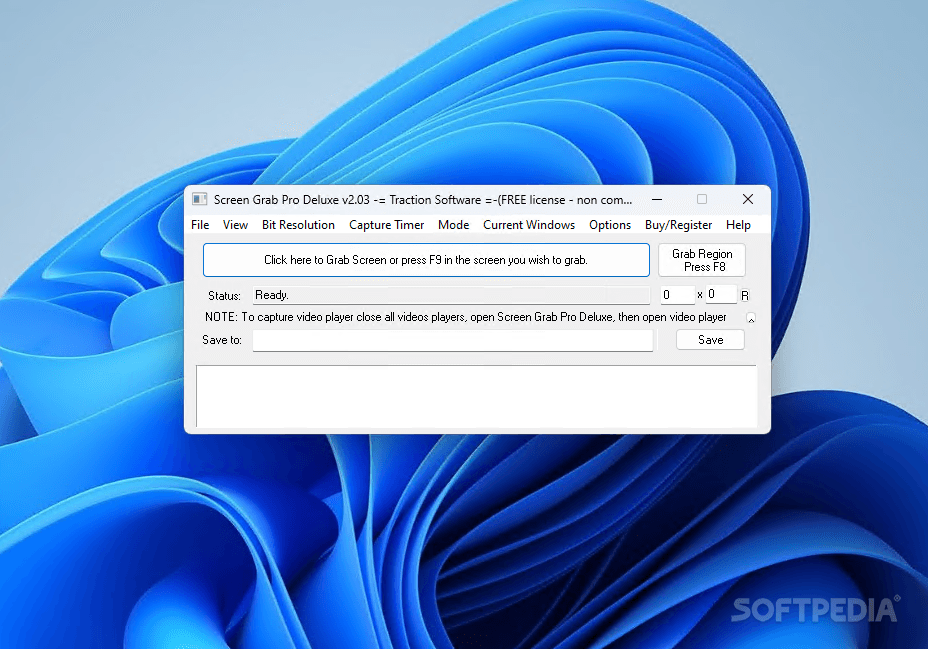
Screen Grab Pro Deluxe is a lightweight software application that can capture the user's screen in a few simple clicks.
The program has a small layout with all the main functions placed in the top menu bar. The app minimizes to tray whenever you use another program and you can quickly bring it up when needed. The screen grabber utility allows you to capture the whole screen or only a region which is defined using the mouse. The tool offers information about each snapshot, such as the size, picture dimensions, and the default save location.
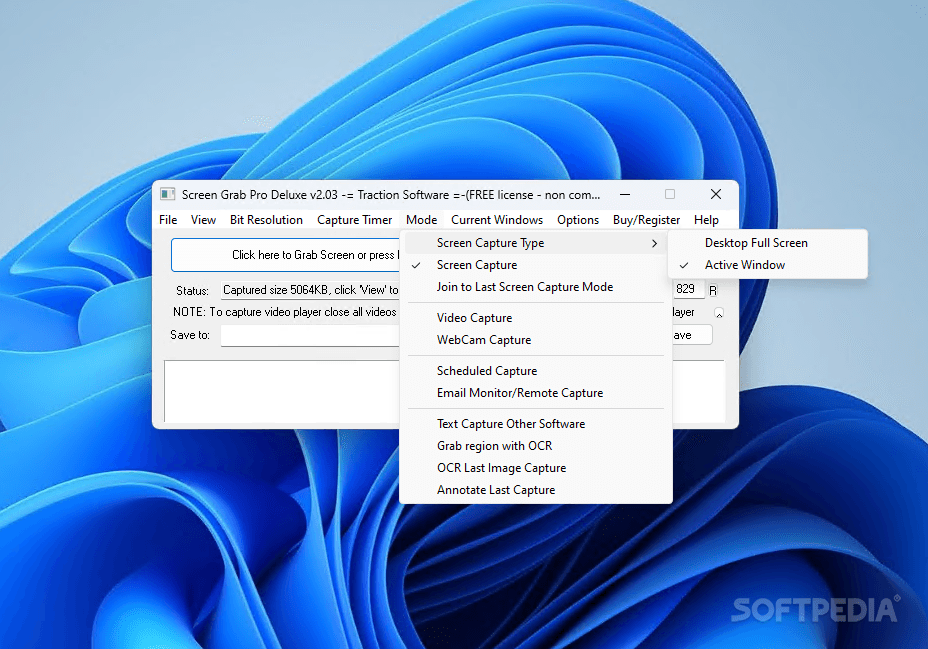
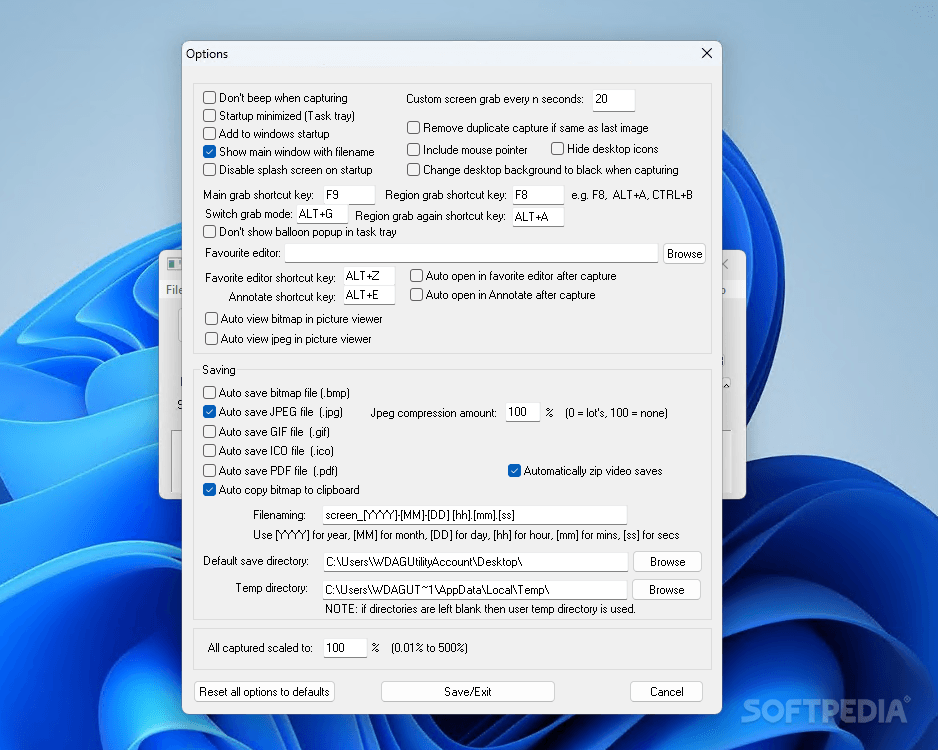
The captured file can be saved to different file formats like BMP, JPG, PDF, GIF, TIFF or ICO. The utility can capture video files and then save them to MP4, AVI or SWF format or create animated GIF files. The video file can be uploaded directly to YouTube using the app. Also clipboard data can be pasted in the main window or the captured image can be copied to the clipboard. The tool displays the last captured bitmap, JPEG or video with the default programs associated to the extensions.
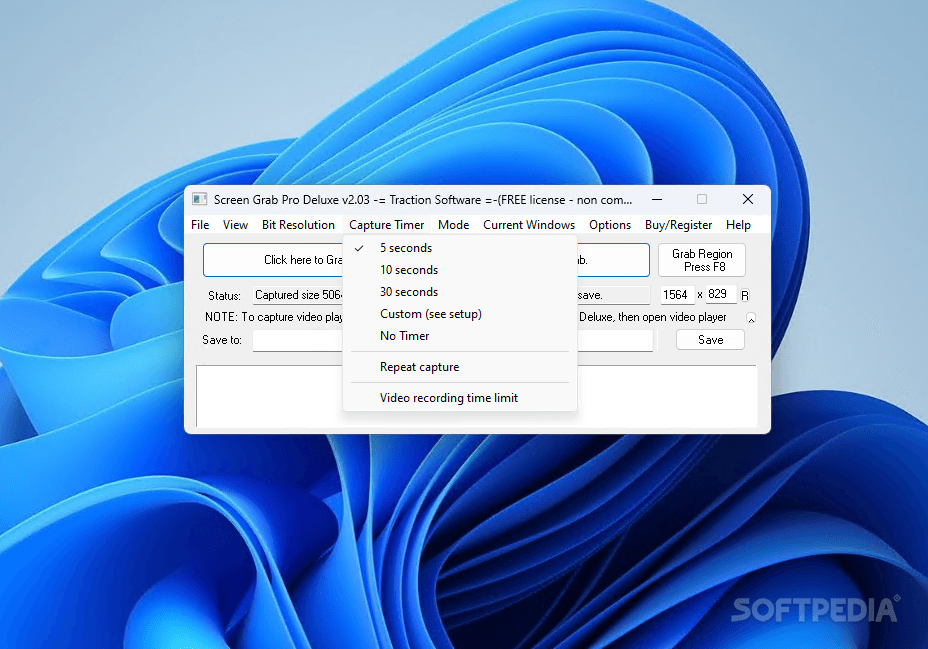
You can set a custom bit resolution of 8 or 32 bits depending on the quality you need. The program lets you set a custom time before taking screenshots or recording clips. You can even use the webcam to capture or schedule a recording at a specific date and at a corresponding hour.
The app can be used to capture an image from your e-mails after you enter all the required data like SMTP and POP e-mail server address. Using the "target" icon you can point to the applications you want to capture. Moreover, the last captured file can be grabbed and edited using an OCR software.
To sum up, Screen Grab Pro Deluxe is a program which can capture the screen and running video and is great for users who want to save important financial data or an online meeting. The app does not display errors and does not hug the system's CPU and RAM.
What's new in Screen Grab Pro Deluxe 2.03:
- Minor update
Screen Grab Pro Deluxe 2.03
add to watchlist add to download basket send us an update REPORT- runs on:
-
Windows 11
Windows Server 2016
Windows 10 32/64 bit
Windows Server 2012
Windows 2008
Windows 2003
Windows 8 32/64 bit
Windows 7 32/64 bit
Windows Vista 32/64 bit
Windows XP 32/64 bit - file size:
- 21.3 MB
- filename:
- ScreenGrabProDeluxeInstall.exe
- main category:
- Multimedia
- developer:
- visit homepage
Context Menu Manager

4k Video Downloader

IrfanView

Bitdefender Antivirus Free

Microsoft Teams

ShareX

Windows Sandbox Launcher

Zoom Client

7-Zip

calibre

- Zoom Client
- 7-Zip
- calibre
- Context Menu Manager
- 4k Video Downloader
- IrfanView
- Bitdefender Antivirus Free
- Microsoft Teams
- ShareX
- Windows Sandbox Launcher