
Grab pictures of your whole screen, the active window, or a custom area on the desktop, export frames from videos, and more with this practical screenshot utility #Screen capture #Capture tool #Screen utility #Capture #Screen #Conversion
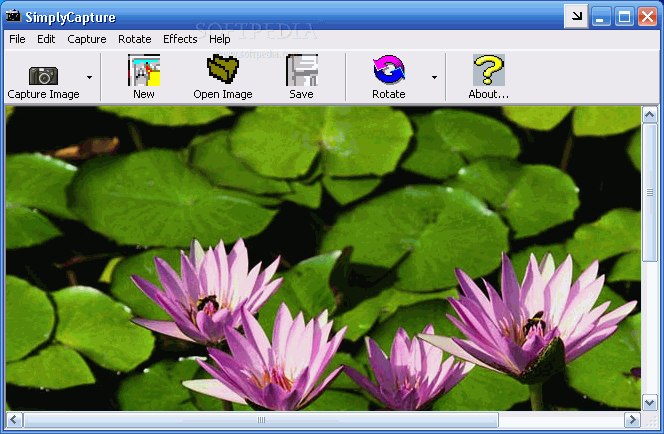
Capturing a specific area on your screen, or even the whole desktop comes in handy for various activities like testing, or simply showing off something funny that happened to your computer. Every keyboard is fitted with a screenshot button, but there are also various applications like SimplyCapture that aim to enhance this feature.
The application takes only a little while to get installed on your computer, and you’re free to check out the set of features before you realize. However, it hasn’t been updated in quite some time, and you might need to enable compatibility settings with Windows 98 for everything to work as intended.
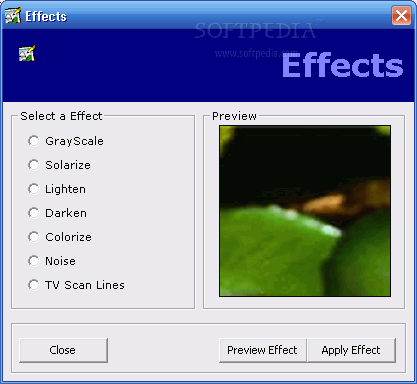
Nonetheless, the main window shows up when you manage to make it run. By default, most of the screen is empty, but this is only because that’s the place the image you grab is shown, with the possibility to either save it directly or enhance it a bit, with some built-in effects.
There are more methods of grabbing images on your screen apart from the whole view. In other words, SimplyCapture also lets you grab the active window, as well as a custom selection by dragging a box around the area of interest.
Unfortunately, you can’t set custom hotkeys for capture areas, except for the whole screen, which uses the keyboard button for the basic function. What’s more, there’s no possibility to have pictures automatically saved to a custom location, so you need to manually save each frame.
There’s an additional video capture utility you can access. The overall process is simple, with corresponding playback and recording buttons to capture frames from an existing video. As such, you need to use the built-in browse dialog to first load a video file, skip through frames, and export those of interest.
Taking everything into consideration, we can say that SimplyCapture comes with good intentions, but is a bit behind when it comes to the set of features, especially functionality. What’s more, it can’t actually run on all Windows versions, and even if it does, it can take some time to get acquainted.
What's new in SimplyCapture 1.3:
- Video Capture funcion! Now you can take screenshots of any video files!
- Capture snapshots of your favorite movies and a lot more!
- Integrated Video Player and Image Viewer for viewing your captured movie images!
- Fixed minor bugs.
SimplyCapture 1.3
add to watchlist add to download basket send us an update REPORT- runs on:
- Windows All
- file size:
- 2.4 MB
- filename:
- scap13.zip
- main category:
- Multimedia
- developer:
Zoom Client

IrfanView

Context Menu Manager

Windows Sandbox Launcher

Bitdefender Antivirus Free

4k Video Downloader

calibre

ShareX

7-Zip

Microsoft Teams

- ShareX
- 7-Zip
- Microsoft Teams
- Zoom Client
- IrfanView
- Context Menu Manager
- Windows Sandbox Launcher
- Bitdefender Antivirus Free
- 4k Video Downloader
- calibre