Search Perform an advanced search query SOFTPEDIA
 
SOFTPEDIA
Updated one minute ago
HomeSubmit a program for being reviewedAdvertise on our websiteGet help on surfing our websitesSend us your feedbackGet information about our XML/RSS backend and how to use itBrowse the news archiveVisit our discussion forumVizitati forumul in limba romana


Program Finder NormalFreeware onlyShareware only

Color Correction Wizard 1.1 Report spyware 

Click to download Color Correction Wizard
View more Color Correction Wizard screenshots (3)
 Downloads: 1,452
Rating: Fair (2.2/5) | Rated by: 18 user(s)
Add to download basket     Send us update information
 Developer: VicMan Software | More programs by this producer
 License: Freeware  
 Size / OS: 5.55 MB, Windows All
 Last Updated: May 15th, 2007, 12:28 GMT
 Category: C: \ Multimedia \ Graphic \ Graphic Editors
 Read user reviews (0) Add a review Refer to friend Subscribe
    Download Color Correction Wizard

Color Correction Wizard description
Color Correction Wizard - A batch imaging tool providing a quick solution to your color correction needs

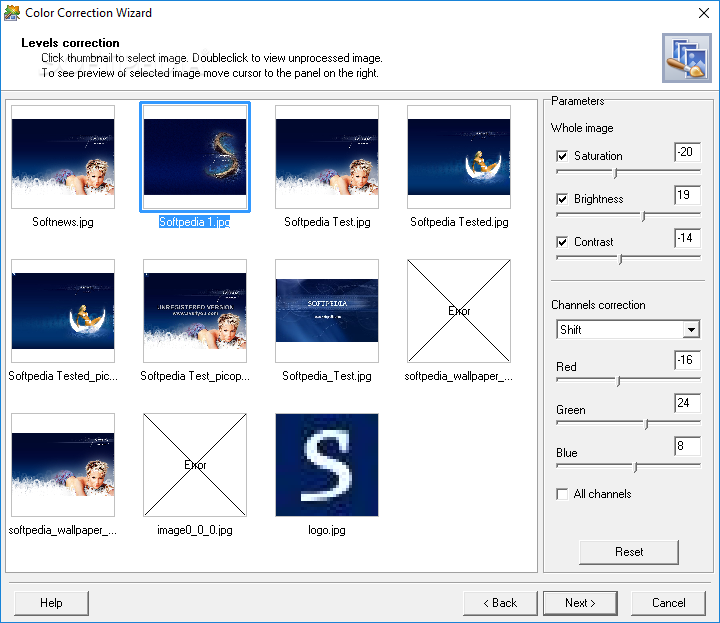
Color Correction Wizard is an indispensable tool in photography, capable of turning even dull images into splashes of color.

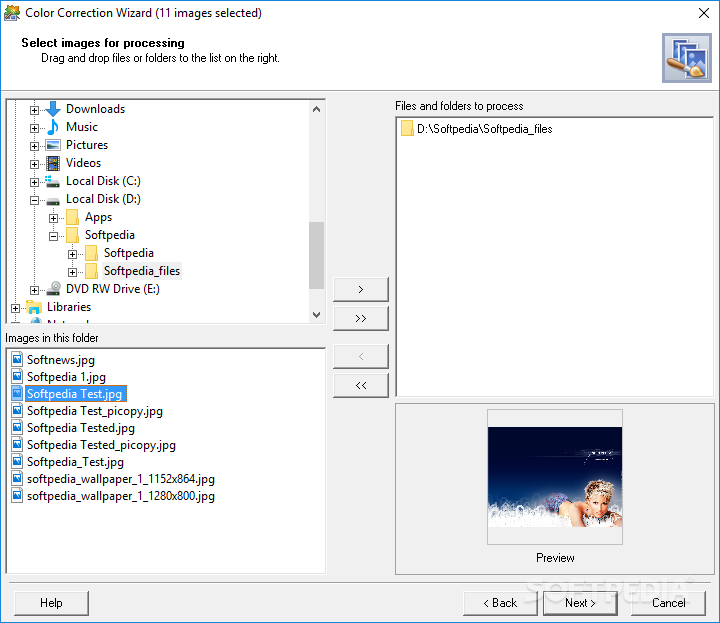
This powerful yet easy-to-grasp program easily fixes a host of common digital imaging problems enabling the user to perform color correction on large collections of images within a couple of minutes.

The program effectively solves poor contrast and color balance problems providing a more natural look to your images or helping increase saturation and achieve richer colors.

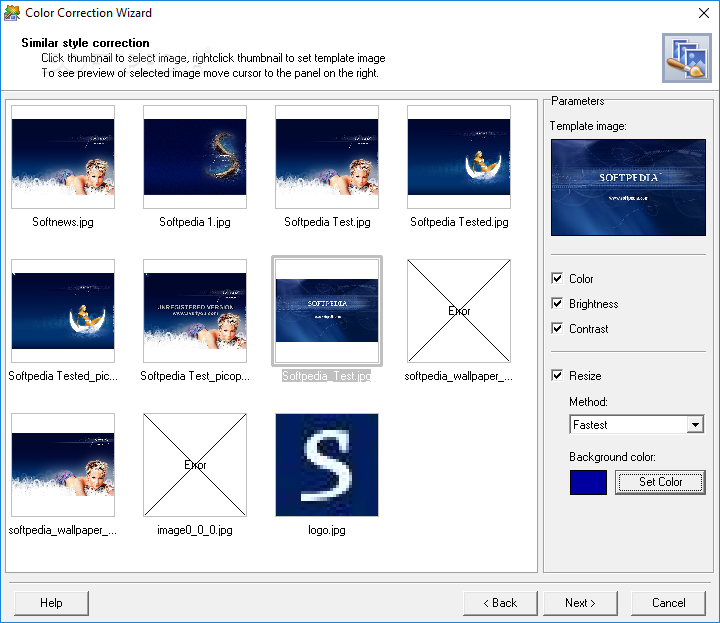
Color Correction Wizard has still another useful feature. It can recolor multiple images giving them the same look & feel (color, contrast and brightness). All you need is to select the template image and the characteristics you want to impose upon other images. This feature can be extremely useful in preparing digital photos for web galleries.

So, images can be corrected or enhanced in Color Correction Wizard in one of the following ways:
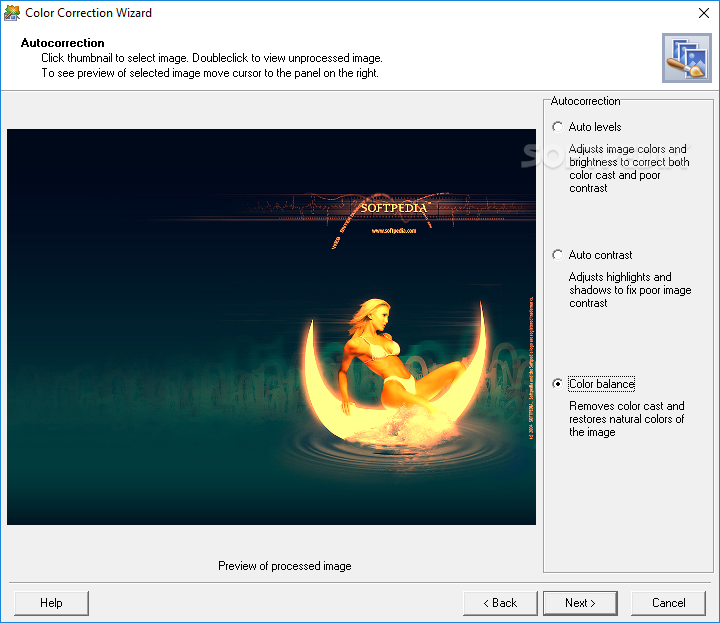
· The user can let the program automatically correct
images levels, contrast and color balance.
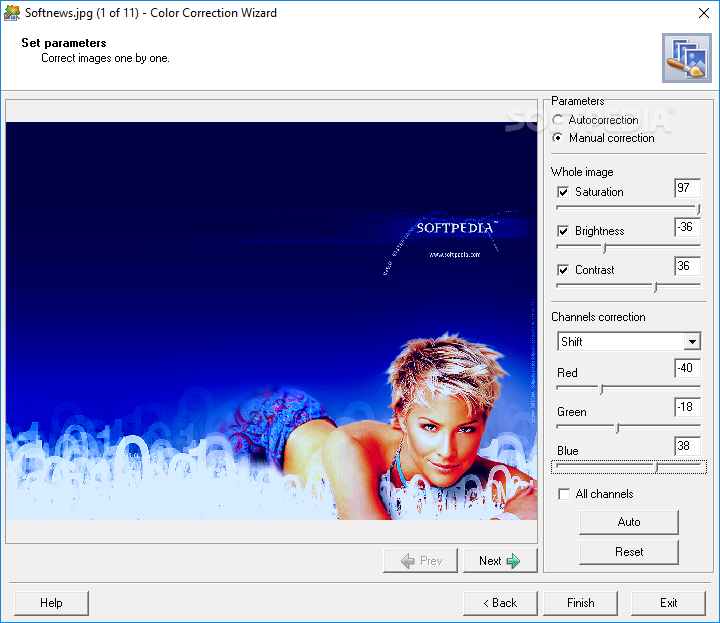
· Brightness, contrast and gamma can be adjusted manually.
· The user can select the template image (an image that is successful or appropriate in terms of color, brightness or contrast), and the program will apply one or several of its parameters to other images, giving them the same look & feel.
· Moreover, the program can resize multiple images according to the template image size. It is an excellent opportunity for web designers who often need to quickly prepare a large collection of images with the similar characteristics: gamma, brightness, contrast and size.
· The best thing is that the user doesn’t have to make a tremendous amount of adjustments manually or resize images one by one. He/she doesn’t even have to be familiar with the terms “levels”, “contrast”, “color balance” and the like.

So, the program features make it a most useful and powerful tool for all digital camera owners, as well as for professional photographers.

Here are some key features of "Color Correction Wizard":

· Work with large collections of images with just a few clicks;
· Open and save images in common image file formats (jpeg, bmp and png);
· Give a similar style to a large collection of images according to the specified template image (the same color, brightness, contrast and size);
· Adjust brightness, contrast, saturation and color balance of multiple images;
· Perform levels, contrast and color balance autocorrection to a collection of images;
· Set individual correction parameters for each image.
· Set image quality when saving JPEG files.


Requirements:

· Intel Pentium III 800 MHz or higher
· 128 MB RAM or more
· Hard disk space enough to save result images (for example, in BMP format)
· A display with at least 256 color depth and 800x600 screen resolution
· Mouse or other pointing device


What's New in This Release:

· New interface design
· New mode: one-by-one correction
· Improved performance... [ read full changelog ]


Softpedia guarantees that Color Correction Wizard 1.1 is 100% CLEAN, which means it does not contain any form of malware, including but not limited to: spyware, viruses, trojans and backdoors.

This software product was tested thoroughly and was found absolutely clean, therefore it can be installed with no concern by any computer user.

However, it should be noted that this product will be retested periodically and the award may be withdrawn, so you should check back on this page from time to time. (click here for more information)


Related downloads IT News Popular downloads New additions   Latest reviews  
BlackMagic Pro Edition 2.85
Helps you colorize Black & White, Sepia, & IR (infrared) photos
Oriens Enhancer 3.0.1
Oriens Enhancer - manipulate, enhance and extract graphic files
ACD mPower Tools 1.0.2
ACD mPower Tools extends the digital imaging features of Microsoft Windows
LeoPicture 3.2
Digital images enhancement, painting in, deformation, zooming, labeling
ColorBetter 1.1
ColorBetter - a tool for color correction & color improvement of digital images from any sources
ICE Color 1.4
ICE Color is specifically created for Image Enhancement and Color Correction of digital camera or scanned photo images
Color Pilot Junior 1.0
Color Pilot Junior is a program that knows how to improve the colors of your photos
ScanFix 4.2
Powerful application that provides you with the latest technology in image enhancement.
PhotoKit Color 1.0.3
Aplug-in that applies color correction, balancing and effects

go to top Use the following code to link to this page:


Welcome!
Hello, Guest

Login if you have a Softpedia.com account.

Otherwise, register for one.

Main categories:
  • Antivirus
  • Compression tools
  • CD/DVD Tools
  • Office tools
  • Programming
  • Authoring tools
  • File managers
  • Desktop Enhancements
  • Internet
  • Network Tools
  • IPOD TOOLS
  • Mobile Phone Tools
  • Multimedia
  • Tweak
  • System
  • Security
  • Others
  • Science / CAD
  • UNIX
  • Windows Widgets
  • PORTABLE SOFTWARE

  • Week's best:
  • Adobe Media Player 1...
  • Registry Mechanic 8....
  • BitSpirit 3.3.2.263
  • AnyDVD 6.4.5.6
  • Firefox 3.0.1 / 2.0....
  • AutoCAD 2009
  • Norton AntiVirus 200...
  • Norton Internet Secu...
  • The Bat! Professiona...
  • WinRAR 3.80 Beta 3 /...
  • GMail Drive shell ex...
  • DAEMON Tools Lite 4....
  • UBCD4WIN 3.2.0
  • Adobe Reader 9.0.0 /...
  • Total Commander Ulti...
  • System Mechanic 8.0....
  • Adobe Acrobat Profes...
  • iPhone PC Suite 1.0....
  • Portable Firefox 3.0...
  • MPlayer for Windows ...
  • Vista Codec Package ...
  • Windows Live Messeng...
  • WinBubble 1.73
  • Kaspersky Anti-Virus...
  • Malware Removal Tool...
  • Royale Noir Theme fo...
  • IBM Lotus Symphony 1...
  • Adobe Dreamweaver 10...
  • Adobe Fireworks 10.0...
  • BitDefender Total Se...
  • © 2001 - 2008 Softpedia. All rights reserved.
    Softpedia™ and Softpedia™ logo are registered trademarks of SoftNews NET SRL.
    Copyright Information | Privacy Policy | Terms of Use | Contact Softpedia | Update your software | Archive