
SketchUp is a deceptively simple, amazingly powerful tool for creating, viewing and modifying 3D ideas. #Create drawing #3D form #Realtime Shadows #SketchUp #Create #View
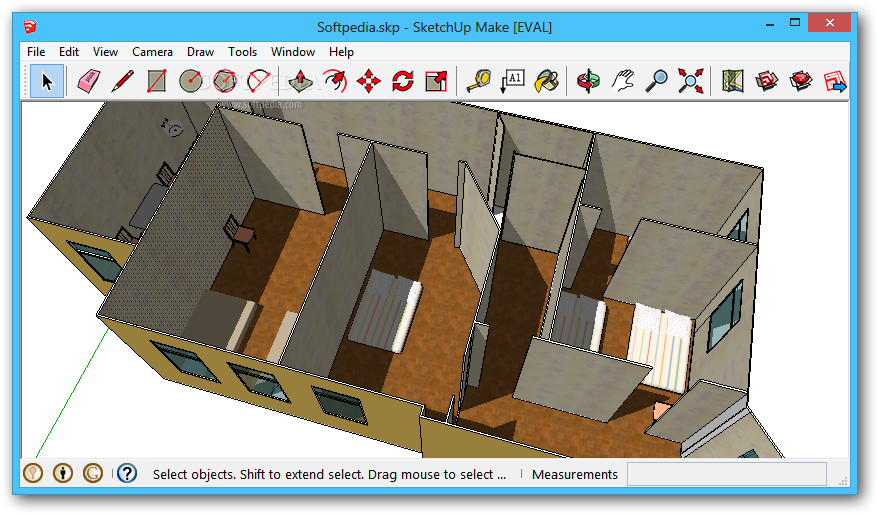
SketchUp is a deceptively simple, amazingly powerful tool for creating, viewing, and modifying 3D ideas quickly and easily. SketchUp was developed to combine the elegance and spontaneity of pencil sketching with the speed and flexibility of today's digital media.
Developed for the conceptual stages of design, SketchUp, this powerful yet easy-to-learn software will allow for quick and easy 3D form creation, the result is an interface that supports a dynamic, creative exploration of 3D form, material and light.
SketchUp will combine a compact yet robust tool-set with an intelligent guidance system that can streamline the 3D drawing process.
Here are some key features of "SketchUp":
■ Our Patented Push/Pull Tool Push/Pull, as the name implies, enables you to click on a shape and simply push or pull it to create your desired 3D geometry. Much more than just an extrude tool, it allows you to create complex forms quickly and efficiently.
■ "Sketchy" Rendering Sometimes, when you're just working things out at the beginning of a new design, too much precision in your drawings can be a bad thing, slowing down your thought process. SketchUp's realtime renderer lets you visually "soften" your drawings with rendering effects like jitter lines, extended edges and dynamic profiles.
■ Material Exploration The relationships between color, texture, form, and light are subtle and cannot simply be inferred from monochromatic models and paint samples. That's why SketchUp makes it possible for you to experiment with color and texture directly on your model. And for those who are more technically savvy, the surface area of any material is always available for material quantity management and cost estimates.
■ Accurate Realtime Shadows When designing outdoor structures, SketchUp's real-time shadow casting lets you see exactly where the sun falls as you model, allowing unprecedented dynamic solar planning.
■ Interactive Sections Sectional views have been a part of the designer's toolbox since the Renaissance. SketchUp's Section Tool allows you to place cutting planes interactively, and to move them around as you are modeling to dynamically reveal inner details of your model. Once placed, you can export 2D section views of your model in any supported file format for use downstream in your workflow.
■ Versatile Component Architecture Quickly organize geometry for convenient selection, while keeping it isolated from other lines and faces in your model. You can also nest components, providing both complex relationship management and double-click access to any geometry you want to edit at any one time. Once placed, you can edit all instances of a component in your scene simultaneously and interactively, without having to explode or redefine them.
■ Dimensions and Annotation Design for the real world requires accurate communication, so SketchUp gives you a simple but powerful set of tools to pull out dynamic dimension strings as you work, or call attention to a special feature.
■ Imports and Exports No design program works in a vacuum today, and we've worked hard to make sure that you can use your SketchUp models in a wide variety of different workflows. With SketchUp, you can import a DWG/DXF site plan as a starting point for design, work up a quick 3d model, then export back to DWG/DXF to create construction documents. SketchUp also exports 3DS, VRML, PDF, EPS, JPG, TIF, PNG and a variety of other file formats for use in all kinds of projects.
Limitations:
■ 480 minutes evaluation
What's New in This Release:
■ Sandbox Tools - SketchUp 5 contains new tools allowing you to easily create and sculpt terrain and or any geometry created from a sandbox or triangulated information network (TIN). Sandbox tools can not only be used to create terrain, but can be used to create organic geometry or geometry that appears as though built by hand, such as a wooden bowl or the face of a person.
■ Extension Manager - The Extension Manager can be used to enable non-core SketchUp features, such as the Sandbox tools. This feature helps simplify the SketchUp user interface for those users who primarily use core SketchUp features.
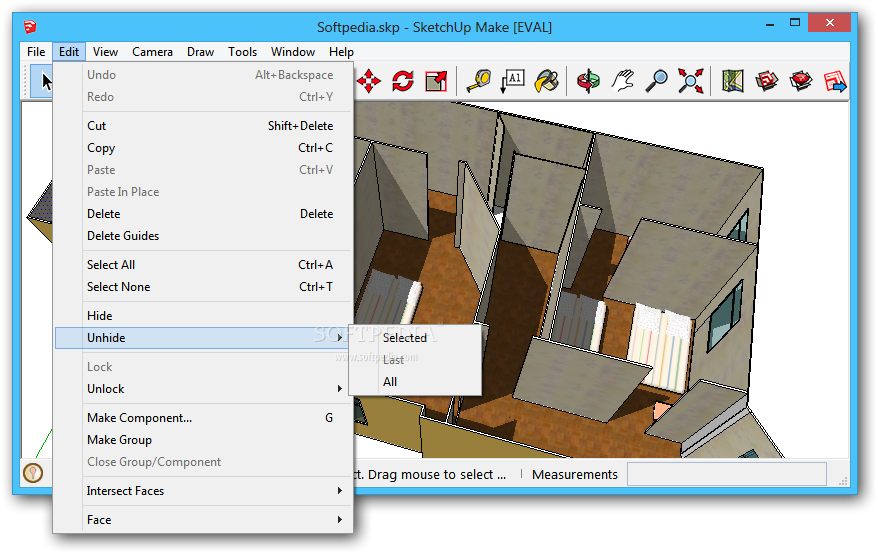
■ Component and Group Locking - Component and Group entities can now be locked preventing them from being moved or edited.
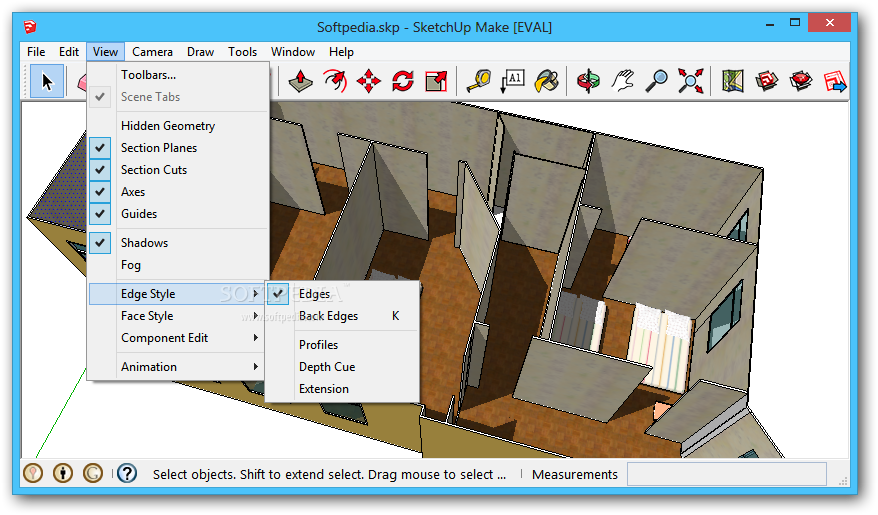
■ Edge Rendering Styles - Release 5 contains Depth Cue and Endpoints edge rendering options. Depth cue allows you to emphasize foreground lines while Endpoints allows you to emphasize the endpoints of your model. You can now turn on and off edges completely. Combined, these new edge rendering options provide several new rendering combinations for your models.
■ Component Outliner - A new Component Outliner is used to view your Group and Component hierarchies as a hierarchical tree. This feature is great for navigating through large models, restructuring the model hierarchy, locating instances of a particular component, and renaming groups and components.
■ User Interface Enhancements - Cursors and icons have been redesigned so that they are more easily recognizable.
■ New Import and Export File Types - SketchUp 5.0 contains new 3D Studio (3DS) and digital elevation mode (DEM) importers and object (OBJ), XSI, and FBX exporters.
■ Component Manipulation - The Component Browser now has a Replace Selected context menu option allowing you to replace the selected components in the drawing area with the selected component in the Component Browser. The Make Unique menu item converts the currently selected component into a unique component, with new definition.
■ Walk Tool Enhancements - The Walk Tool now walks up inclines including ramps and stairs and terrain while attempting to maintain eye height. The Walk Tool has advanced collision detection to ensure you do not walk through walls or other barriers.
■ Dialog Box Behavior - Model settings and manager dialog boxes will snap to the edge of the screen and to the edges of the application window. These dialog boxes will also stick to each other (top or bottom) to create a dialog box stack. Each dialog box in the stack can be closed to only show its title bar, or opened. A new Show/Hide Windows menu item allows you to show or hide all dialog boxes with a single menu item or keyboard shortcut.
■ Layers Enhancements (Windows Only) - The Layers toolbar functionality has changed on the Microsoft Windows release of SketchUp. This toolbar has one function, which is to set the current layer. Other layer toolbar functionality, such as setting and viewing an entity's layer, has been moved to the Entity Info dialog box. Note that the Entity Info dialog box can be made relatively small by either hiding details or by collapsing the dialog.
■ Push/Pull: Create New Starting Faces - The Push/Pull tool, in conjunction with the CTRL key, can be used to create a connected series of volumes (each with their own set of edges). This feature is very useful for creating space planning diagrams for building interiors.
■ Ruby Toolbars - New Toolbar and Command classes allow you to create toolbars for your tools in the Ruby programming language.
■ Enhanced Documentation - The online SketchUp User's Guide now contains a concepts section, a glossary, and visual cues informing the reader when a companion video tutorial is available to supplement the documentation.
■ Fractional Units - The Model Info dialog box now contains fractional units primarily used by wood workers in the United States.
Download Hubs
SketchUp is part of these download collections: Convert 3DS, View 3DS, Open STL, Open 3DS
SketchUp 5.0.260
add to watchlist add to download basket send us an update REPORT- file size:
- 40.1 MB
- main category:
- Multimedia
- developer:
- visit homepage
4k Video Downloader

Windows Sandbox Launcher

calibre

Bitdefender Antivirus Free

IrfanView

Context Menu Manager

7-Zip

Zoom Client

Microsoft Teams

ShareX

- Zoom Client
- Microsoft Teams
- ShareX
- 4k Video Downloader
- Windows Sandbox Launcher
- calibre
- Bitdefender Antivirus Free
- IrfanView
- Context Menu Manager
- 7-Zip