
A small, yet reliable and efficient piece of software designed to convert and resize single and multipage TIFF images to PDF, JPG or TIFF formats. #TIFF resizer #TIFF converter #Convert PDF #Resizer #Converter #Resize
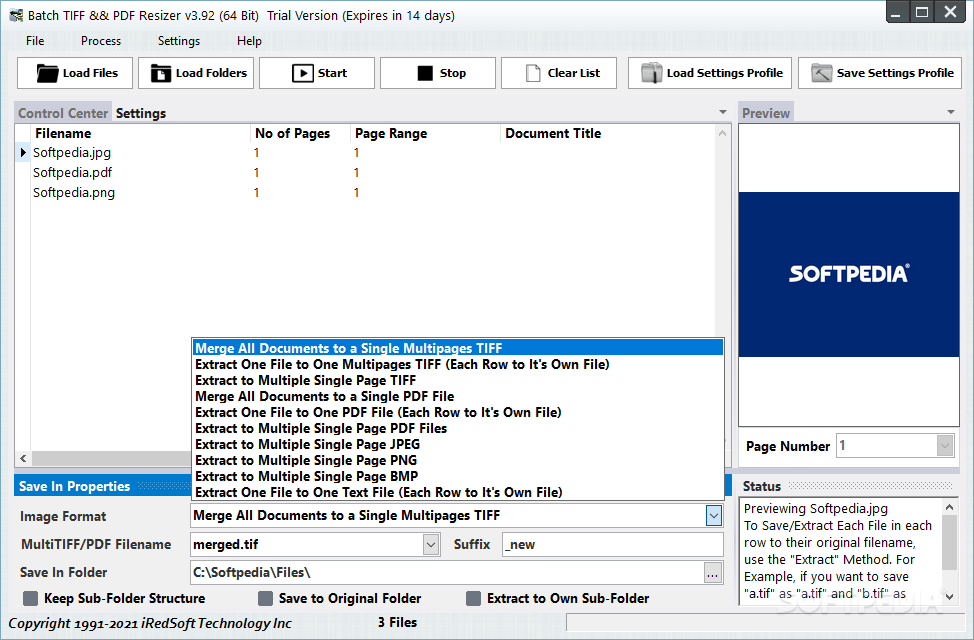
Batch TIFF & PDF Resizer is an efficient and easy to use application that allows you to convert and resize single or multipage TIFF images to PDF, JPG or TIFF formats.
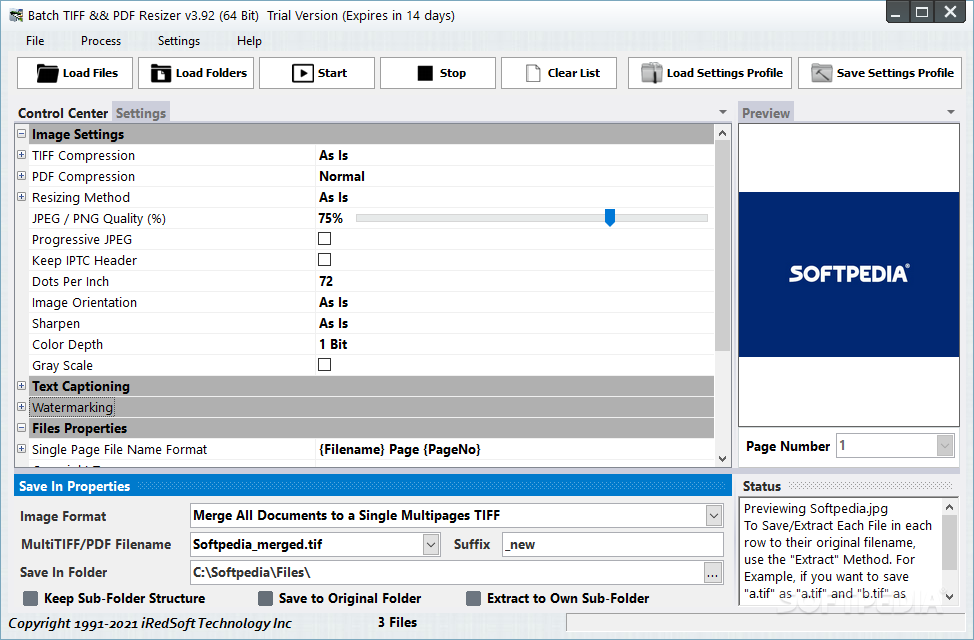
Batch TIFF & PDF Resizer comes in a simple and intuitive layout, being constituted of only the main window and its two tabs.
You can quickly navigate the entirety of the program's settings and features, proving the program's intuitiveness and ease of use.
As the name of the application already says, you can quickly load multiple TIFF files from your disk and start the converting or resizing process.
If you select more than one files from the list and start the converting process, the application will start batch-encoding your documents to either PDF, TIFF, JPEG or BMP formats.
Using Batch TIFF & PDF Resizer, you can merge multiple documents to a single multipage TIFF or PDF file, and you can also extract a multipage TIFF document to single page PDF, JPEG, PNG, BMP or TIFF files.
When saving the files to your specified location on the disk, you can also check the option to preserve the sub-folder structure, so you can easily find the documents after the conversion process.
When you select a file from the list of conversion documents, a preview of it will be displayed, which will be updated in real-time immediately after the encoding process, so you can view the output file.
Also, you can keep an eye on the status log, which provides detailed information about the success or failure of the conversion process.
Te program also allows you to quickly save and load your settings profile as a XML file on your disk, so you don't have to go through all the settings each time you open the application.
To summarize, the ease of access to its functions and the intuitiveness of the layout prove that Batch TIFF & PDF Resizer is an user-friendly application, that comes handy when you need to quickly convert or resize TIFF files to PDF, JPG or BMP formats.
What's new in Batch TIFF & PDF Resizer 4.29:
- Minor UI Fixes
- Internal Code Optimization
Batch TIFF & PDF Resizer 4.29
add to watchlist add to download basket send us an update REPORT- runs on:
-
Windows 11
Windows Server 2022
Windows Server 2019
Windows Server 2016
Windows 10 64 bit
Windows Server 2012 R2
Windows Server 2012
Windows 8 64 bit - file size:
- 19.2 MB
- filename:
- btiffresizer64.exe
- main category:
- Multimedia
- developer:
- visit homepage
Context Menu Manager

Bitdefender Antivirus Free

ShareX

4k Video Downloader

Zoom Client

IrfanView

Microsoft Teams

7-Zip

calibre

Windows Sandbox Launcher

- 7-Zip
- calibre
- Windows Sandbox Launcher
- Context Menu Manager
- Bitdefender Antivirus Free
- ShareX
- 4k Video Downloader
- Zoom Client
- IrfanView
- Microsoft Teams