
A reliable and user-friendly software solution that allows you to crop and alter the size of JPEG images and adjust their quality setting. #JPEG resizer #Crop JPEG #Resize photo #Rotate #Resizer #Resize

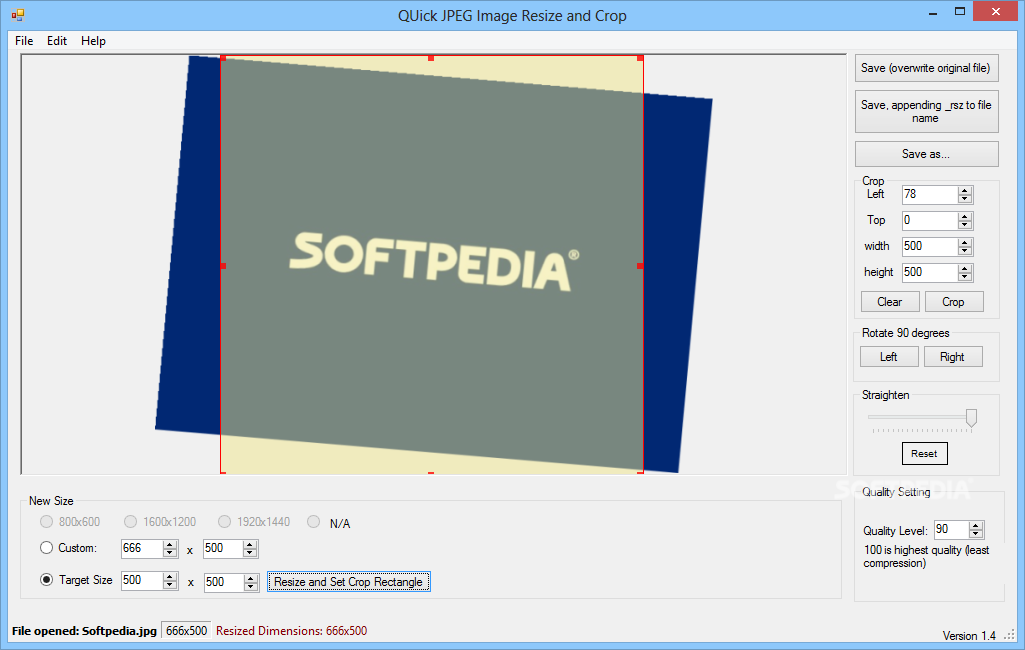
Quick JPEG Resize and Crop is a simple-to-use program which enables you to perform several operations on your pictures, including resizing and cropping. It currently supports the JPG, TIF and PNG image formats.
The interface of the application is very plain and simple to navigate through. Images can be imported by using either the file browser or "drag and drop" method. Batch processing is not supported.
You can preview pictures, set their new size and crop their margins. But you can also specify the quality level, as well as use the undo, copy and paste functions.
Once you are satisfied with the modifications, you can save the new files by specifying the output destination and name. On the other hand, you can overwrite the original images.
The simplistic application takes up a low-to-moderate amount of system resources and includes a well-drawn help file with snapshots for beginners. No errors have popped up during our tests and Quick JPEG Resize and Crop did not freeze or crash. Too bad batch conversions are not possible.
Quick JPEG Resize and Crop is a pretty good application, even if it doesn't bring something new to the table. It can be easily used by individuals on any experience level, so we strongly recommend it, especially if you are looking for a straightforward program.
QUick JPEG Resize and Crop 1.4
add to watchlist add to download basket send us an update REPORT- runs on:
-
Windows 8 32/64 bit
Windows 7 32/64 bit
Windows Vista
Windows XP - file size:
- 432 KB
- main category:
- Multimedia
- developer:
- visit homepage
calibre

4k Video Downloader

Context Menu Manager

Bitdefender Antivirus Free

Windows Sandbox Launcher

IrfanView

ShareX

Zoom Client

7-Zip

Microsoft Teams

- Zoom Client
- 7-Zip
- Microsoft Teams
- calibre
- 4k Video Downloader
- Context Menu Manager
- Bitdefender Antivirus Free
- Windows Sandbox Launcher
- IrfanView
- ShareX