
Add labels to your favorite pictures with this easy to use application that allows you to work on multiple files at the same time #Image label editor #Label editor #Add picture descriptions #Image label #Picture description #Label
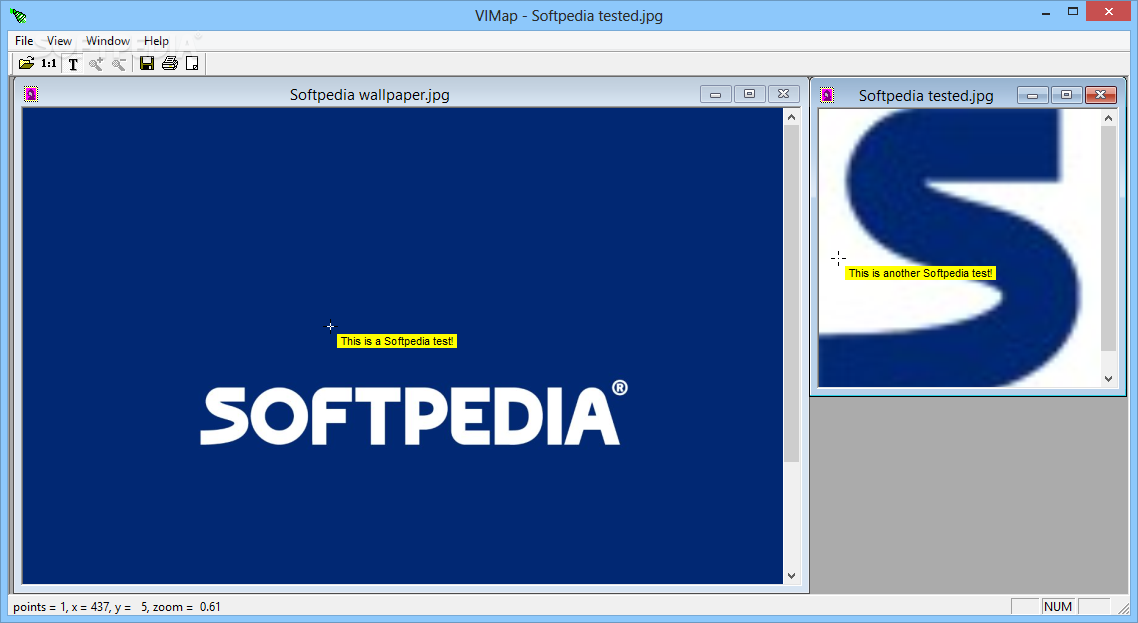
VIMap is a lightweight picture label creator designed to help users in enhancing their images.
The program can load most common graphics files (e.g. JPG, BMP, TIF and PNG). A very useful feature is that multiple documents can be loaded and processed at the same time.
Once source files have been selected, labels can be added. This is performed with a simple double-click action at the desired location. Since the application can load most types of pictures, adding labels can be useful in a variety of reasons.
For example, one could load photographs and insert name labels under each person. Another use could be in tagging places of interest on a Google Maps capture.
Any changes made will not alter the original file, as an auxiliary .MAP file will store these adjustments. This is a good feature since it leaves the source pictures intact.
VIMap ships with a very clean interface and a very large main working window. This is well-suited to the job at hand since the program is able to load and process multiple files at any one time. The users need only select the desired files and the main window will be filled with pictures.
Switching focus from windows is performed either with a simple click inside the window of another document, or by using the “Next” option in the top upper-left menu (hotkey: Ctrl + F6).
A “Zoom” function is available to users, a nice addition for anyone interested in fine-tuning the results. In order to use this feature, the “1:1” button must be activated.
To conclude, VIMap is quite useful in adding labels to graphic files of all kinds. It is easy to use, and the support for working with multiple files at the same time is very powerful. This being said, the application is a bit overpriced for the simple job it was intended to do.
VIMap 1.2
add to watchlist add to download basket send us an update REPORT- runs on:
- Windows All
- file size:
- 4.5 MB

- main category:
- Multimedia
- developer:
- visit homepage
Windows Sandbox Launcher

Microsoft Teams

Context Menu Manager

ShareX

Zoom Client

7-Zip

calibre

Bitdefender Antivirus Free

4k Video Downloader

IrfanView

- Bitdefender Antivirus Free
- 4k Video Downloader
- IrfanView
- Windows Sandbox Launcher
- Microsoft Teams
- Context Menu Manager
- ShareX
- Zoom Client
- 7-Zip
- calibre