
Helps you protect multimedia files against unauthorized illegal distribution by encrypting them, using watermarks and other copyright elements. #Video protection #Apply watermark #Video copyright #Copyright #Protection #Watermark

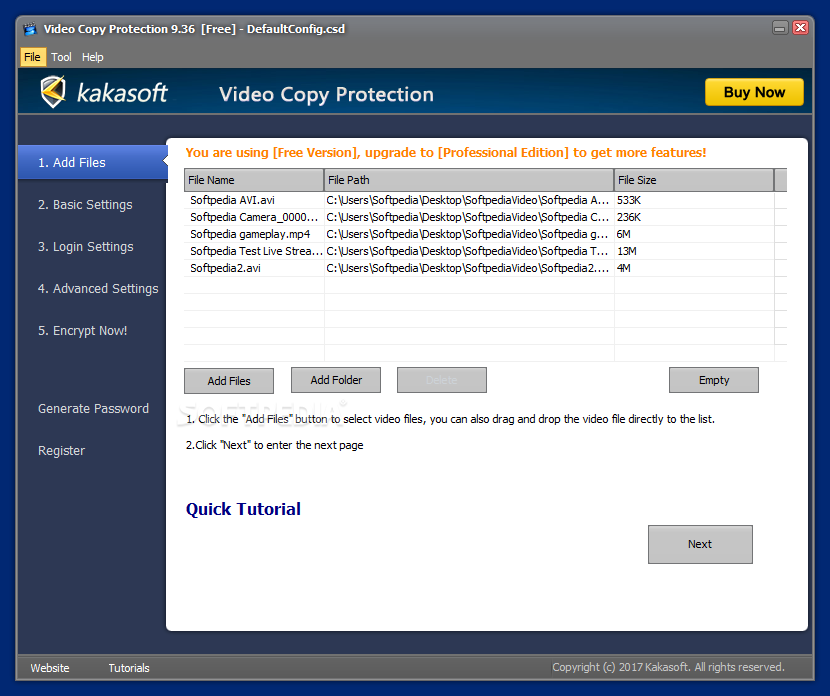
Video and audio piracy is striving, so it is quite natural for authors of albums, movies, and clips to want to protect their work. When a simple watermark is not enough, an application such as Video Copy Protection might be able to carry out the task.
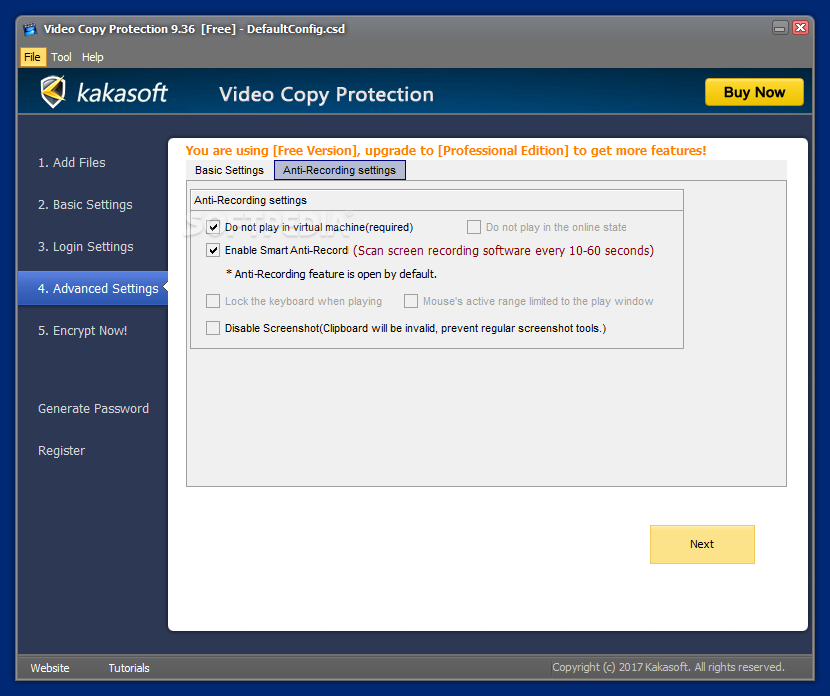
In a nutshell, this particular application converts multimedia into executable files that can only be launched after authorization. It encrypts the content using the 256-bit AES algorithm and applies anti-recording capabilities to block video capturing applications as the video plays.
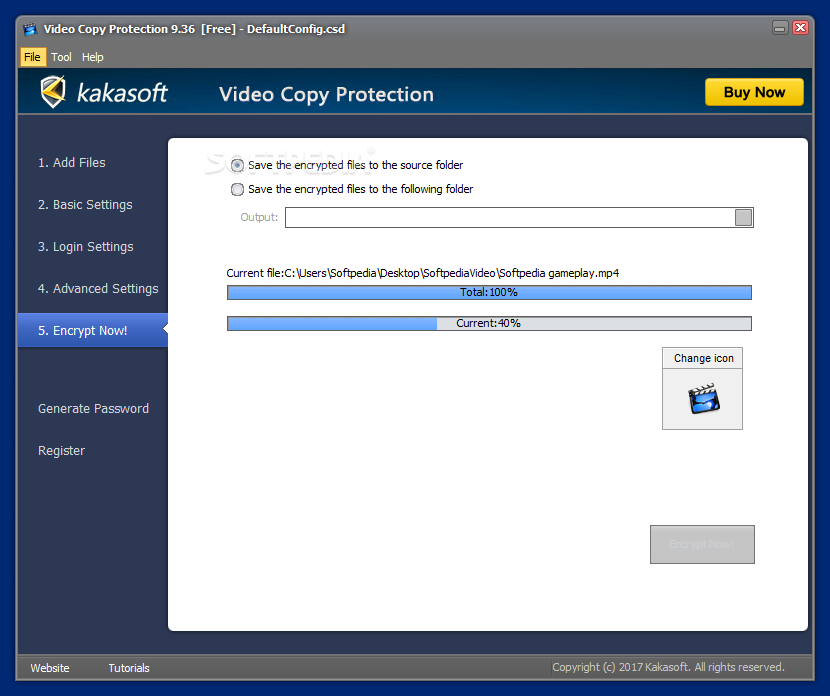
With a wizard-like interface, Video Copy Protection guides you throughout the steps needed to have your multimedia files protected. It can process individual files or parse the content of entire directories, providing various encryption settings for you to customize to your liking.
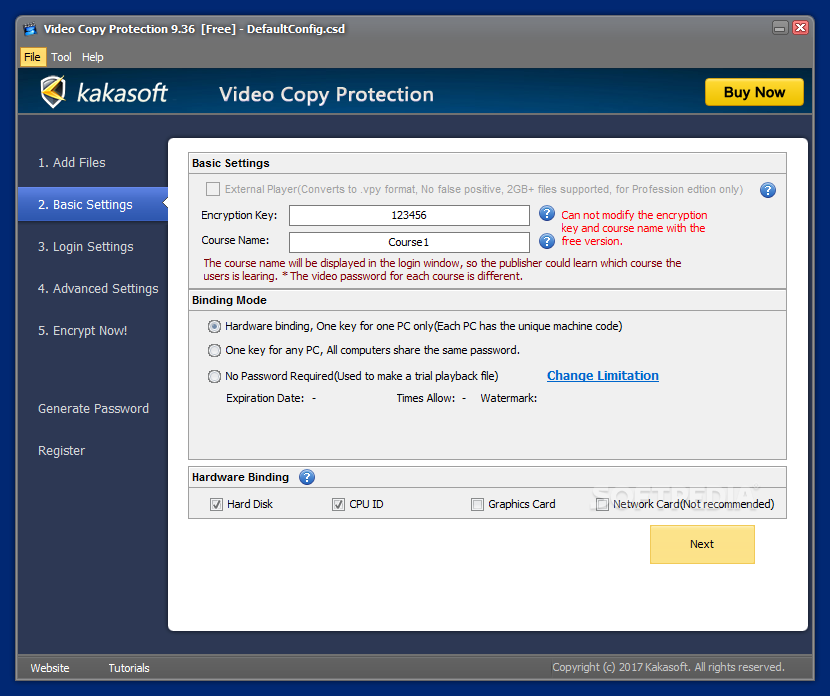
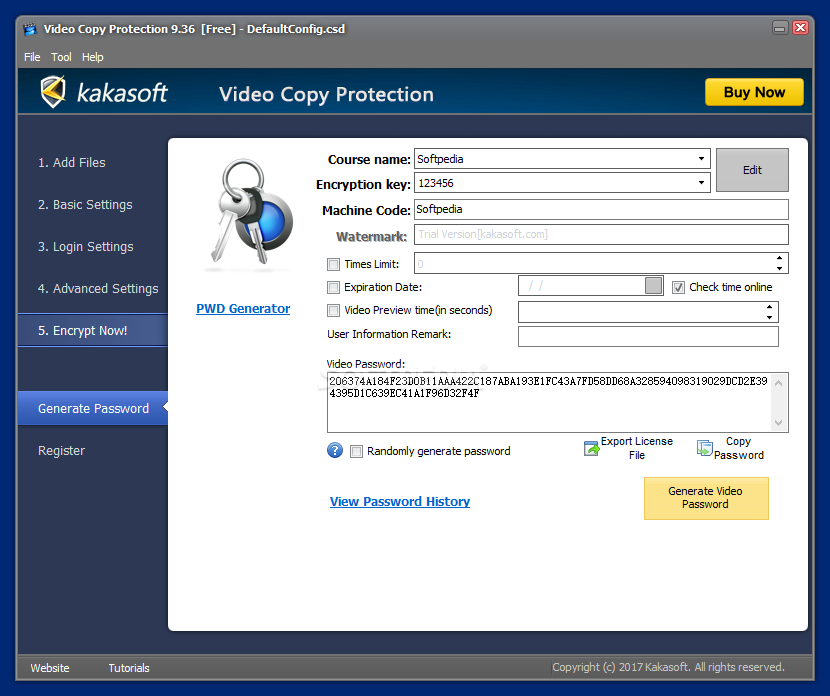
Each input file is encrypted using a key that can be either bound to the hardware of a single PC (unique key) or used for generating a shared password for all the machines the content will be played on. Obviously, the password must be provided to authorize access to the locked content.
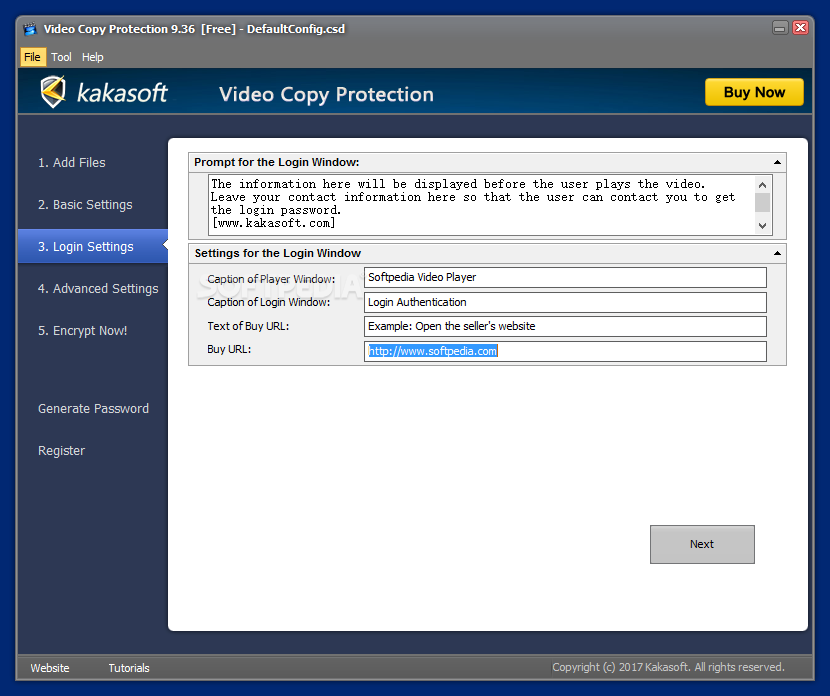
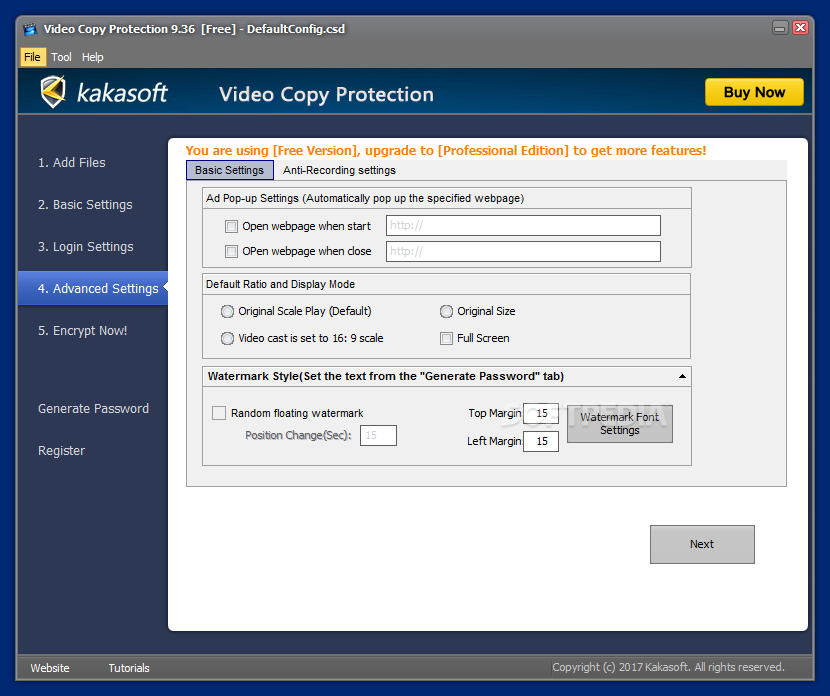
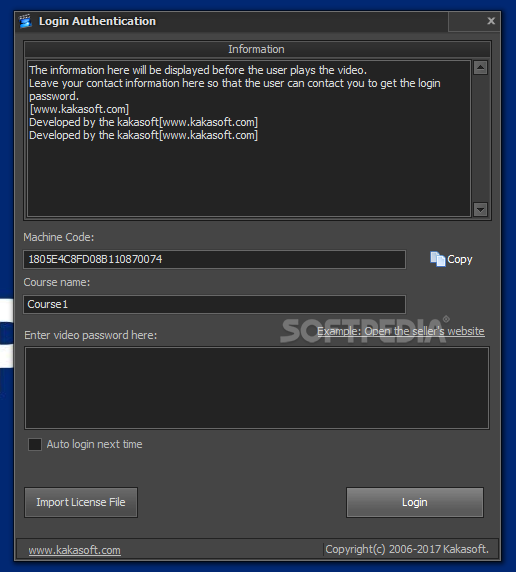
Each time the generated standalone executable file is loaded, a login window will be displayed. The content in this window is fully customizable, from the prompt window to the buy URL. Video Copy Protection can use a popup window to load your webpage when starting or closing the executable.
Another security-related element used to prevent unauthorized copying is the text watermark. The application can run a trial of the executable file by limiting the number of times it can be executed or setting an expiration date. Alternatively, a time limit can be set for the video preview.
Video Copy Protection comes with several protection methods meant to prevent unauthorized copying, recording, and distribution of commercial multimedia. It provides compatibility with some of the most popular video and audio formats, comes with an intuitive, wizard-like interface, and a full tutorial in case you need one. Overall, it is a handy tool for those who work in the multimedia authoring business.
Video Copy Protection 10.30
add to watchlist add to download basket send us an update REPORT- runs on:
-
Windows 10 32/64 bit
Windows 8 32/64 bit
Windows 7 32/64 bit
Windows Vista 32/64 bit - file size:
- 6.1 MB
- filename:
- VideoCopyProtection.exe
- main category:
- Multimedia
- developer:
- visit homepage
Microsoft Teams

IrfanView

7-Zip

Zoom Client

Bitdefender Antivirus Free

4k Video Downloader

Windows Sandbox Launcher

Context Menu Manager

ShareX

calibre

- Context Menu Manager
- ShareX
- calibre
- Microsoft Teams
- IrfanView
- 7-Zip
- Zoom Client
- Bitdefender Antivirus Free
- 4k Video Downloader
- Windows Sandbox Launcher
