

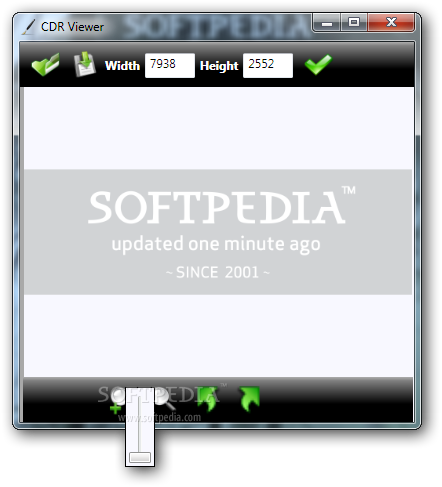
As its name suggests, CDR Viewer is a simple application that you can use to view CDR files. This format is specific to vector graphic files used by the popular CorelDraw and cannot be opened with many image programs.
The setup process does not take very long and it does not come packed with any unpleasant surprises, such as third-party software offers.
Designed with simplicity in mind, the interface is compact and user-friendly. It only comprises a few buttons that allows you to change the zoom level with your mouse or the slider control, adjust the image to the display and rotate it by 90 degrees.
Viewing CDR files is not the sole function of the application, as you have the possibility to export them to other image formats, such as JPG, PNG, BMP, TIFF or GIF, which are easily recognized by any picture viewer.
In addition to that, this software tool can also be used for resizing CDR image files. Just open the desired Corel Draw file and the program automatically displays its current size, enabling you to change the width and height according to your preferences, without worrying about picture quality loss.
Although it does not provide you with a lot of features, CDR Viewer is designed to solve compatibility issues when opening CDR image format. It is important to keep in mind that you do not need to have CorelDraw installed in order to display, convert or resize CDR files.
The computer’s performance is not going to be hampered as CPU and memory usage is low at all times, and all jobs are completed in a timely fashion. The interface is intuitive and our tests did not reveal any kind of issues, such as hangs or crashes.
Filed under
- Latest version:
CDR Viewer 3.2.0.0
- runs on:
-
Windows 2008
Windows 2003
Windows 7 32/64 bit
Windows Vista
Windows XP - file size:
- 19.6 MB
- filename:
- CDRViewerSetup.exe
- main category:
- Multimedia
- developer:
- visit homepage
Bitdefender Antivirus Free

Context Menu Manager

ShareX

7-Zip

Windows Sandbox Launcher

4k Video Downloader

Microsoft Teams

IrfanView

Zoom Client

calibre

- IrfanView
- Zoom Client
- calibre
- Bitdefender Antivirus Free
- Context Menu Manager
- ShareX
- 7-Zip
- Windows Sandbox Launcher
- 4k Video Downloader
- Microsoft Teams