
An easy to use, intuitive thumbnail sheet generator that you can use to process a large number of images and create beautiful collages. #Picture thumbnail #Image collage #Create thumbnail #Thumbnail #Collage #Preview

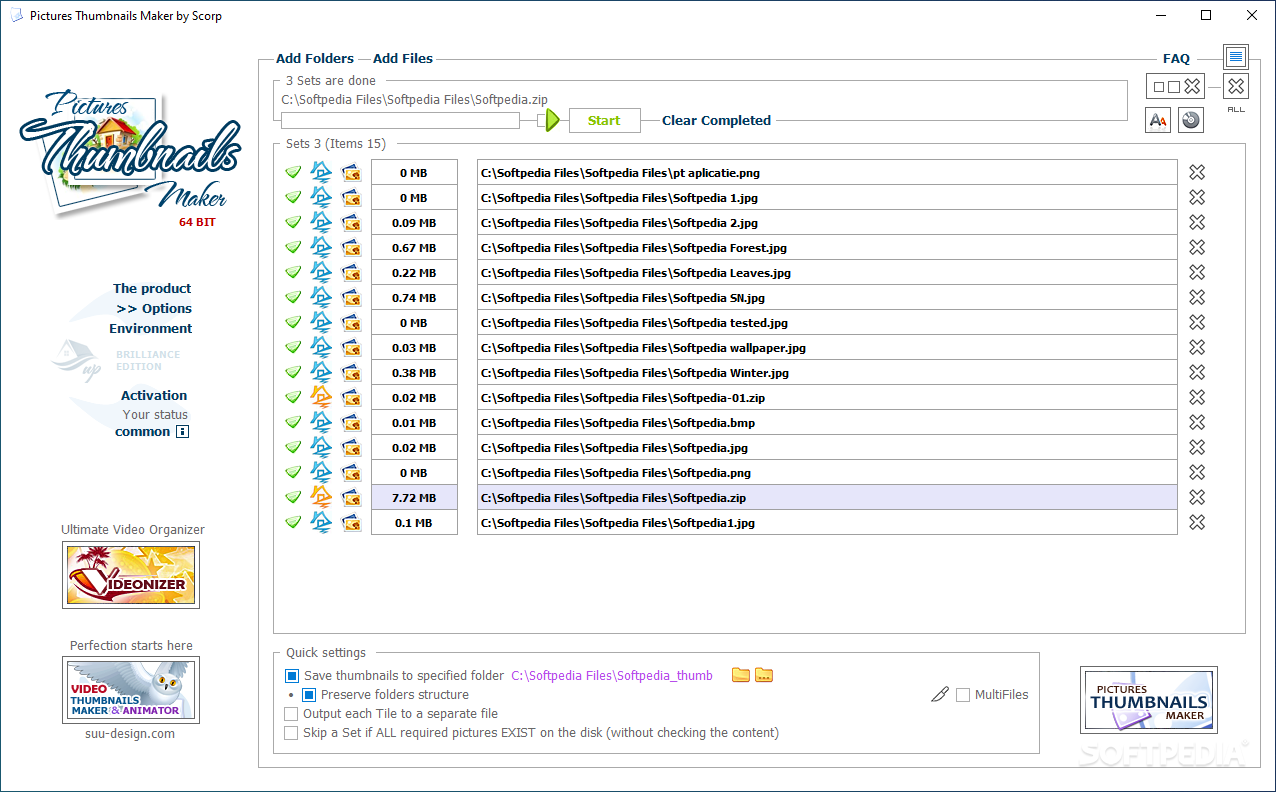
The name of Pictures Thumbnails Maker speaks for itself. It is a simple software tool for creating picture collages and thumbnail sheets, with options to customize the layout, frames and other similar parameters.
You can think of Pictures Thumbnails Maker as an image organizer as well, as it generates thumbnail sheets that make it easy for you to identify the contents inside a folder or even an archive, as ZIP, RAR and 7Z files are compatible with Pictures Thumbnails Maker.
Pictures Thumbnails Maker comes with support for the most common graphic formats as input and generates PTX files that can be opened with the Pictures Thumbnails Viewer. Alternatively, you can save the result in regular graphic formats, such as JPG, BMP, PNG and TIFF. Animated GIFs with a specific duration can also be created, while summary XML files can capture HTML galleries.
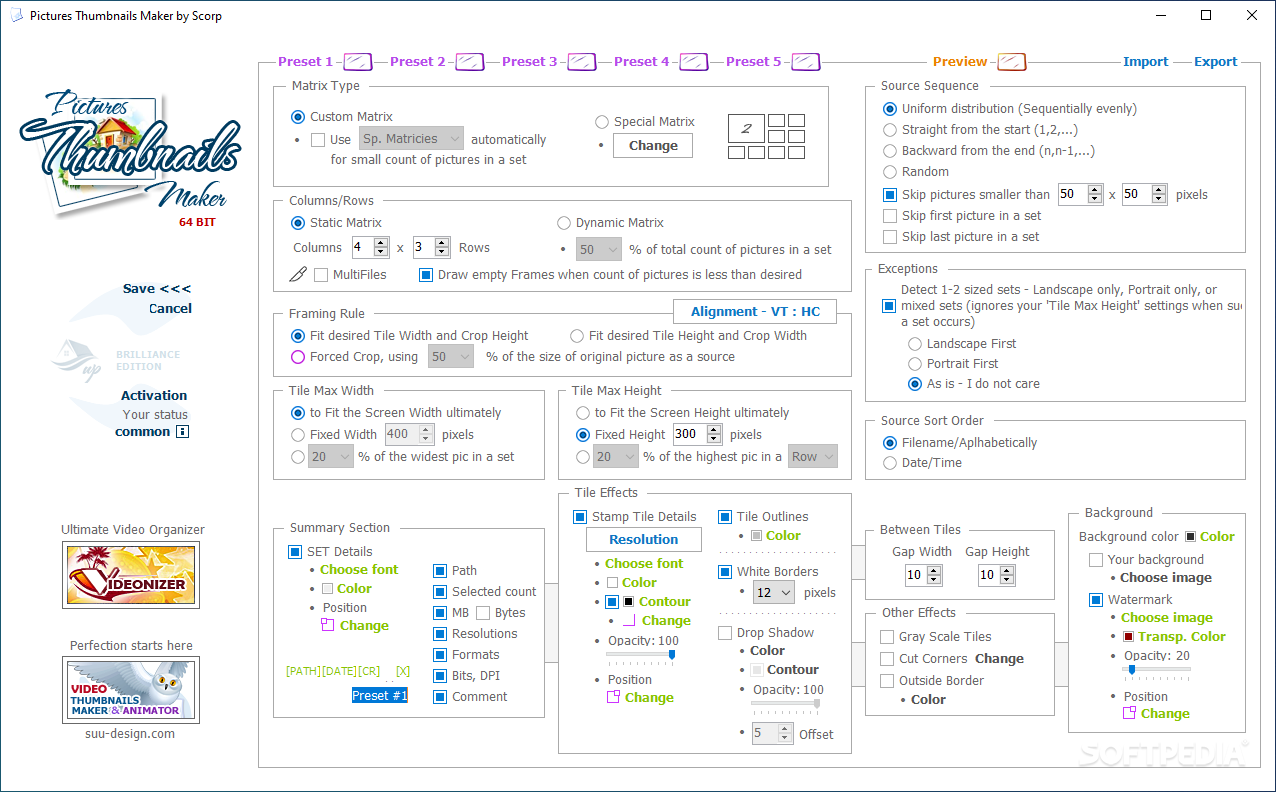
Going back to the layout customization, keep in mind that there are several presets available, each with its own options. Evidently, you can freely modify parameters in a preset. The matrix type can be modified, and the number of columns and rows in the output thumbnail sheet as well. It is worth mentioning that special matrices with a non-MxN layout are also available, so you can create thumbnail sheets that are more eye-catching.
You can also customize the framing rules, the maximum height of a tile, the alignment and the crop options. Moreover, it is up to you to choose the sequence of files in the source folders and archives. A few filtering tools allow you to skip certain pictures, especially if they are smaller and would ruin the looks of the sheet.
There are also various effects available for you to try. The opacity, the position, the font, the tile outlines, the dimension of the white borders, shadows, the gap between tiles are just a few parameters you can change.
There are plenty of options in Pictures Thumbnails Maker to meet the requirements of any user who needs to generate a thumbnail sheet. The output can be customized down to the smallest detail and, although the Options window might seem a bit crowded, having all the parameters in a single place is convenient.
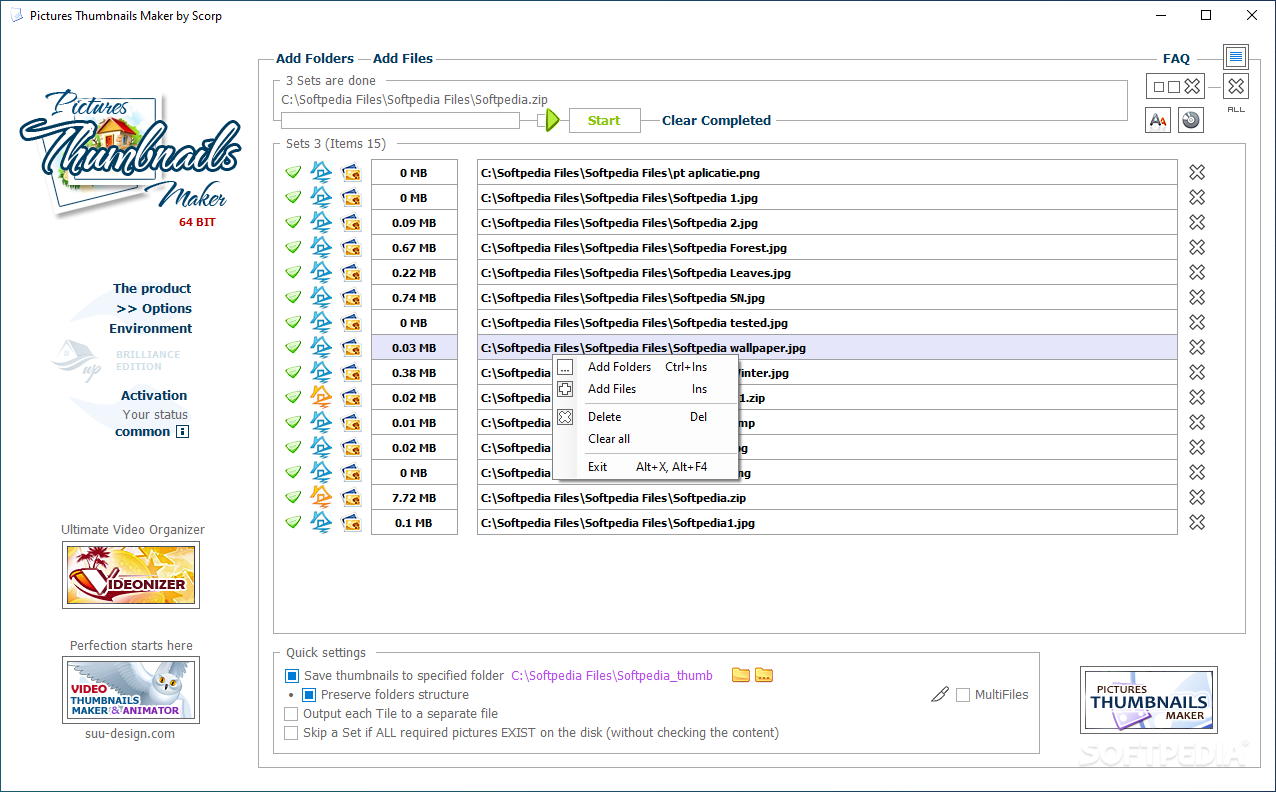
A few other advantages recommend this application: it is possible to remake a thumbnail without generating the entire sheet, replace a thumbnail manually or recreate an entire sheet with just a few clicks.
What's new in Pictures Thumbnails Maker 7.1.0.0:
- changed: Few cosmetic changes.
Pictures Thumbnails Maker 7.1.0.0
add to watchlist add to download basket send us an update REPORT- runs on:
-
Windows 11
Windows 10 32/64 bit
Windows 8 32/64 bit
Windows 7 32/64 bit
Windows Vista 32/64 bit - file size:
- 2.5 MB
- filename:
- PicturesThumbnailsMaker_32bit_Setup.zip
- main category:
- Multimedia
- developer:
- visit homepage
Windows Sandbox Launcher

4k Video Downloader

ShareX

Bitdefender Antivirus Free

Context Menu Manager

Microsoft Teams

IrfanView

7-Zip

Zoom Client

calibre

- 7-Zip
- Zoom Client
- calibre
- Windows Sandbox Launcher
- 4k Video Downloader
- ShareX
- Bitdefender Antivirus Free
- Context Menu Manager
- Microsoft Teams
- IrfanView