
Converts DWG, DXF and DWF AutoCAD files into GIF, JPEG, BMP, PNG and TIFF, featuring batch mode and advanced output configuration settings #DWG to image #DWG converter #DXF to JPEG #DWG2image #DWG2TIFF #DWG2PNG


AutoCAD DWG to Image Converter is a comprehensive piece of kit developed to help you turn AutoCAD drawing files (DWG, DXF, DWF) into image files of various types, namely GIF, JPEG, BMP, PNG and TIFF. It features both standard and advanced settings to please users from both categories.
The setup procedure itself does not take a long time to finish. However, AutoCAD DWG to Image Converter is filled with adware, so you have to be careful when going through each setup step. All these offers can be declined and excluded from installation.
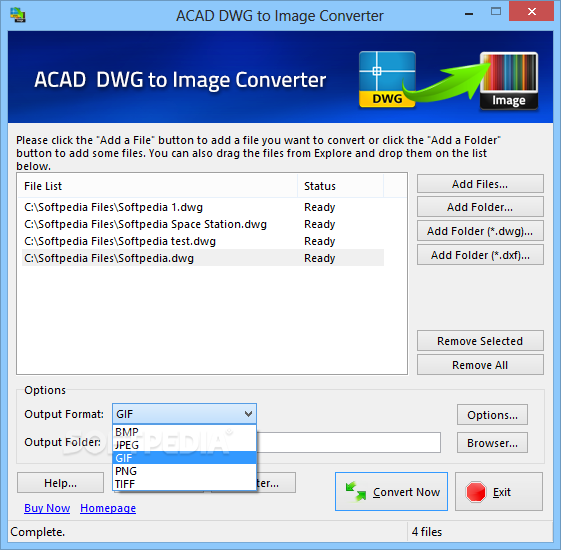
The main app window has a clean and intuitive structure, permitting users to add AutoCAD files to the list using either the file browser, folder view or drag-and-drop method. Batch processing is supported, which means you can work with multiple items at once to reduce overall task duration.
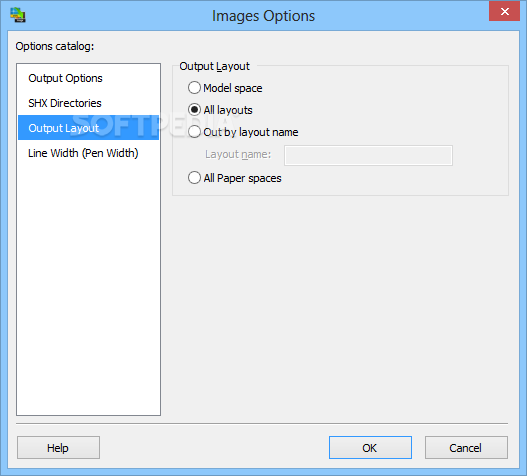
The simplest method to start a conversion job is by indicating only the output format and destination. As far as output options are concerned, it is possible to edit the image size and color, replace the original files or rename the current one when encountering existing items, include SHX font directories, select the output layout type, as well as pick the line width.
The tool carries out conversion jobs very quickly while using low CPU and RAM, and delivers quality image files. There were no kind of issues throughout our evaluation, since AutoCAD DWG to Image Converter did not hang, crash or pop up error messages. This application offers plenty of customization preferences when creating photos from AutoCAD files, and it should meet the requirements of all user levels. Too bad it's crawling with adware.
Download Hubs
ACAD DWG to Image Converter is part of these download collections: Convert DWG to Image
ACAD DWG to Image Converter 9.8.2.6
add to watchlist add to download basket send us an update REPORT- runs on:
- Windows All
- file size:
- 6.5 MB
- filename:
- ACADDWGtoImageConverter.exe



- main category:
- Multimedia
- developer:
- visit homepage
IrfanView

7-Zip

Bitdefender Antivirus Free

ShareX

Context Menu Manager

4k Video Downloader

Windows Sandbox Launcher

calibre

Zoom Client

Microsoft Teams

- calibre
- Zoom Client
- Microsoft Teams
- IrfanView
- 7-Zip
- Bitdefender Antivirus Free
- ShareX
- Context Menu Manager
- 4k Video Downloader
- Windows Sandbox Launcher