
A user-friendly and basic program that helps you convert images to PDF file format, while offering support for batch processing and PDF metadata editing options. #Image to PDF #Image Converter #Image Conversion #Image2PDF #Convert #Export

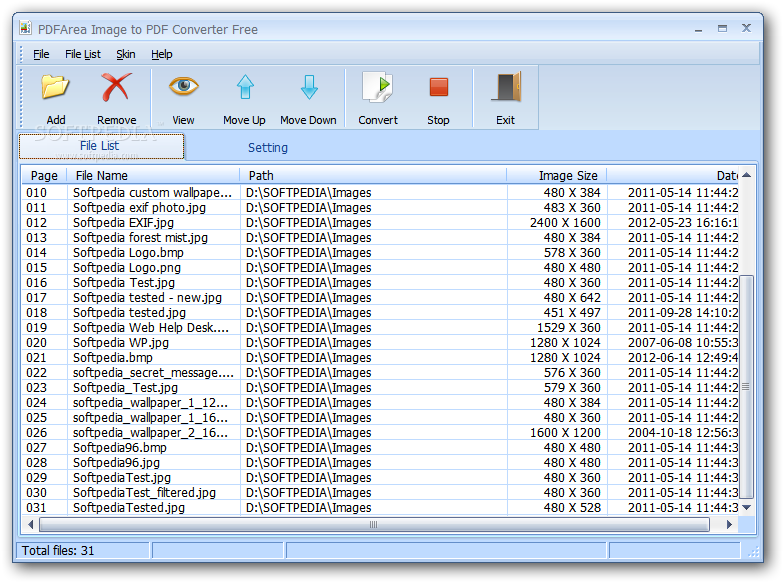
Image to PDF Converter Free is a program with an obvious title - it allows you to convert image files of various formats (including JPG, TIF, PNG and BMP) to PDF file format.
This is a simple-to-use application, so you can easily navigate within the interface's features.
You can import images by using either the file browser or the "drag and drop" method. Batch processing is supported, which is the biggest advantage of the tool.
In the list you can view the page number, name, path, image size and date of each file.
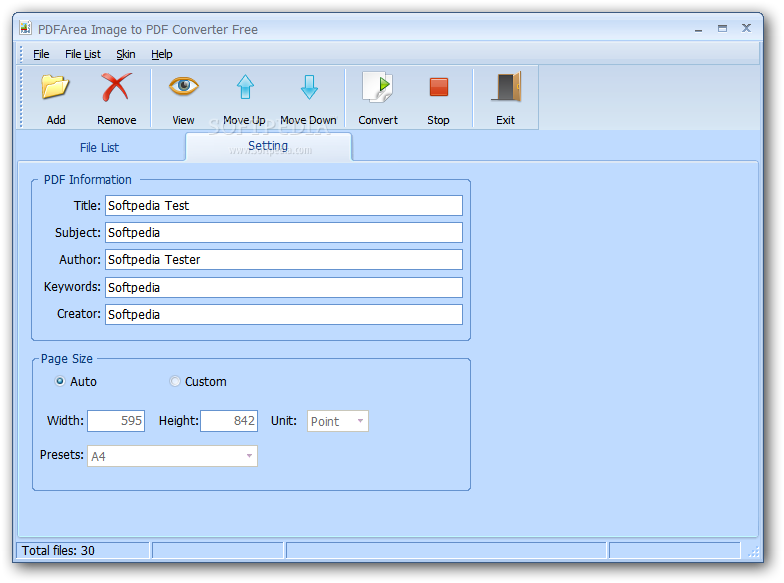
The "Setting" area allows you to edit PDF information, such as title, subject, author, keywords and producer. But you can also set the page size properties (width, height, unit, preset) or just select the automatic mode.
You can select all items in the list and invert the selection, move them up and down, as well as change the interface skin.
Image to PDF Converter quickly finishes a conversion task and offers to open the output files when it finishes. No errors have occurred during our tests and you may be interested in checking out a well-written help file with tutorials and snapshots if you don't know how to get started.
However, the program does not let you configure enough settings. For example, all images are automatically converted to a single PDF document and you don't have the possibility of doing this in separate files. Also, you cannot change the size of the images.
Image to PDF Converter comes with the necessary and suffice elements for image-to-PDF conversion but it doesn't offer anything more than that. Nevertheless, maybe it matches your own preferences.
What's new in Image to PDF Converter Free 6.5:
- Now it supports Windows 8
Image to PDF Converter Free 6.5
add to watchlist add to download basket send us an update REPORT- PRICE: Free
- runs on:
- Windows All
- file size:
- 10.2 MB
- filename:
- image-to-pdf-converter-free.msi
- main category:
- Multimedia
- developer:
- visit homepage
ShareX

Bitdefender Antivirus Free

4k Video Downloader

IrfanView

Microsoft Teams

Zoom Client

Context Menu Manager

7-Zip

Windows Sandbox Launcher

calibre

- 7-Zip
- Windows Sandbox Launcher
- calibre
- ShareX
- Bitdefender Antivirus Free
- 4k Video Downloader
- IrfanView
- Microsoft Teams
- Zoom Client
- Context Menu Manager