
This versatile image resizing utility prepares batches of images for use.. #Resize image #Shrink image #Compress image #Resize #Shrink #Compress

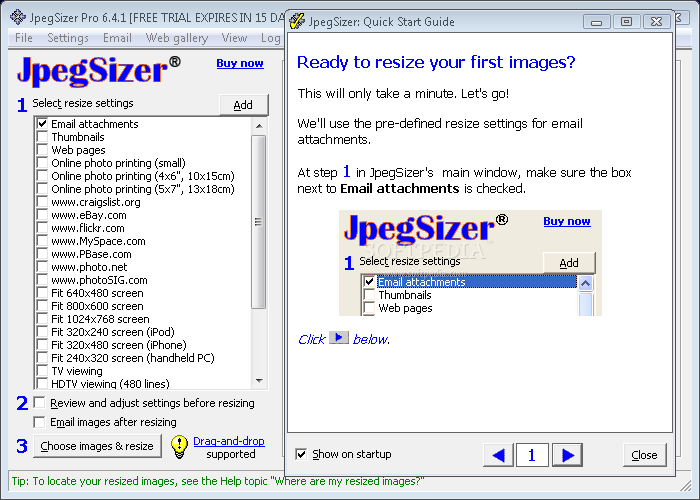
JpegSizer is a program with a name that pretty much sums up its functionality - it allows you to resize images with the JPEG format. The app's features can be quickly figured out.
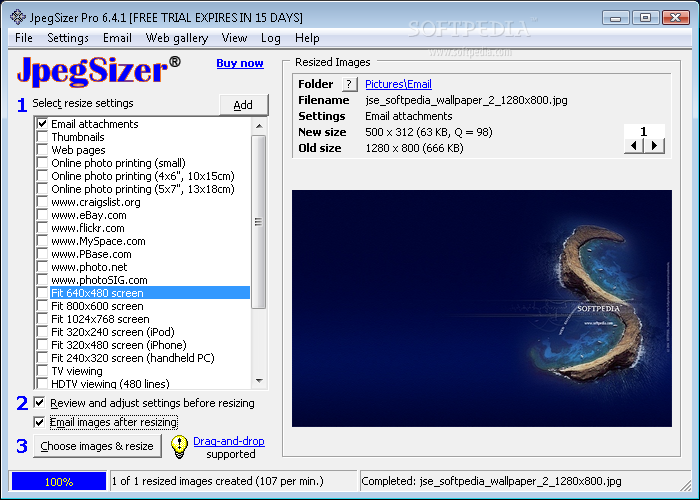
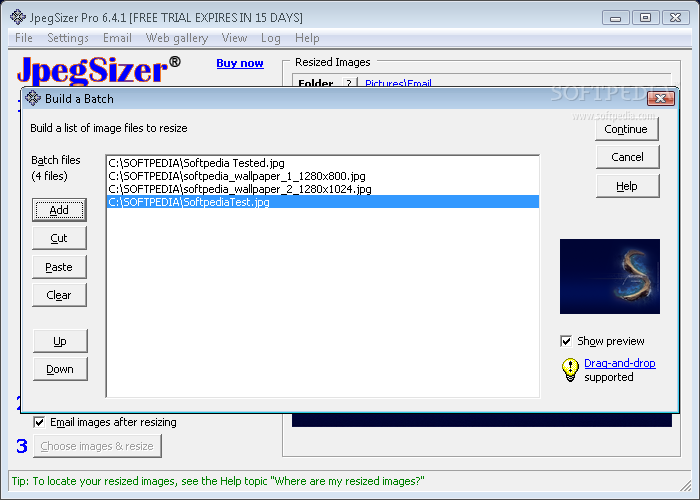
The tool is wrapped in a standard interface and intuitive layout. Pictures can be imported for processing by using the 'drag and drop' functionality.
You can use one of the preset profiles for resizing (e.g. Facebook, eBay, Flickr, online printing, email attachments, thumbnails), or create your own ones.
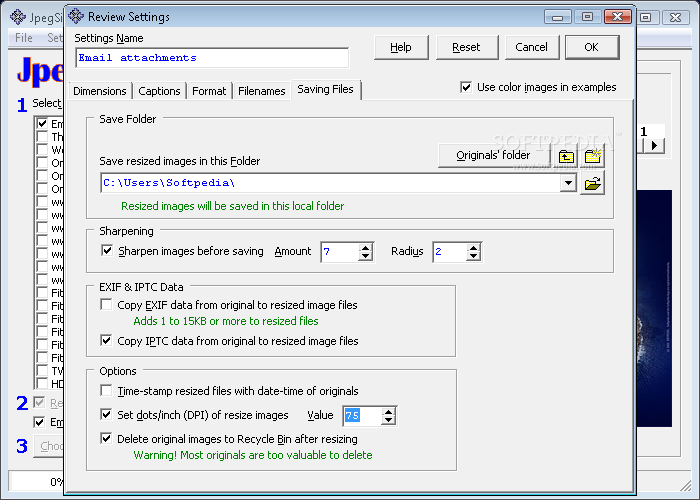
After establishing a name for the new profile, you can start configuring the settings. Thus, you can set the pixel size limits, add borders, and adjust the DPI.
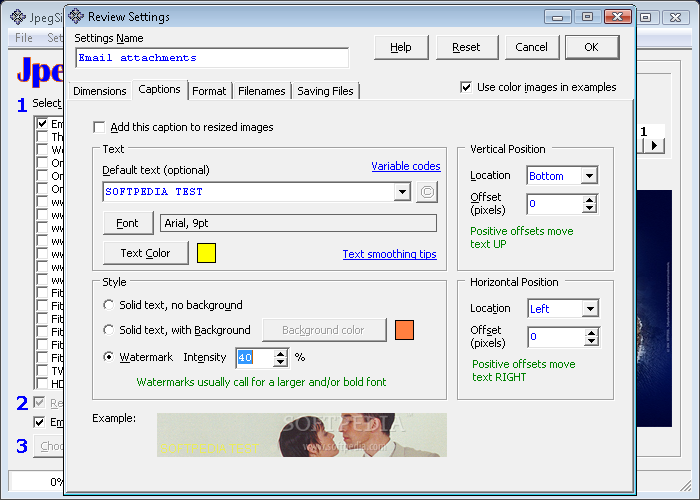
On top of that, you can apply captions to resized pictures and customize font properties (e.g. text color, alignment), apply watermarks and adjust the transparency level, as well as accurately establish the logo position by inputting the angle and offset values.
Additional features of JpegSizer let you convert photographs to other file types, namely GIF, PNG, TIFF and BMP, as well as choose the resampling algorithm. But you can also establish a file naming rule (e.g. add a prefix or suffix to the original filename), modify the default output directory, enable the app to copy the original EXIF information to the output items, and apply timestamps. All settings may be reset to their default values at any time.
The software tool needs a low amount of CPU and system memory, has a good response time and quickly finishes a task. Photographs have a good quality after conversion. We have not encountered any issues during our tests, since JpegSizer did not freeze, crash or display errors. There is also a help file available. No recent updates have been made.
What's new in JpegSizer 6.4.1:
- Added ability to build a batch of files for resizing from multiple source folders
- Added support for pasting an image from the clipboard for resizing
- Added pre-defined settings for screen shots
- Added option to convert filenames to mixed case
JpegSizer 6.4.1
add to watchlist add to download basket send us an update REPORT- runs on:
- Windows All
- file size:
- 3.4 MB
- filename:
- jpegsizersetup.zip

- main category:
- Multimedia
- developer:
- visit homepage
calibre

Zoom Client

ShareX

7-Zip

Bitdefender Antivirus Free

IrfanView

Microsoft Teams

4k Video Downloader

Context Menu Manager

Windows Sandbox Launcher

- 4k Video Downloader
- Context Menu Manager
- Windows Sandbox Launcher
- calibre
- Zoom Client
- ShareX
- 7-Zip
- Bitdefender Antivirus Free
- IrfanView
- Microsoft Teams