
A very useful AC3 decompressor for VirtualDub that can help you convert and decompress AC3 directly to MP3 or WAV formats with ease. #Ac3 filter #Ac3 acm #Ac3 virtualdub #Ac3 #Filter #Handler
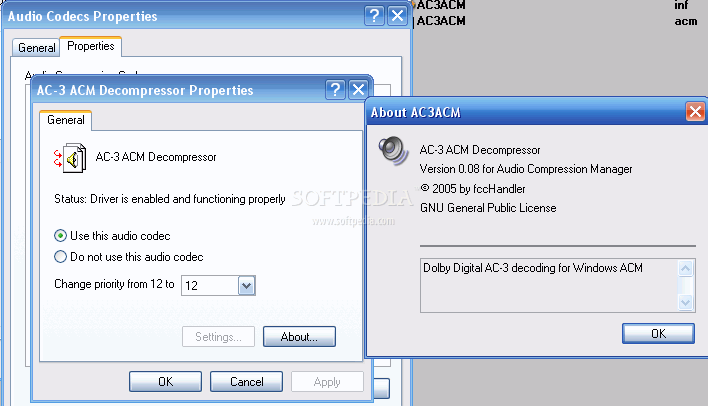
VirtualDub, TMPGEnc, Avisynth, CoolEdit are some of the many ACM clients available on the market that use various external codecs to compress or decompress files of a specific format. AC-3 ACM Codec is just a small audio decompressing utility for the AC-3 format, also known as Dolby Digital, which they all have in common. The package comes with individual installers for x86 and x64 systems. To install it on your system you just need to double click the .bat file for your specific system architecture (x86 or x64). Another method is to right-click the AC3ACM.inf file and choose Install from the Context menu.
The codec can control up to six sound channels which cover the entire audible sound spectrum (20 Hz – 20,000 Hz). Five of the channels are dedicated to normal-range speakers (right front, center, left front, rear right, rear left) and one individual channel for low frequencies (20 Hz – 120 Hz) for the subwoffer.
Regarding audio sample rates, the AC-3 codec supports up to 48 kHz. The AC-3 ACM Codec is based on two open source libraries: liba52 by Aaron Holtzman and Michel Lespinasse and FFmpeg ac3enc code by Fabrice Bellard.
Using one of the many ACM clients with the AC-3 ACM Codec, you can easily decompress AC3 audio files into WAV or MP3 and even use AC3 encoded AVI files that normally aren’t recognized by this applications.
The codec is also designed to work with the default Windows multimedia framework, called Audio Compression Manager (ACM), which manages all audio codecs installed on a system.
If you previously had installed an earlier version of this codec it is recommended to uninstall the old version before installing the new one. To uninstall AC-3 ACM Codec you simply need to go to Add/Remove Programs from the Control Panel, select it and press the "Add/Remove" button.
If you want to decompress your Dolby Digital encoded files to WAV or MP3, AC-3 ACM Codec is the tool that will ease your work.
AC-3 ACM Codec 2.2
 Softpedia Editor's Pick
add to watchlist
add to download basket
send us an update
REPORT
Softpedia Editor's Pick
add to watchlist
add to download basket
send us an update
REPORT
- runs on:
- Windows All
- file size:
- 162 KB
- filename:
- AC3ACM.zip
- main category:
- Multimedia
- developer:
ShareX

4k Video Downloader

Bitdefender Antivirus Free

calibre

IrfanView

Zoom Client

Windows Sandbox Launcher

Context Menu Manager

Microsoft Teams

7-Zip

- Context Menu Manager
- Microsoft Teams
- 7-Zip
- ShareX
- 4k Video Downloader
- Bitdefender Antivirus Free
- calibre
- IrfanView
- Zoom Client
- Windows Sandbox Launcher
