
Easily gain the ability to load subtitles with Media Player while also customizing font and adjust timing with the help of this practical utility. #Media Player filter #Load subtitles #Subtitle loader #Media #Player #Filter

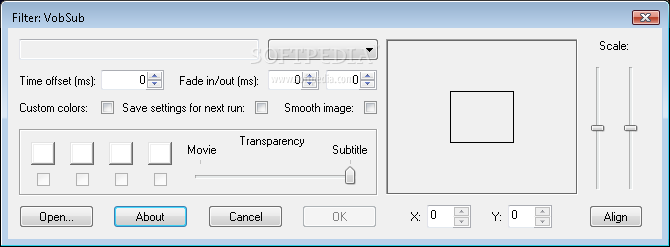
How many times have you been in the position of watching a movie with poor subtitles - whether it was not well synchronized, badly translated, or it used bad grammar? Subtitles can be manually corrected by opening them in an editor (such as Notepad), but this takes a lot of time and effort. In the end, it's just not worth it.
VobSub is a small multimedia filter that is designed to help you easily fix subtitles, but also integrate them into a video file.
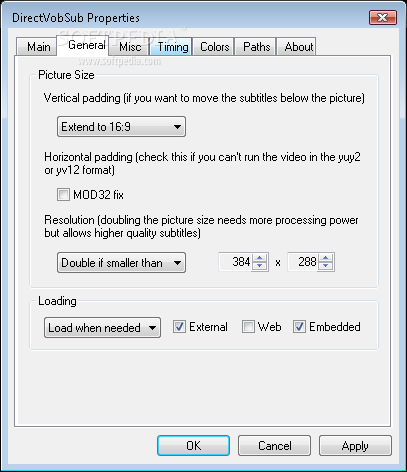
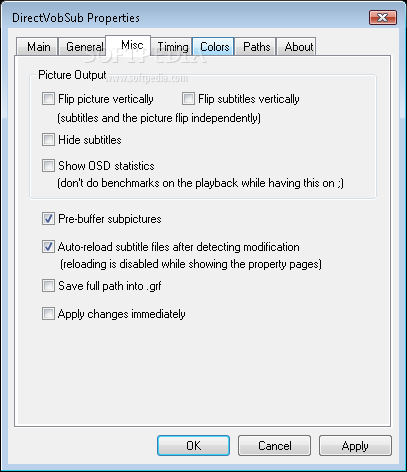
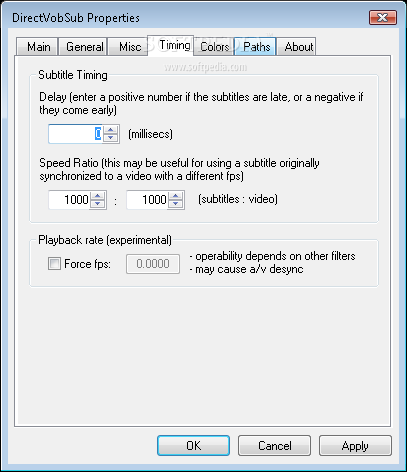
When configuring VobSub, you can modify the font type and size used for displaying the subtitles, as well as subtitle timing, the picture padding and the colors. In other words, you have the liberty to customize the way your subtitles look like in the slightest detail.
In addition to the actual filter, the installation package also adds two different applications to the computer - SubMux and SubResync. Both of them have a standard interface, and limited features, but they are both highly practical.
SubMux lets you combine a video file and a subtitle file by drag-and-drop, and the result will be of the same video file but with the "built-in" subtitle. This is particularly practical if you typically burn two files on a CD, rather than a single one - the movie AND its subtitle.
SubResync allows you to correct subtitles (several formats are supported including SRT, SUB or SSA), by changing their position or content (including colors, font, and size).
Due to the fact that it's such a small application, VobSub takes up minimum CPU resources. The integration of subtitles into videos is extremely fast, and you shouldn't encounter any major issues.
To sum it up, VobSub is a lightweight and practical utility that can help you out with desynchronized subtitles. Since it features a freeware license, you are advised to take VobSub for a try and if you are satisfied with its performance, keep it and adjust the subtitles for all your videos.
VobSub 2.23
 Softpedia Editor's Pick
add to watchlist
add to download basket
send us an update
REPORT
Softpedia Editor's Pick
add to watchlist
add to download basket
send us an update
REPORT
- runs on:
- Windows All
- file size:
- 716 KB
- filename:
- VobSub_2.23.exe
- main category:
- Multimedia
- developer:
calibre

4k Video Downloader

Windows Sandbox Launcher

ShareX

Bitdefender Antivirus Free

Context Menu Manager

Zoom Client

7-Zip

Microsoft Teams

IrfanView

- 7-Zip
- Microsoft Teams
- IrfanView
- calibre
- 4k Video Downloader
- Windows Sandbox Launcher
- ShareX
- Bitdefender Antivirus Free
- Context Menu Manager
- Zoom Client