
A user-friendly program that helps you carry out muxing operations for combining all the elements required to have a complete movie. #AVI demux #AVI mux #Video stream #AVI #Demux #Mux
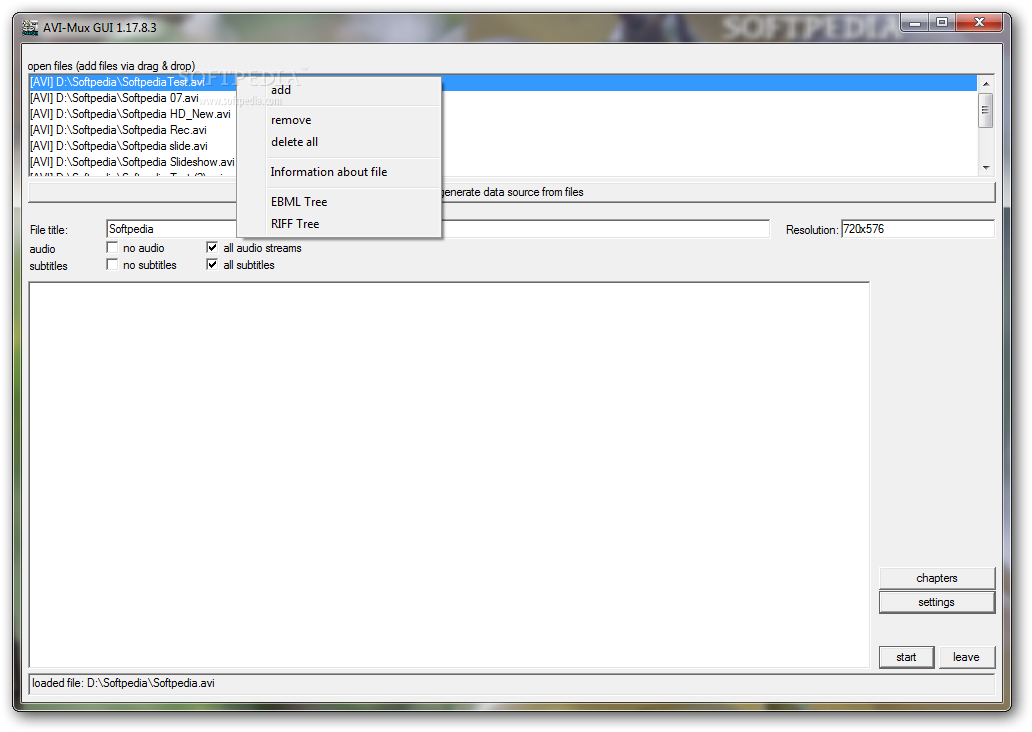
Creating movies by merging videos, sounds and even subtitles is a task that can take up a lot of time, especially when some specialized tools are not at hand. To successfully carry out such a project, you may find a program like AVIMux GUI quite useful.
Fairly small in size and ready to run out of the box, with no installation required, this application was designed to accomplish a specific task, namely that of multiplexing (otherwise known as muxing). This means that with the help of AVIMux GUI you will be able to combine all the elements required to have a complete movie.
The clean interface allows you to load the files, generate data source from them and view the contained video and audio elements. You can choose to include all the audio streams and subtitles, but it is just as easy to exclude them, simply by checking the corresponding box.
More advanced configurations can be found in the 'Settings' area which enables you to customize the input and output options according to your needs. Thus, you can set the AVI or MKV structure for the resulting videos. The interface can also be tweaked for a better visibility of the streams and files in use.
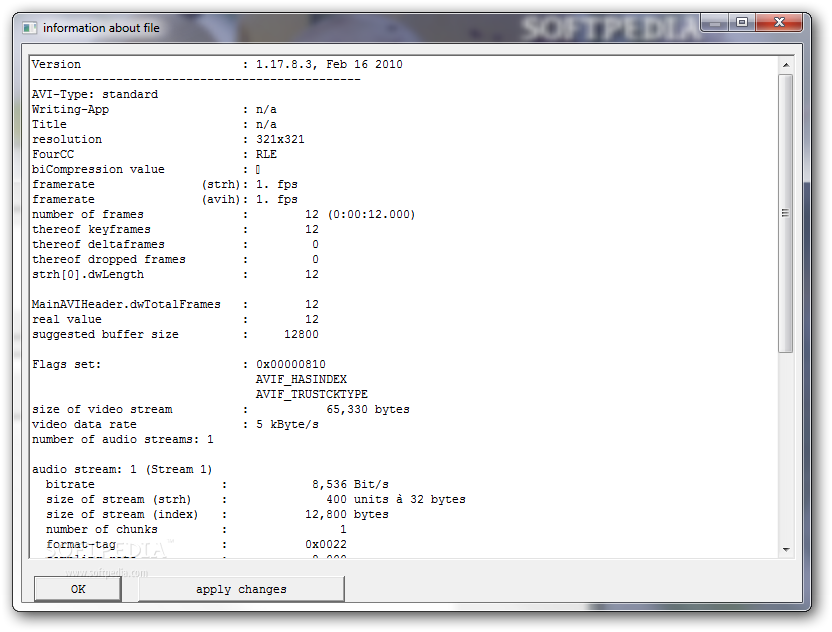
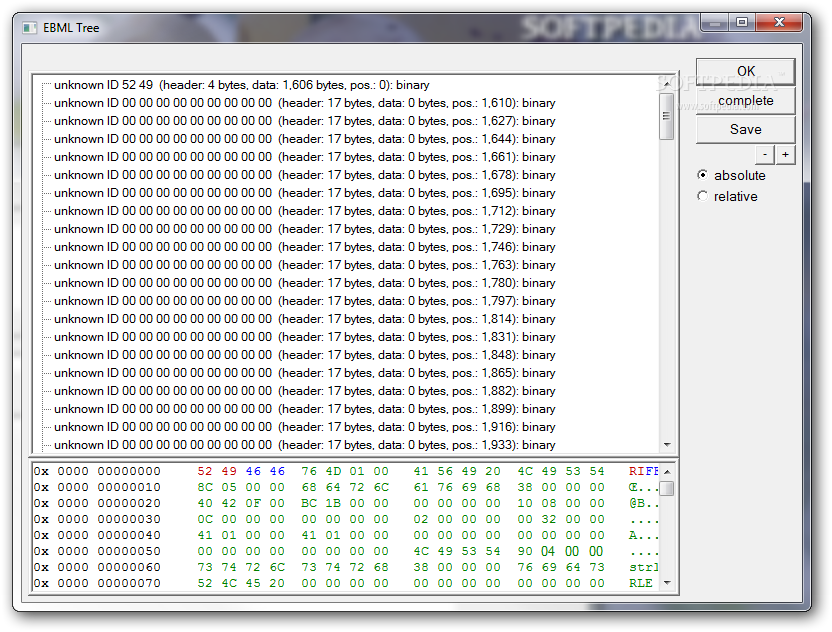
A set of particular features of AVIMux GUI can be found in the right-click menu when selecting items from the main window. You can have the video data displayed either in the Extensible Binary Meta Language (EBML) format or in the Resource Interchange File Format.
All things considered, this application is easy to use and yet quite complex if the user choose to explore all its nooks and crannies. Also, the list of supported formats is pretty decent as AVIMux GUI is able to handle MKV, AVI, AAC, OGG, SRT or SSA file types, just to name a few.
What's new in AVIMux GUI 1.17.8:
- New:
- The CTextFile class is redone. Text files can now be handled in UTF-16 big and little endian (with BOM only), UTF 8 (with BOM only) and the local charset of your windows installation
- Added highlighting for streams that are default and for streams that AVI-Mux GUI cannot put into AVI files (this visual feature can be disabled)
- When creating XML files, now STL is used
AVIMux GUI 1.17.8.3
add to watchlist add to download basket send us an update REPORT- runs on:
-
Windows 2003
Windows 7 32/64 bit
Windows Vista
Windows XP - file size:
- 759 KB
- filename:
- AVI-Mux_GUI-1.17.8.3.zip

- main category:
- Multimedia
- developer:
- visit homepage
Bitdefender Antivirus Free

Zoom Client

Context Menu Manager

4k Video Downloader

7-Zip

Windows Sandbox Launcher

Microsoft Teams

calibre

IrfanView

ShareX

- calibre
- IrfanView
- ShareX
- Bitdefender Antivirus Free
- Zoom Client
- Context Menu Manager
- 4k Video Downloader
- 7-Zip
- Windows Sandbox Launcher
- Microsoft Teams