
Free software which converts almost any formats of video file into iPod format.. #Video Converter #Trim Video #Convert Video #Convert #Converter #Conversion

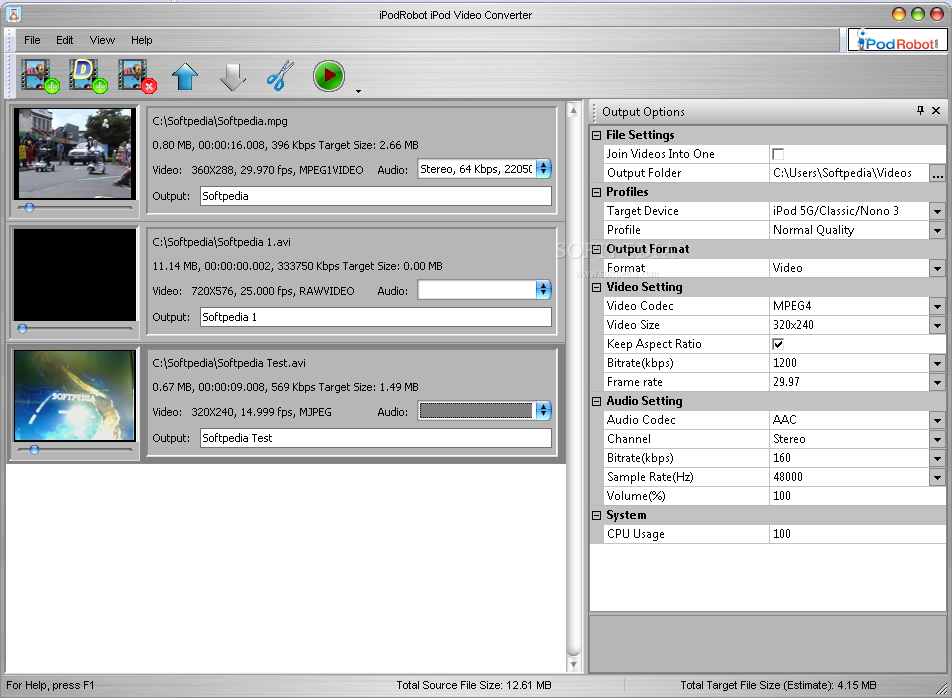
iPodRobot Video Converter is an application with a pretty self-explanatory title - it allows you to encode media files to the MP4 format supported by iPod devices.
The interface of the program is plain and simple to work with. Media files can be imported into the list by using the file browser only, because the "drag and drop" method is not supported. Batch processing is allowed.
In the queue you can check out the source path, duration, size, thumbnail along with audio and video settings of each file. After you specify the output profile and directory, you can initiate the encoding job.
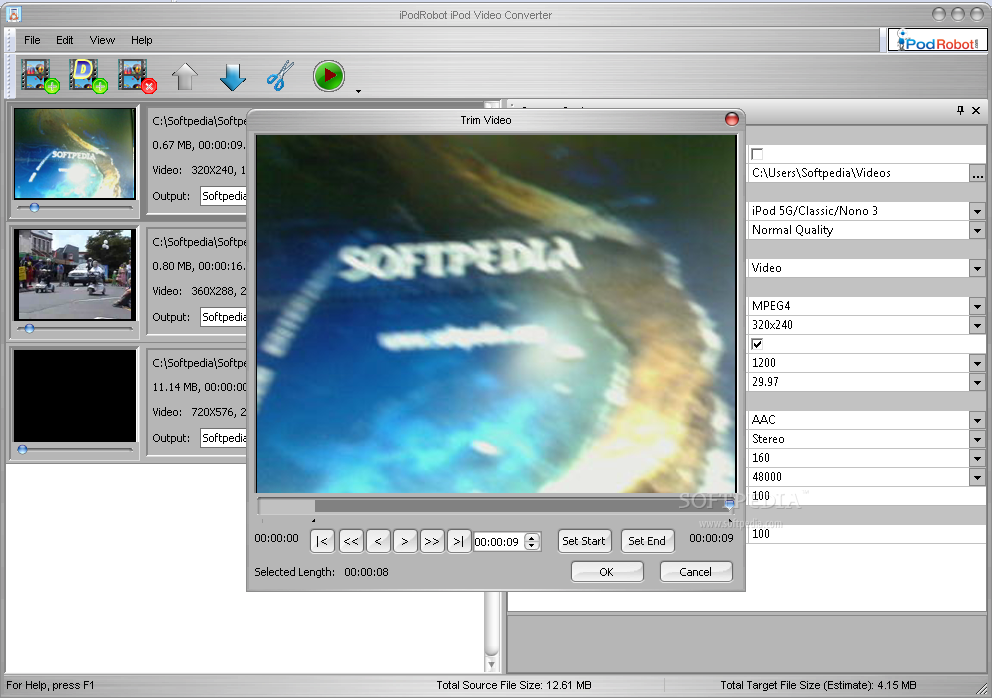
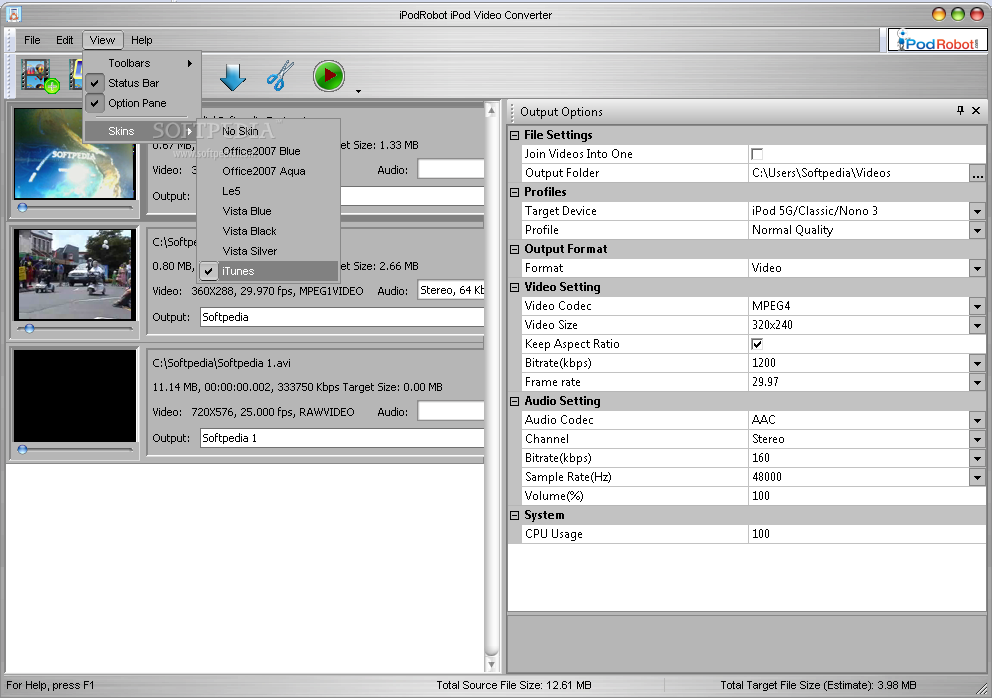
You can change audio and video parameters when it comes to the codec, channel mode, bit rate, sample frequency rate, volume, aspect ratio, frame rate, and others. But you can also merge or cut videos, customize CPU usage, customize toolbars, change the interface skin, and others.
The video processing tool takes up a moderate amount of system resources, has a good response time, quickly finishes a task and manages to keep a good image and sound quality. No errors have occurred during our tests and iPodRobot Video Converter did not freeze or crash. Unfortunately, the help file is not available and the interface is slightly outdated. Otherwise, we strongly recommend iPodRobot Video Converter to all users.
What's new in iPodRobot Video Converter 4.0.0.2867:
- New preview feature, now it is accurate preview.
- Added 96kbps audio bitrate.
iPodRobot Video Converter 4.0.0.2867
add to watchlist add to download basket send us an update REPORT- runs on:
- Windows All
- file size:
- 4.6 MB
- filename:
- ipodvset.exe
- main category:
- Multimedia
- developer:
- visit homepage
Windows Sandbox Launcher

Zoom Client

7-Zip

Microsoft Teams

calibre

4k Video Downloader

ShareX

Context Menu Manager

IrfanView

Bitdefender Antivirus Free

- Context Menu Manager
- IrfanView
- Bitdefender Antivirus Free
- Windows Sandbox Launcher
- Zoom Client
- 7-Zip
- Microsoft Teams
- calibre
- 4k Video Downloader
- ShareX
