
A tool for inserting subtitles into avi video files. #Create subtitle #Insert subtitle #Add subtitle #Subtitle #Compression #Compress

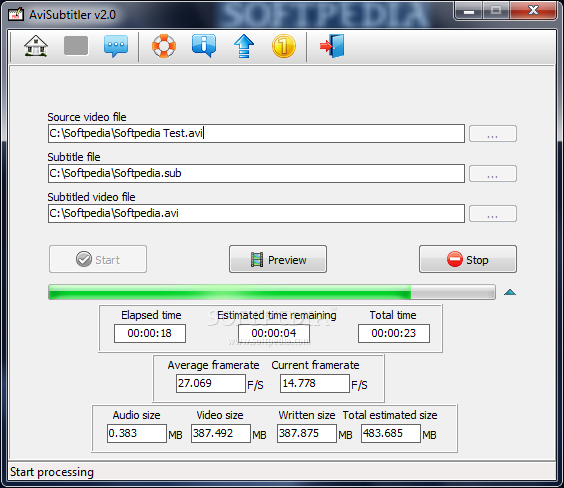
AVI Subtitler is a tool that allows you to integrate subtitles into movie files in AVI format.
If you are a user who likes to collect movies, then you have probably had a hard time ripping CDs which always contain two separate files - the movie and its subtitle. This is why a tool like AVI Subtitler comes in handy.
The installation process is very brief, and the program's interface is extremely simple. You can effortlessly use AVI Subtitler's functions even if you are a rookie.
All you have to do is select the source of the video file, subtitle file, and output destination (drag and drop is not supported - at least in Windows 7).
There is an option to preview the file, but it does not work in case of larger AVIs (e.g. twenty-minute long), and when it does, it only shows video, without sound or subtitle (so you know you are converting the right file, probably).
Once you have pressed the start button, the progress bar will slowly fill. We put a 175MB video file to the test, and the job was done in almost thirteen minutes, which is a lot. The output file weighed 4GB, which is absurd.
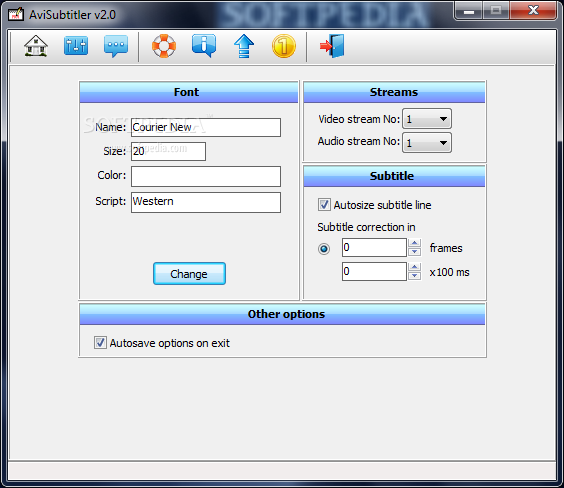
You can view elapsed time, estimated time remaining, total time, average and current frame rate, audio and video size, as well as written and total estimated size. Plus, you can change font (name, size, color, script), as well as audio and video streaming.
In conclusion, AVI Subtitler takes a long time to finish a task, and the output files have a shocking size. It probably has to do something with the fact that we run it on Windows 7.
Download Hubs
AVI Subtitler is part of these download collections: Make Subtitles, Subtitle Creators, Subtitle Managers
What's new in AVI Subtitler 2.02:
- Added suport for AC3 audio streams
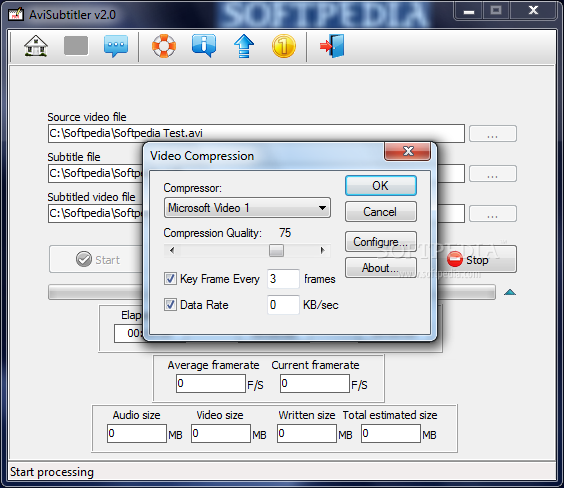
- Added option for video transcoding
AVI Subtitler 2.02
add to watchlist add to download basket send us an update REPORT- runs on:
- Windows All
- file size:
- 2.7 MB
- filename:
- AviSubtitler_v2_02.zip
- main category:
- Multimedia
- developer:
- visit homepage
Zoom Client

Context Menu Manager

calibre

ShareX

Windows Sandbox Launcher

IrfanView

4k Video Downloader

Microsoft Teams

Bitdefender Antivirus Free

7-Zip

- Microsoft Teams
- Bitdefender Antivirus Free
- 7-Zip
- Zoom Client
- Context Menu Manager
- calibre
- ShareX
- Windows Sandbox Launcher
- IrfanView
- 4k Video Downloader