
Record anything that happens on your screen and save it to a video file on your computer by turning to this comprehensive application. #Desktop Video Recorder #Video Recorder #Destkop Recorder #Desktop #Recorder #Record

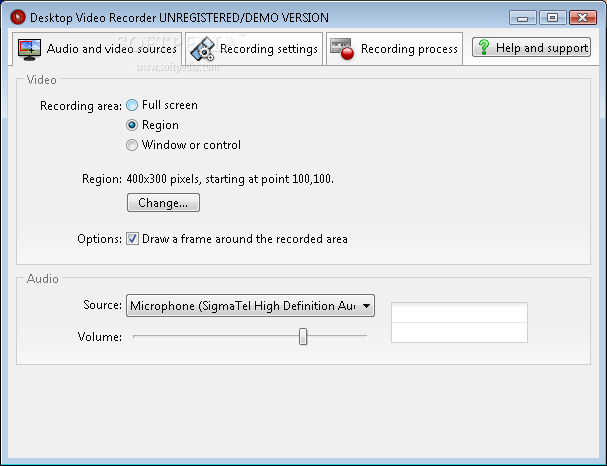
Desktop Video Recorder is a straightforward Windows software solution designed to help you record screen activity with minimum configuration settings.
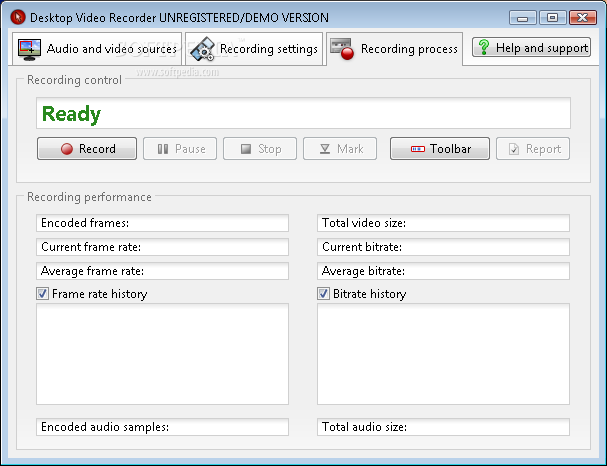
The program comprises all features in the same window and relies on a tabbed layout, which means that you can easily access the screen you want for a seamless screen recording task.
There are three recording areas supported, namely full screen, a custom region or a specific window, with Desktop Video Recorder giving you the power to select any region on your screen.
Of course, you can select the audio source and the volume, but also play with more advanced recording settings such as compression, framerate, audio compression and sample rate.
One of the drawbacks is that Desktop Video Recorder doesn’t provide hotkey support, which means that you cannot control the recording process from your keyboard. Instead, it offers a toolbar to easily pause, stop or resume a recording, but keyboard shortcuts would still help a lot.
Files are saved as AVI clips on your local disks and it’s very important to set up compression because the overall size of the recording seems to be fairly big.
Desktop Video Recorder works as it should, with absolutely no problems experienced during our testing on Windows XP and 7 workstations.
All things considered, Desktop Video Recorder is a handy application, but improvements in many key areas are absolutely needed. Hotkey support to control the recording without the need for a toolbar is clearly a must have and so is a greater amount of configuration options concerning the recording job.
Desktop Video Recorder 3.0
add to watchlist add to download basket send us an update REPORT- runs on:
- Windows All
- file size:
- 2.9 MB
- filename:
- setup_dvr3.exe

- main category:
- Multimedia
- developer:
- visit homepage
Windows Sandbox Launcher

IrfanView

ShareX

Microsoft Teams

4k Video Downloader

Bitdefender Antivirus Free

calibre

7-Zip

Context Menu Manager

Zoom Client

- 7-Zip
- Context Menu Manager
- Zoom Client
- Windows Sandbox Launcher
- IrfanView
- ShareX
- Microsoft Teams
- 4k Video Downloader
- Bitdefender Antivirus Free
- calibre