Softpedia
 

WINDOWS CATEGORIES:


GLOBAL PAGES >>
SOFTPEDIA REVIEWS >>
MEET THE EDITORS >>
WEEK'S BEST
  • Sticky Password FR...
  • Parallels Workstat...
  • ESET NOD32 Antivir...
  • BitDefender Total ...
  • WinPatrol 24.6.201...
  • PerfectDisk Free D...
  • Adobe Photoshop CS...
  • PerfectDisk Profes...
  • Windows 8 Consumer...
  • Atlantis Word Proc...
  • Home > Windows > Multimedia > Video > Video Recording
     Report malware

    Exsate VideoExpress 3.0.3 Build 557

    download button

    Downloads: 4,063  Tell us about an update
    User Rating:
    Rated by:
    Good (3.1/5)
    33 user(s)
    Developer:

    License / Price:

    Size / OS:

    Last Updated:

    Category:

    Trial / USD 39.99 buy button
    7.6 MB / Windows 2K / XP / Vista / 7
    [view history]
    C: \ Multimedia \ Video \ Video Recording

     Read user reviews (0)  Send to friend   Follow (0 users)

    Exsate VideoExpress description

    An advanced, powerful, easy to use application for capture DV video

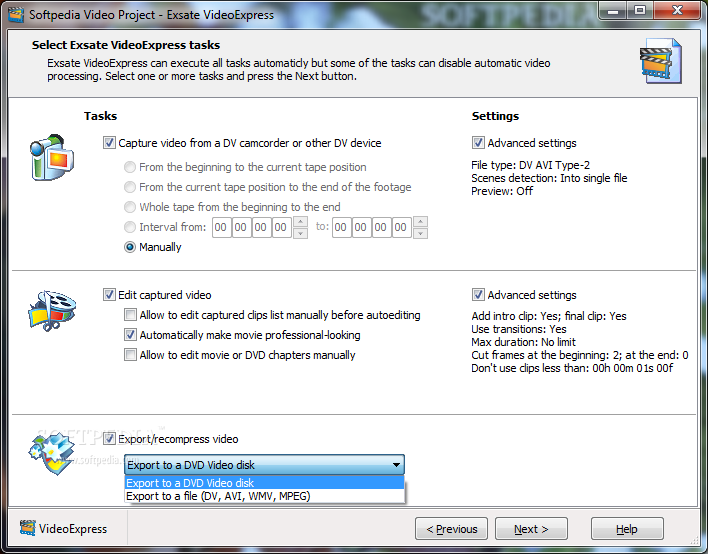
    All-in-one automatic DV capture, DV editing and DV recompression wizard. The application is specially designed for DV camcorders to beat two main purposes: easy and fast creation of professional-looking home movies and video archives in one minute with highest possible quality.

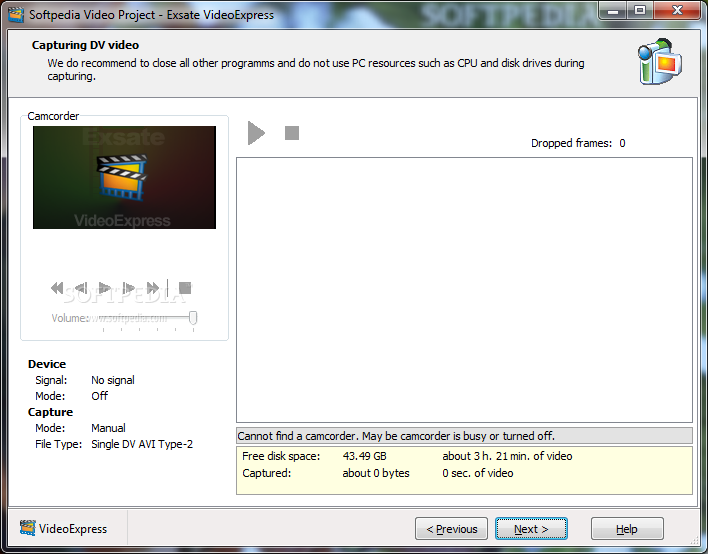
    This makes the tool useful both for video amateurs and professionals. DV capture module of the software automatically rewind a tape, finds the beginning of a record, stops at the end and captures to multiple files without dropped frames.

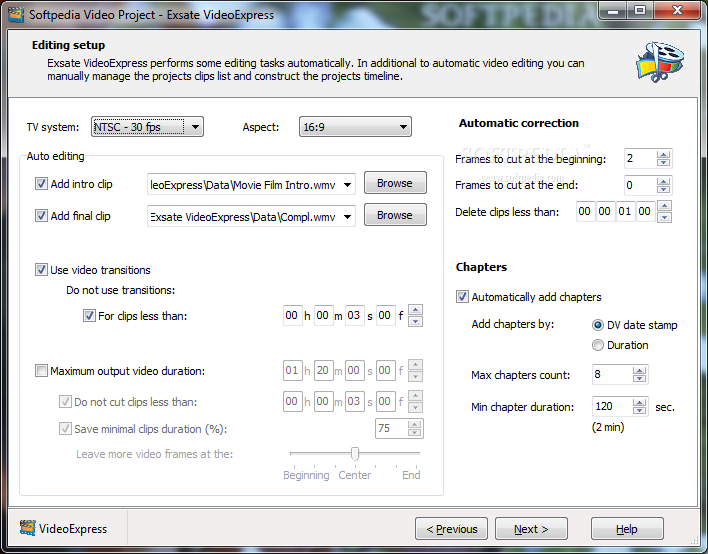
    DV editing module automatically corrects some corrupted frames on a tape, automatically constructs a timeline, analyzes pictures and recorded DV date/time stamps and inserts the best transition for the moment, resizes clips to let the timeline fit a given total time, gives you NLE capabilities to edit the timeline, supports more than 50 transitions.

    DV export module successfully completes the idea of the DV to movie wizard. It supports automatic export/recompression to any AVI format with multipass encoding, exports to multiple files, works in background to let you run other applications while Exsate VideoExpress is working.

    Here are some key features of "Exsate VideoExpress":

    DV Video Capture:
    Exsate VideoExpress provides you with the easiest and fastest way to capture DV video. Useful features available in Exsate VideoExpress 1.0 made the program very popular among both professionals and amateurs. Exsate VideoExpress 2 fully inherits them:
    Automatic capture - You have to do some operation to control your camcorder each time before capture. Exsate VideoExpress frees you from these. Select an automatic mode to capture:
    · from the beginning to the current position of a tape
    · from the current tape position to the end of a record
    · a whole tape from the beginning to the end
    · any given timecode interval
    · rewind a tape after a capture
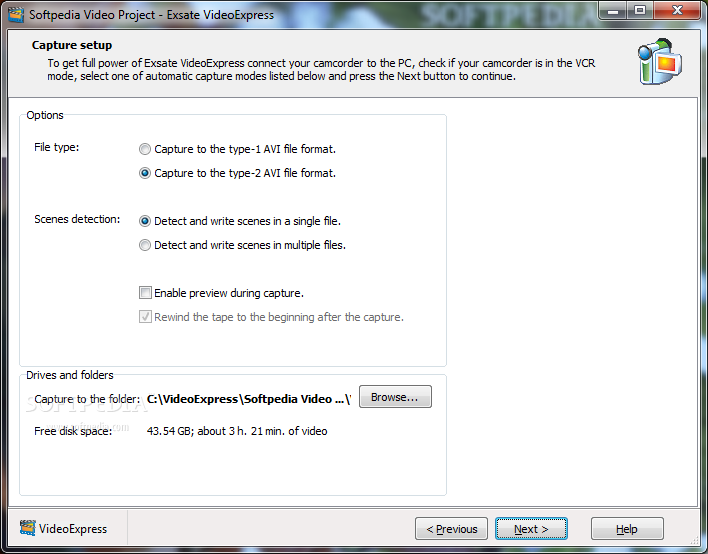
    · Scenes detection, capture to multiple files without dropped frames - Exsate VideoExpress detects scenes and writes them to a single file or to the multiple files, every scene into a separate file. So Exsate VideoExpress detects every time you pressed "Record" button while you recorded your video to the camcorder.
    · Supports both DV AVI Type 1 and DV AVI Type 2 formats - Exsate VideoExpress makes you free to choose any third-party multimedia programs to process video.
    · Support both PAL and NTSC video systems - This means that Exsate VideoExpress is ready to work with almost any camcorder or a DV device.

    DV Video Editing:
    The Exsate VideoExpress DV Video Editing makes possible to do a lot of DV video editing work easier than ever. Exsate VideoExpress does most of editing tasks automatically and gives you all the possibilities to control this. Following editing features allow you to create professional-looking home movie and video archives:
    Automatic correction of corrupted frames on a tape - after a capture you have some rough clips. These clips often contains some corrupted frames. Exsate VideoExpress automatically:
    · removes corrupted frames at the beginning of each clip
    · removes corrupted and wrong scenes
    · A movie total length auto adjustment - useful if you wish to create a DVD, SVCD or a VCD. You can automatically adjust a 1:30 mins DV record to a 1:20 DVD disk.
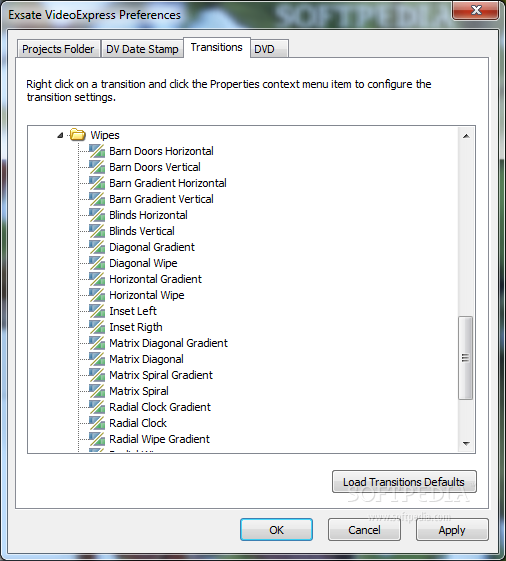
    Supports more than 50 transitions - automatic transitions insertions based on:
    · optical picture detection
    · recorded date/time stamp detection
    · Exsate VideoExpress analyzes pictures and recorded DV date/time stamps and inserts the best transition for the moment.
    Easy manual timeline editing - Exsate VideoExpress has an easy to use timeline that supports:
    · Drag and drop clips
    · Drag and drop transitions
    · 16X zoom
    Moreover, the Exsate VideoExpress manual DV Video Editing consists from 2 modes:
    · The manage clips editing mode - allows you to manage a clip list and cut clips easy and fast
    · The full timeline editing mode - gives you full control on editing.

    DV Video Export:
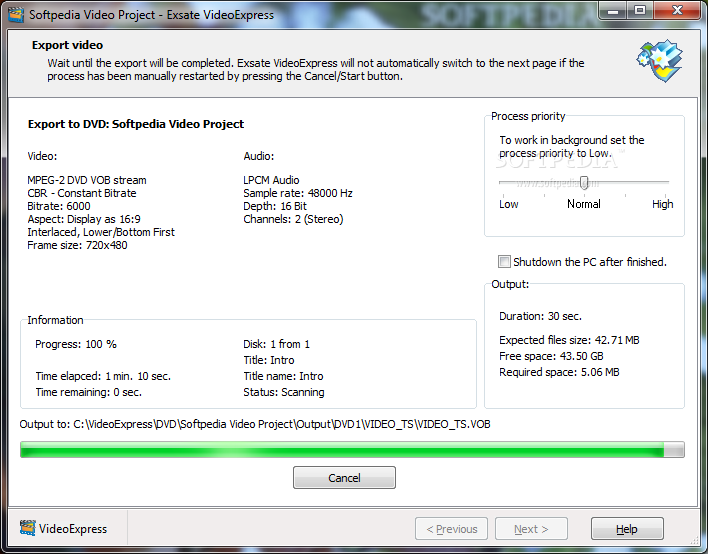
    · As a logical completion of the idea, Exsate VideoExpress provides you with possibility to export/recompress your video. The Exsate VideoExpress DV Video Export also works in automatic mode.
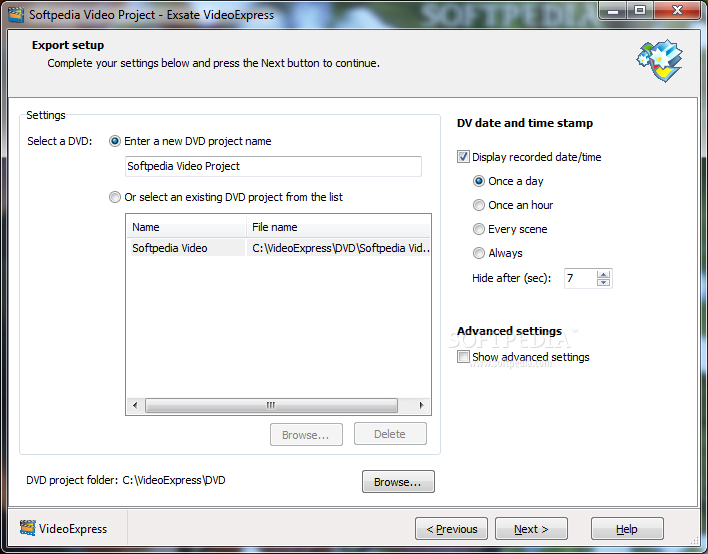
    Display DV date/time stamp - Exsate VideoExpress detects recorded DV date and time stamp and imprints it on a video frame. The program can automatically display the DV date/time stamp:
    · Once a day
    · Once an hour
    · Every scene
    · Always
    · Automatic export/recompression to MPEG-1, MPEG-2, AVI, DivX, Xvid, ASF formats - Exsate VideoExpress can recompress captured and edited video to MPEG1, MPEG2, DVD/SVCD/VCD compartible streams, an AVI file with any DirectShow or VfW compressor installed on your PC (DivX, Xvid, etc.) or to a Window Media ASF file (WMV).
    · Multipass encoding allows you to get highest possible quality of output video. Exsate VideoExpress has bult-in support for multipass encoding. (Be sure the selected video compressor supports multipass encoding before useing this feature.)
    · Export to multiple files allows you to create video archives. If this option has been selected Exsate VideoExpress writes every clip or a transition to a separate output file. You can save all output files on an optical disk and use for video editing later.
    · Work in background - Exsate VideoExpress allows you to select export process priority. Set the priority to Low to let Exsate VideoExpress work in background.

    Requirements:

    · Microsoft DirectX 9
    · Microsoft GDI+ (only for Windows 2000)
    · NTFS file system
    · 128MB of RAM
    · High-speed hard drive (7200rpm recommended)
    · IEEE-1394 (FireWire) card.

    Limitations:

    · 10 days trial
    · Nag screen

    What's New in This Release: [ read full changelog ]

    · Bug fix release

     Softpedia guarantees that Exsate VideoExpress 3.0.3 Build 557 is 100% CLEAN, which means it does not contain any form of malware, including spyware, viruses, trojans and backdoors. [read more >]


    TAGS:

    DV capture | video capture | DV editing | capture | DV | video


    HTML code for linking to this page:


    Go to top

    WindowsGamesDriversMacLinuxScriptsMobileHandheldNews

    SUBMIT PROGRAM   |   ADVERTISE   |   GET HELP   |   SEND US FEEDBACK   |   RSS FEEDS   |   UPDATE YOUR SOFTWARE   |   ROMANIAN FORUM