
Capture the screen at a user-defined interval, use and customize hotkeys, start audio and video recording, view FPS and split movies with this powerful tool #Screen Capture #System Benchmark #Video Capture #Benchmark #Capture #Screen

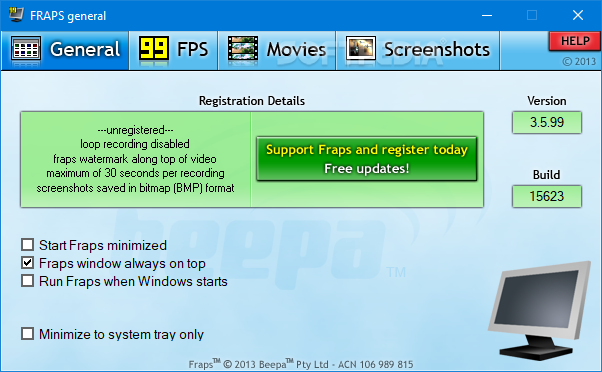
Hardcore gamers always look for ways to record the latest battles they encounter in order to brag online with their tactics, technical prowess and general awesomeness. That is where Fraps comes in.
The app helps you record your gaming time and it also allows you to take screenshots of your computer. It can act as a benchmarking software, by analyzing and showing you how many FPS (frames per second) you get.
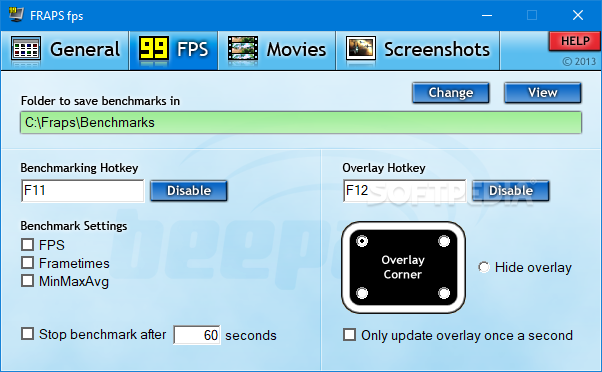
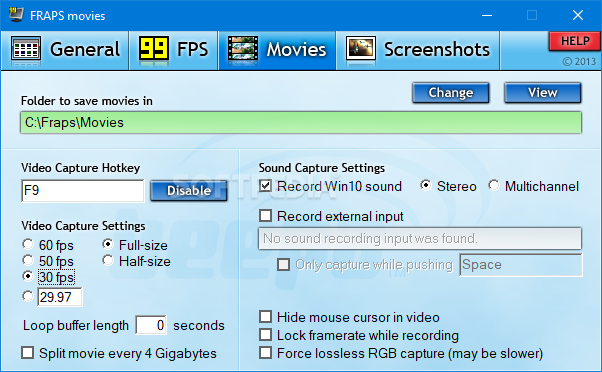
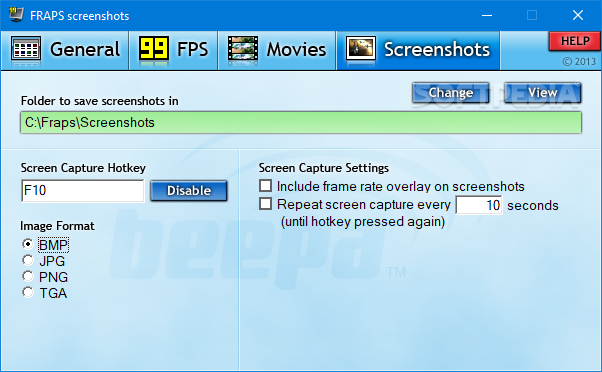
Fraps comes with a nice interface, with an intuitive layout that should help you customize your app to fit your needs. Thus, you can modify the hotkeys for starting any of the supported actions, as well as the output folders for each of the resulting files.
You can change the video capturing settings by choosing one of the preset options regarding the number of FPS your output recordings should have or input a new value yourself.
In addition to that, the app can split your movies after the files reach 4GB in size and you can opt between a few sound capture options.
Since Fraps also has some benchmarking abilities, you can select the corner of your screen where the number of FPS is displayed, or cancel overlay altogether. Also, you can have the software stop evaluating your system after a preset number of seconds.
Those who use this app to take desktop screenshots can choose one of the supported formats for the output file (BMP, JPG, PNG, and TGA). You can also allow frame rate overlay to show in the picture if the feature is active. In addition to that, the program can take screenshots at specific time intervals until the hotkey is pressed again.
Fraps is a particularly useful app for those who want to record their gaming experience. The interface makes this software easy to use by people of all levels of experience, while the wide range of supported actions is sure to capture the attention of more advanced users.
Download Hubs
Fraps is part of these download collections: Screenshot Makers
Fraps 3.5.99 Build 15625
 Softpedia Editor's Pick
add to watchlist
add to download basket
send us an update
REPORT
Softpedia Editor's Pick
add to watchlist
add to download basket
send us an update
REPORT
- runs on:
-
Windows 10 32/64 bit
Windows 2003
Windows 8 32/64 bit
Windows 7 32/64 bit
Windows Vista
Windows XP 32/64 bit - file size:
- 2.4 MB
- filename:
- setup.exe
- main category:
- Multimedia
- developer:
- visit homepage
Context Menu Manager

4k Video Downloader

IrfanView

Microsoft Teams

Zoom Client

Bitdefender Antivirus Free

ShareX

7-Zip

Windows Sandbox Launcher

calibre

- 7-Zip
- Windows Sandbox Launcher
- calibre
- Context Menu Manager
- 4k Video Downloader
- IrfanView
- Microsoft Teams
- Zoom Client
- Bitdefender Antivirus Free
- ShareX