
3D anaglyph stereo webcam software. Upload via FTP or record to video file. #Webcam 3D #Webcam record #Anaglyph stereo video #Upload #Recorder #Webcam
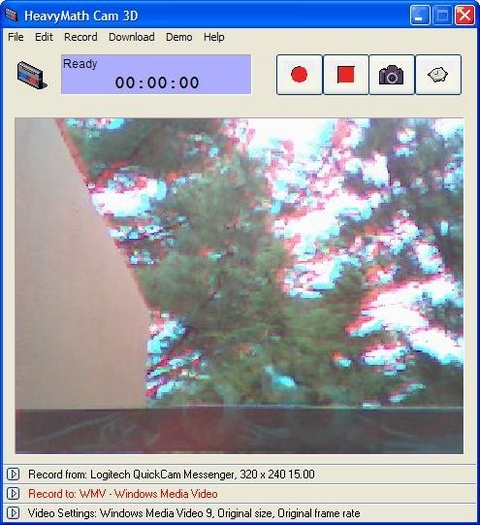
HeavyMath Cam 3D Webmaster Edition is the only webcam software which enables you to record 3D anaglyph stereo video from two webcams and broadcast the 3D images on the web. Anaglyph video is the technology used by Hollywood movies. Two videos of slightly different perspectives are merged into one.
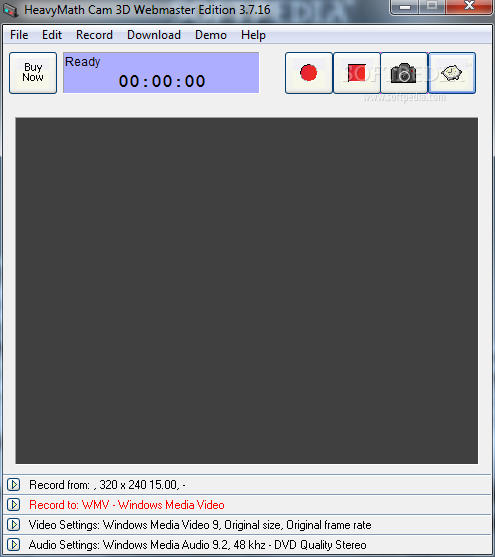
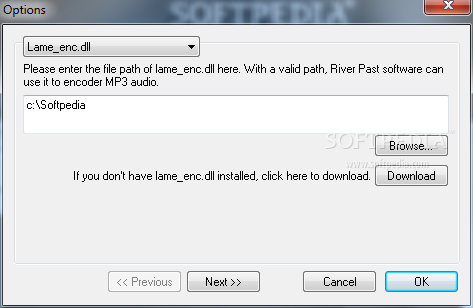
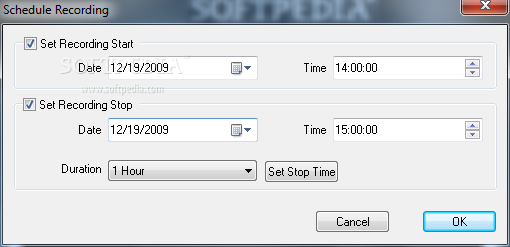
By using red-cyan colored glasses, the viewer can get a true feeling of 3 dimension effects. Traditionally, to make an anaglyph video, two camcorders are mounted on costly specialized rack and record at the same time. Afterwards, the videos are processed and merged. This process is expensive, time consuming, and difficult. Cam 3D makes it easy. Two webcams with the same focal length is all you need. The preview window shows the anaglyph video to be recorded. Yes, you can see the 3D by wearing the red-cyan glasses. Adjust the cameras to get the best 3D effect, and press "Record". Upload via FTP to your website, or record to MKA (Matroska Video), OGM (OGG Media), or WMV. You have full control over the recording codec, quality, audio sample rate, channel, bits per sample, and bitrate. You can also record to QuickTime MOV, MPEG-4 video, and even animated GIF, with appropriate booster packs from River Past installed. You can specify the anaglyph type (color or gray scale), and the filter color (red/cyan, red/blue, or red/green). It has a built-in scheduler for unattended recording. You can set the start time and/or the stop time. There is a "Capture Still" button to take a snap shoot photo - also in 3D. Get rid of those flat boring pictures.
The photos from Cam 3D will "pop" - literally. No adware or spyware. DirectX 8 required. Windows Media Format 9 runtime required for WMV. Compatible with Windows Vista. 30 day MONEY BACK GUARANTEE
System requirements
- any PC with a Pentium III/Celeron CPU of 1000 MHz or above
- A webcam and an optional sound card is required.
- DirectX 8.0 or above. We strongly recommend that you always use the latest the latest DX (currently 9.0b) because it provides better stability and performance.
Limitations in the unregistered version
- Unregistered version adds watermark to the output video
- The recording is limited to 2 minutes
HeavyMath Cam 3D Webmaster Edition 3.8.0.2128
add to watchlist add to download basket send us an update REPORT- runs on:
- Windows All
- file size:
- 8.2 MB
- filename:
- cam3dweb_wmf_setup.exe
- main category:
- Multimedia
- developer:
- visit homepage
7-Zip

Context Menu Manager

4k Video Downloader

Microsoft Teams

IrfanView

Bitdefender Antivirus Free

ShareX

calibre

Zoom Client

Windows Sandbox Launcher

- calibre
- Zoom Client
- Windows Sandbox Launcher
- 7-Zip
- Context Menu Manager
- 4k Video Downloader
- Microsoft Teams
- IrfanView
- Bitdefender Antivirus Free
- ShareX