Search Perform an advanced search query SOFTPEDIA
 
SOFTPEDIA
Updated one minute ago
HomeSubmit a program for being reviewedAdvertise on our websiteGet help on surfing our websitesSend us your feedbackGet information about our XML/RSS backend and how to use itBrowse the news archiveVisit our discussion forumVizitati forumul in limba romana


Program Finder NormalFreeware onlyShareware only

River Past Screen Recorder 7.7.9 Report spyware 

Click to download River Past Screen Recorder
View more River Past Screen Recorder screenshots (3)
 Downloads: 12,140
Rating: Good (3.4/5) | Rated by: 40 user(s)
Add to download basket     Send us update information
 Developer: River Past Corporation | More programs by this producer
 License: Demo , 39.95 $ to buy 
 Size / OS: 4.41 MB, Windows All
 Last Updated: July 25th, 2008, 10:52 GMT
 Category: C: \ Multimedia \ Video \ Video Recording
 Read user reviews (0) Add a review Refer to friend Subscribe
    Download River Past Screen Recorder

River Past Screen Recorder description
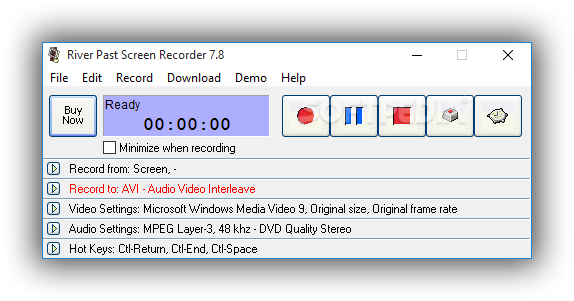
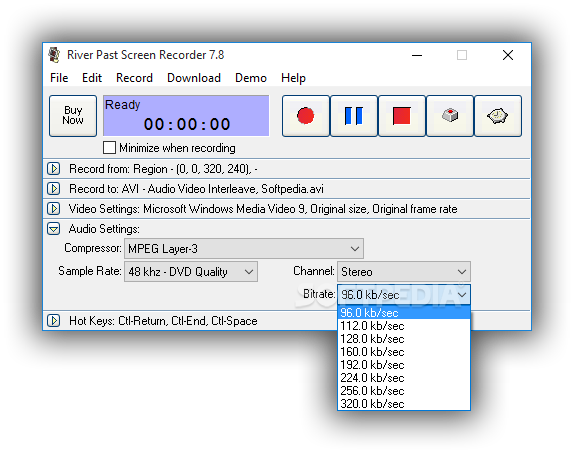
Capture screen to AVI video file, with choices of video and audio codec

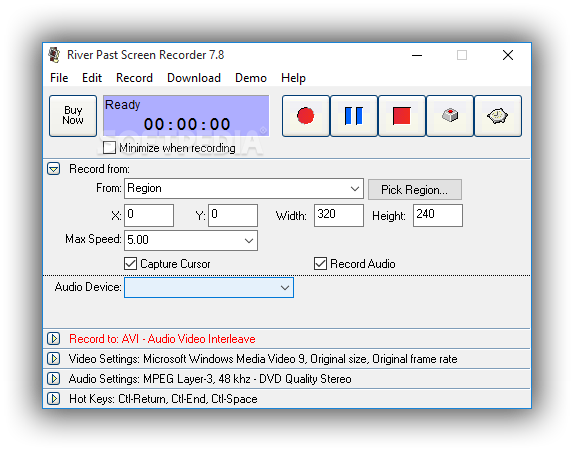
River Past Screen Recorder - easy to use and fast screen recording software. Capture screen from the full screen, a window (even if you drag it around the screen), a region with fixed location, or cursor area.

When capturing cursor area, the capture area's size is defined by the user but it always follows the cursor.

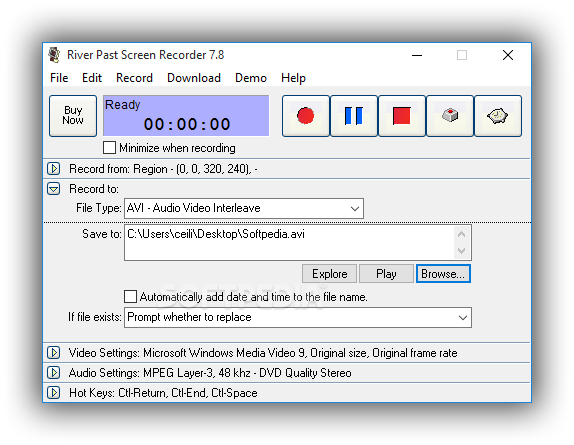
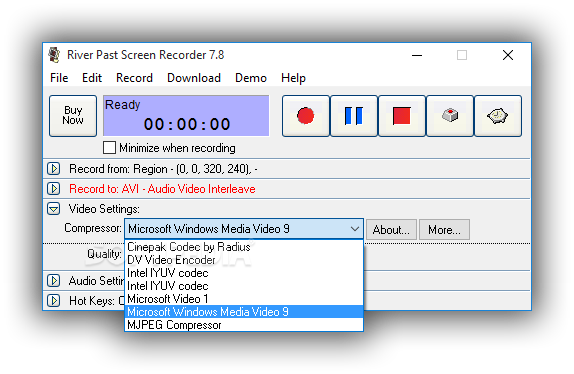
Output to AVI files, with choices of video codec, including Cinepak, Indeo 3, 4, 5, MS Video 1, MS RLE, or Motion JPEG. Option to capture audio, from any sources, including microphone, line-in, or speakers.

This is the fastest screen video recorder. Tested to be up to four times faster than other programs. Ideal for making demo, tutorial, and training videos. Tested to be up to four times faster than other programs.

River Past Screen Recorder is a screen capture utility that grabs cursor area.

Here are some key features of "River Past Screen Recorder":

Input Control:
· River Past Screen Recorder can capture AVI from the full
screen, a window, a rectangle region, and a defined area around the cursor.
· Drag-and-drop operation is used to define the window or the rectangle to be captured. When capturing from a window, the capture area follows the window, even if the window has been moved around the screen.
· You can define the maximum frame rate to be captured, and thus control the output file size.

Output Format
· River Past Screen Recorder supports the following output format: AVI

River Past Screen Recorder supports the following additional formats:
· DivX
· OGM (OGG Media)
· MKV (Matroka)
· MPG (MPEG-1)
· MOV (MOV Booster Pack required)
· XviD
· WMV (Windows Media Video)
· You have the full control over the codec of the AVI file. You can choose the video compressor, and its compression quality.

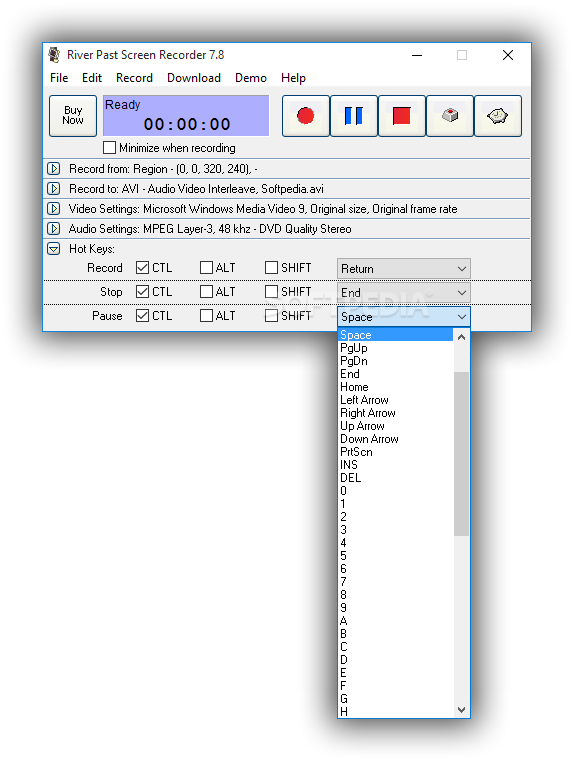
Hot Keys:
· Use hot keys to control the recording. You can define the hot keys to the combinations you prefer. Minimize River Past Screen Recorder, and start and stop recording by the hot keys. You can even pause the recording.

Windows Media Video:
· River Past Screen Recorder Pro allows you to record to WMV files using Microsoft's Windows Media Screen codec, which is specialized in producing high quality and small screen videos.
· Record the video and post it on the web without any editing and conversion.


Requirements:

· River Past Screen Recorder is tested to run on any PC with a Pentium III/Celeron CPU of 500 MHz or above. A sound card is required.
· River Past Screen Recorder requires DirectX 8.0 or above. We strongly recommend that you always use the latest the latest DX (currently 9.0b) because it provides better stability and performance.


Limitations:

· A watermark is added to the recorded video, and the recording is limited to 2 minutes.


What's New in This Release:

· [Change]Code base update.... [ read full changelog ]


Softpedia guarantees that River Past Screen Recorder 7.7.9 is 100% CLEAN, which means it does not contain any form of malware, including but not limited to: spyware, viruses, trojans and backdoors.

This software product was tested thoroughly and was found absolutely clean, therefore it can be installed with no concern by any computer user.

However, it should be noted that this product will be retested periodically and the award may be withdrawn, so you should check back on this page from time to time. (click here for more information)


Related downloads IT News Popular downloads New additions   Latest reviews  
Snippy 0.41
Helps you to capture a selected area from your screen
Capture Screen Studio 3.6.2.1
Will help you print screen captures and make screenshots easily and quickly.
Easyscreen Screen Capture 3.77
Capture screens, convert images, add text to images
Sliber 1.0
Sliber is an unique freeware tool which works as an image capturing soft which will help you to upload and share your images.
Capture-It! 1.0
Capture-It! is the ultimate versatile desktop utility to capture screen shots.
Deskcam 7.3.15
Deskcam lets you capture your desktop screen.
AtPresent Recorder Pro 3.1
It captures PC screen into Flash movie
Annotation Pilot 1.48
Annotation Pilot - capture screen and label the screenshot with Annotation Pilot
Screenie 1.77
Screnie is a lightweight utility for taking screenshots, cropping and resizing them, uploading them to FTP sites
TSiGuard 1.05
TSiGuard - Imagine a surveillance camera pointed directly at your computer monitor

go to top Use the following code to link to this page:


Welcome!
Hello, Guest

Login if you have a Softpedia.com account.

Otherwise, register for one.

Main categories:
  • Antivirus
  • Compression tools
  • CD/DVD Tools
  • Office tools
  • Programming
  • Authoring tools
  • File managers
  • Desktop Enhancements
  • Internet
  • Network Tools
  • IPOD TOOLS
  • Mobile Phone Tools
  • Multimedia
  • Tweak
  • System
  • Security
  • Others
  • Science / CAD
  • UNIX
  • Windows Widgets
  • PORTABLE SOFTWARE

  • Week's best:
  • Adobe Media Player 1...
  • Registry Mechanic 8....
  • BitSpirit 3.3.2.263
  • AnyDVD 6.4.5.6
  • Firefox 3.0.1 / 2.0....
  • AutoCAD 2009
  • Norton AntiVirus 200...
  • Norton Internet Secu...
  • The Bat! Professiona...
  • WinRAR 3.80 Beta 3 /...
  • GMail Drive shell ex...
  • DAEMON Tools Lite 4....
  • UBCD4WIN 3.2.0
  • Adobe Reader 9.0.0 /...
  • Total Commander Ulti...
  • System Mechanic 8.0....
  • Adobe Acrobat Profes...
  • iPhone PC Suite 1.0....
  • Portable Firefox 3.0...
  • MPlayer for Windows ...
  • Vista Codec Package ...
  • Windows Live Messeng...
  • WinBubble 1.73
  • Kaspersky Anti-Virus...
  • Malware Removal Tool...
  • Royale Noir Theme fo...
  • IBM Lotus Symphony 1...
  • Adobe Dreamweaver 10...
  • Adobe Fireworks 10.0...
  • BitDefender Total Se...
  • © 2001 - 2008 Softpedia. All rights reserved.
    Softpedia™ and Softpedia™ logo are registered trademarks of SoftNews NET SRL.
    Copyright Information | Privacy Policy | Terms of Use | Contact Softpedia | Update your software | Archive