
Records all screen activity, as well as mouse movements and enables you to save the resulting videos to various output formats, such as AVI, WMV or FLV #Screen recorder #Video recorder #Desktop capture #Recorder #Record #Screen

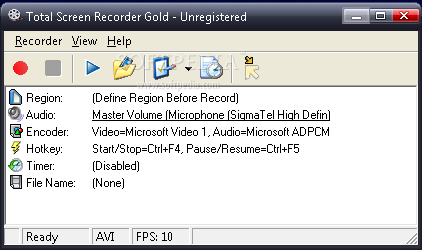
Note: Total Screen Recorder Gold is no longer supported, so it is now impossible to purchase the application. Nonetheless, you can still download it from Softpedia and use it with the limitations listed on this page.
Total Screen Recorder Gold provides users with the possibility to easily video record the whole screen or any region of it in order to monitor the screen activity and eventually become aware of any unwanted access.
Displaying a user-friendly interface, Total Screen Recorder Gold allows its users to begin the recording process in just two steps, by clicking the 'Start' button and selecting the desired area of the desktop.
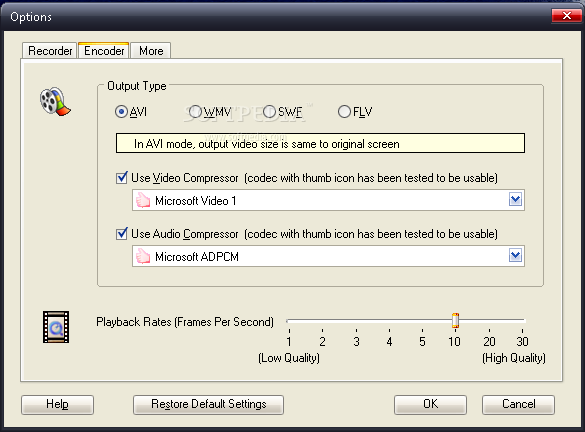
The output can be saved in one of the four multiple file formats: AVI, WMV, SWF and FLV and its quality (in frames per second) can be preset. In order to reduce the output size, Total Screen Recorder Gold allows users to use video and audio compressors while recording.
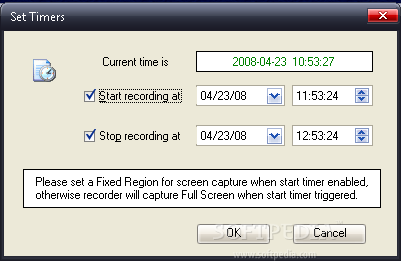
Another plus is that users can set a specific date and time for the recording process to begin and end. This feature comes in handy when they want to record a DVD, RM, VCD, MPEG or other video media, as well as their favorite movie from online television.
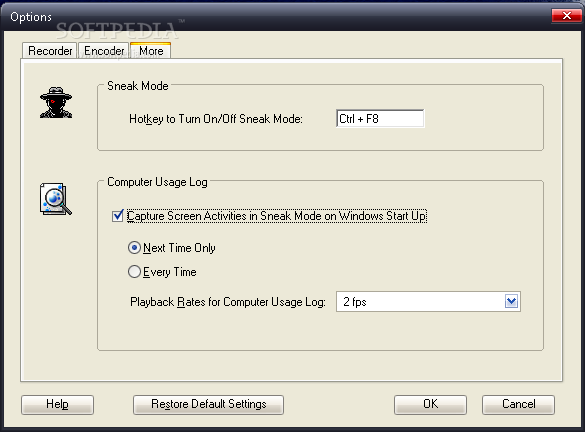
The ‘Sneak Mode’ is one of the advantages that Total Screen Recorder Gold offers. With ‘Sneak Mode’ activated, the recording process is running in ‘hidden mode’, without the user being aware of its functioning. Capturing the screen activity can be set to automatically begin on Windows start up, so you can use this facility if you want to log computer usage.
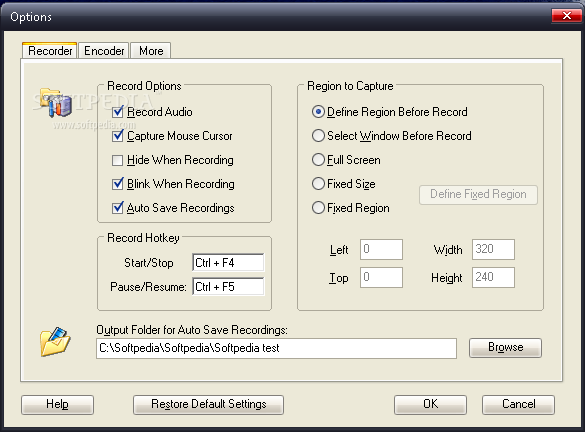
You can optionally choose to audio record, as well as capture the mouse cursor movements. This way you can supervise the computer usage and detect whether someone else is accessing your files without your permission.
One of the advantages of Total Screen Recorder Gold is that it offers easy access to its options. Users can even set a hot key for activating the recording process, pause, stop or resume it. With Total Screen Recorder Gold you can also auto save recordings, so you don’t have to manually save them, thus easing your work.
Total Screen Recorder Gold is a lightweight application suitable for any kind of user and designed to help you easily monitor desktop activity.
Download Hubs
Total Screen Recorder Gold is part of these download collections: Create SWF, Make SWF, Make FLV
What's new in Total Screen Recorder Gold 1.5 Build 1.5.34.0:
- Added full compatibility for Windows 7
- Added no video compressor support in AVI mode
- Added user defined file name format support
- Added "Copy File Name to Clipboard" and "Copy Folder Name to Clipboard"
Total Screen Recorder Gold 1.5 Build 1.5.34.0
add to watchlist add to download basket send us an update REPORT- runs on:
-
Windows 10 32/64 bit
Windows 8 32/64 bit
Windows 7 32/64 bit
Windows Vista 32/64 bit
Windows XP - file size:
- 8.9 MB
- filename:
- tsr_gd.exe
- main category:
- Multimedia
- developer:
7-Zip

Zoom Client

Context Menu Manager

Windows Sandbox Launcher

ShareX

calibre

Microsoft Teams

4k Video Downloader

Bitdefender Antivirus Free

IrfanView

- 4k Video Downloader
- Bitdefender Antivirus Free
- IrfanView
- 7-Zip
- Zoom Client
- Context Menu Manager
- Windows Sandbox Launcher
- ShareX
- calibre
- Microsoft Teams