
Ping multiple host names and IP addresses, then watch the result in one table with the help of this lightweight piece of software. #Ping Host #Ping IP Address #Report Report #Ping #IP Address #Host


PingInfoView is a lightweight software solution that can automatically ping user-defined hosts and display the results in a clean and well-organized GUI.
There are plenty of pinging utilities on the market, but PingInfoView hopes to make a name for itself with the help of an intuitive interface and multiple advanced features.
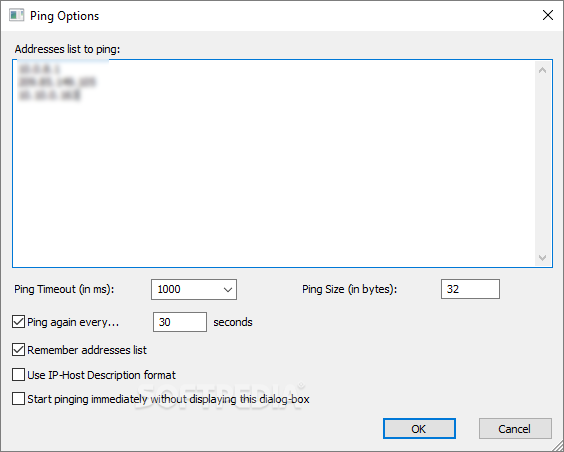
Once you install and launch the application, it prompts you to write down the addresses to ping, which can be either a typical IP address or a hostname. You can define the ping timeout in ms, ping interval, use IP-host description format and start pinging immediately.
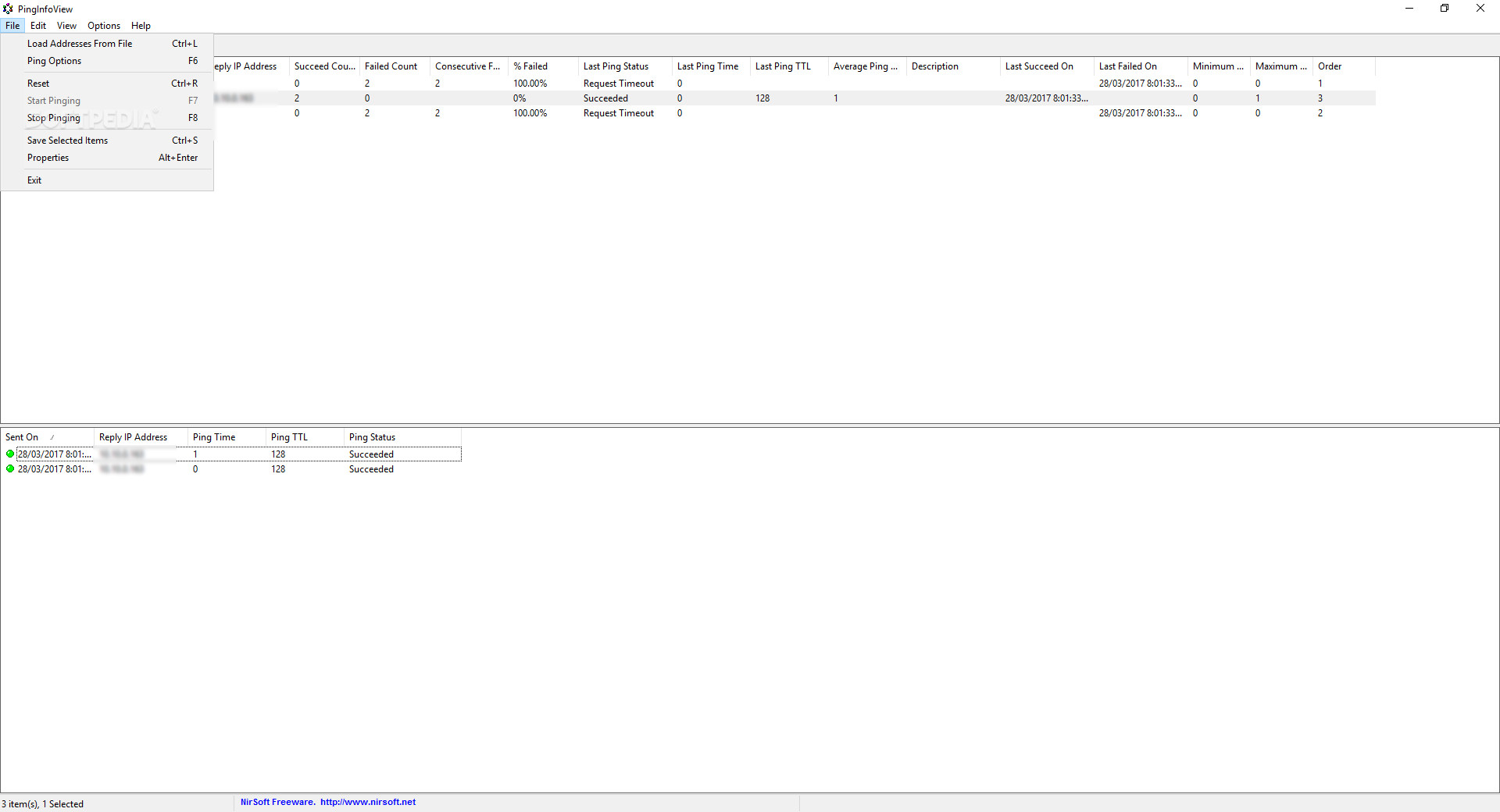
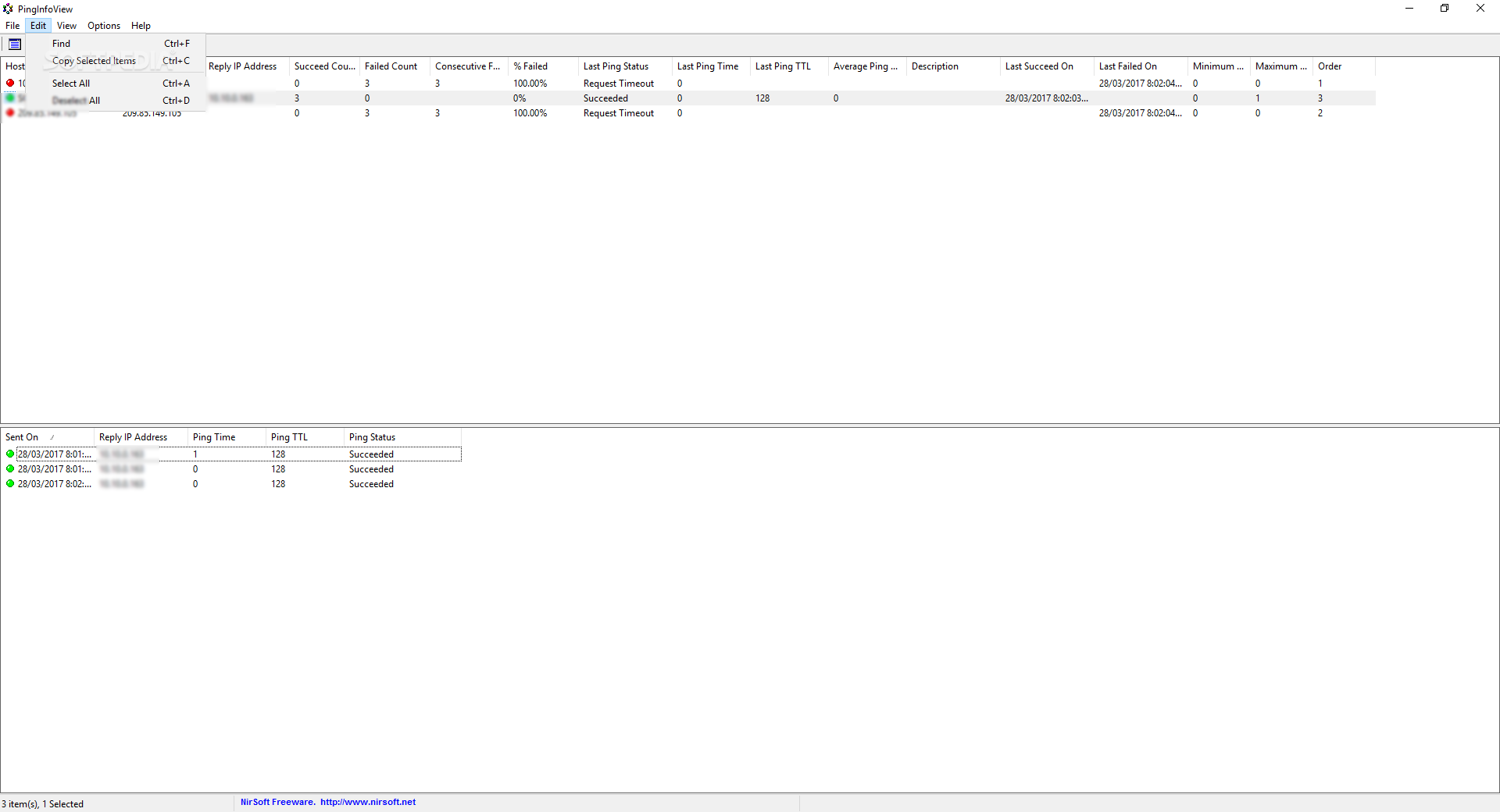
The main window of the program is the one that displays all the information, including hostname, IP address, reply IP address, succeed and failed count, last ping status, TTL and time, average ping time and last succeeded on date.
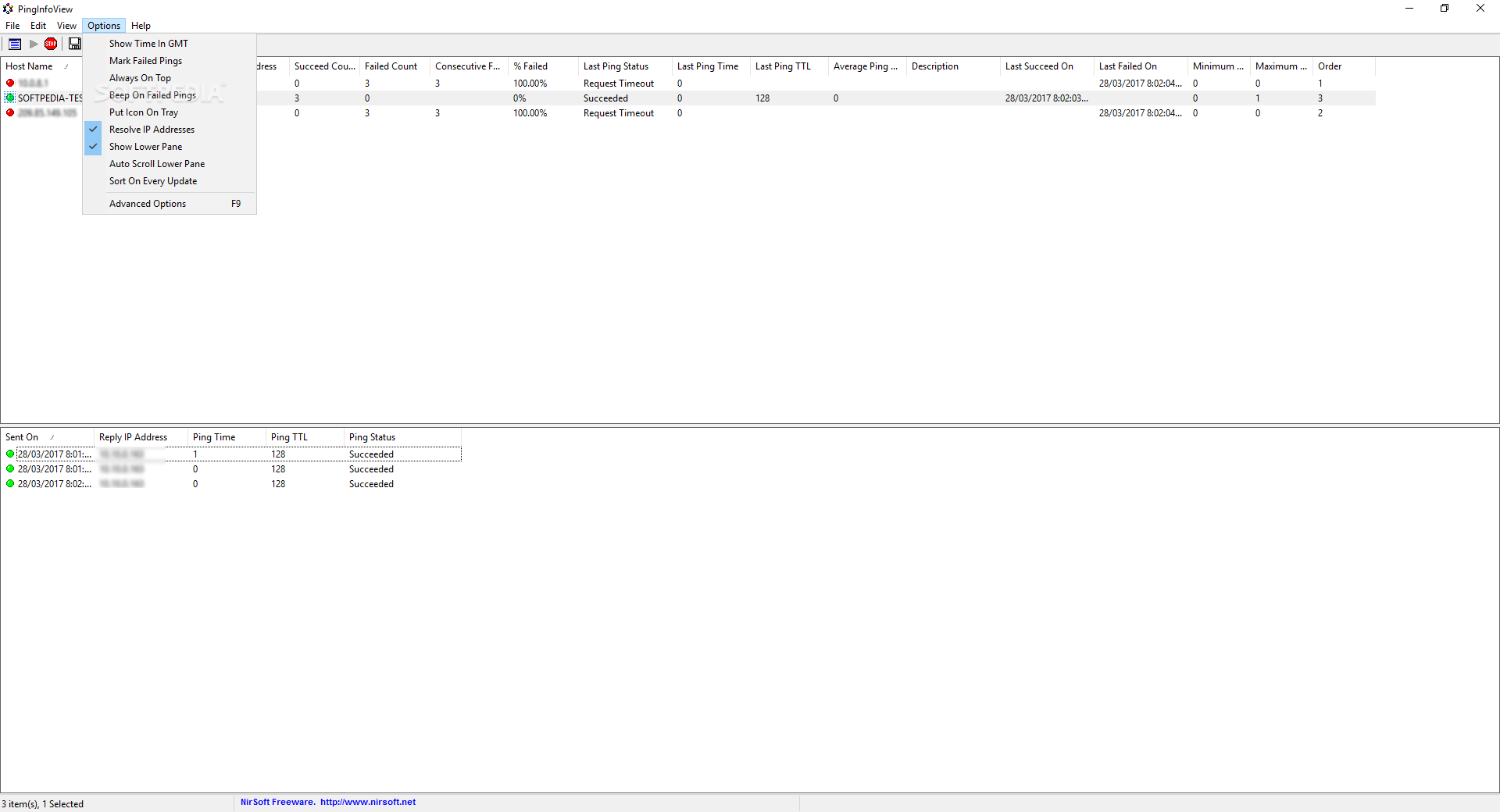
While you can always stop the pinging session at any given time, PingInfoView also comprises a bunch of other helpful utilities, so it can show time in GMT, mark failed pings and even beep on failed pings.
Last but not least, PingInfoView can generate HTML, TXT or XML reports either on selected or on all displayed items.
The CPU and memory footprint is minimal and PingInfoView works smoothly on all Windows versions, without the need for administrator privileges when launched on Windows 7 workstations.
All things considered, PingInfoView is one of the easiest to use and the most powerful pinging utilities on the market, offering not only an excellent interface, but also plenty of options to enhance the whole experience with the program.
What's new in PingInfoView 3.05:
- Added 'Source IPv4 Address' option. You can use this option if you have multiple network adapters and you want to send the ping from specific adapter.
PingInfoView 3.05
add to watchlist add to download basket send us an update REPORT- runs on:
-
Windows 11
Windows Server 2016
Windows 10 32/64 bit
Windows Server 2012
Windows 2003
Windows 8
Windows 7
Windows Vista
Windows XP
Windows 2K - file size:
- 68 KB
- filename:
- pinginfoview.zip


- main category:
- Network Tools
- developer:
- visit homepage
Bitdefender Antivirus Free

IrfanView

Windows Sandbox Launcher

calibre

4k Video Downloader

Microsoft Teams

Zoom Client

Context Menu Manager

7-Zip

ShareX

- Context Menu Manager
- 7-Zip
- ShareX
- Bitdefender Antivirus Free
- IrfanView
- Windows Sandbox Launcher
- calibre
- 4k Video Downloader
- Microsoft Teams
- Zoom Client
