
Finds DHCP servers on the network and reports their offerings. #DHCP server #Configuration information #Find server #DHCP #Find #IP address

Scanning the network for a specific purpose often requires a highly specialized application and this is especially true when server connection configurations are involved. Among the utilities that fall into the latter category is DHCP Find.
This is a useful networking tool that can automatically search for Dynamic Host Configuration Protocol (DHCP) servers and display the configuration information you will get when establishing a connection.
Although it does such a simple job, this application comes in handy in large networks with multiple DHCP servers. This is so because otherwise users would have to know exactly the IP address, the gateway and the netmask they will receive once they hit the connect button.
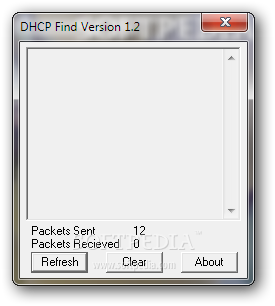
The interface of DHCP Find is quite simple and very clean. It relies on just three buttons, one of which starts the network scan and displays the DHCP details.
Just hit the 'Refresh' option to see the offered IP, the lease length and the subnet mask, straight in the main and the single window. The app is so easy to use that it is highly unlikely to get lost in details.
This program can surely prove to be useful when it comes to detecting and troubleshooting network issues. Also, another use you may give to this tool is finding unauthorized DHCP servers on a LAN.
Overall, DHCP Find is one of the simplest networking tools you may find and those connected to large networks might find it a must have. It has a single task to carry out and it does it well, so anyone can view DHCP server leases.
DHCP Find 1.2
add to watchlist add to download basket send us an update REPORT- PRICE: Free
- runs on:
- Windows All
- file size:
- 41 KB
- filename:
- dhcpfind.zip
- main category:
- Network Tools
- developer:
- visit homepage
7-Zip

Zoom Client

Microsoft Teams

ShareX

calibre

4k Video Downloader

Bitdefender Antivirus Free

IrfanView

Windows Sandbox Launcher

Context Menu Manager

- IrfanView
- Windows Sandbox Launcher
- Context Menu Manager
- 7-Zip
- Zoom Client
- Microsoft Teams
- ShareX
- calibre
- 4k Video Downloader
- Bitdefender Antivirus Free