
Displays the properties and attributes of TCP and UDP endpoints and allows you to explore the properties of each process and terminate whichever you choose, as well as close any connection. #TCPView #UDP endpoints #TCP connections #TCP #UDP #Endpoint

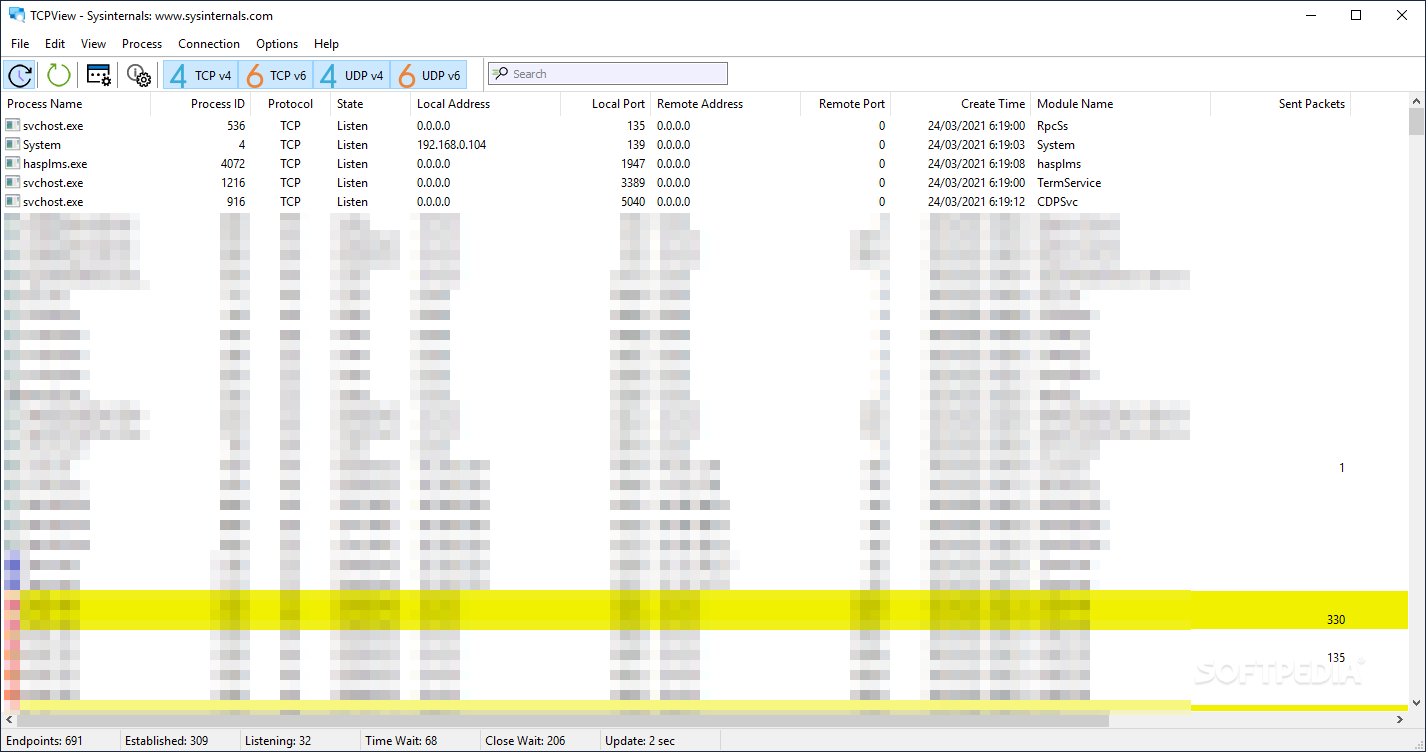
Regardless of whether you are dealing with a slow connection or perhaps are having some connection issues with specific apps, sometimes you may feel the need to to find out what is happening to your connection right now. In the eventuality that you need to explore the minute details of how applications are connecting to the Internet and what protocols they are using, then TCPView is one solution to consider.
The application comes with a single window interface that displays a list of all the running processes that connect to the Internet. The processes are displayed with details such as Process ID, protocol, state, local address, local port, remote address (if any), remote port, creating time and the module name.
The role of the utility is to provide the endpoints of the connection and works equally well with both TCP and UDP protocols. While the app displays the active endpoints by default, it can be set to show the unconnected ones as well. Either way, you get to explore each process and terminate any of them without too much hassle.
Generally speaking, by this information alone you can determine at first glance if anything suspicious is going on, like an app attempting to connect to an unknown address that contains malware, for instance.
You will be happy to learn that the tool enables you to save the results in a plain text file that you can explore later. You can analyze the results by yourself using other third party software or you can conveniently share it with a more experienced user who may provide more insight into what interests you.
TCPView is a simple and reliable tool designed to provide details on network endpoints protocols and enables you to explore the processes of the installed applications that connect to the Internet.
What's new in TCPView 4.19:
- This update to TCPView fixes a manifest configuration regression with the 32-bit binary.
TCPView 4.19
add to watchlist add to download basket send us an update REPORT- PRICE: Free
- runs on:
-
Windows 11
Windows Server 2019
Windows Server 2016
Windows 10 32/64 bit
Windows Server 2012 R2
Windows Server 2012
Windows 8 32/64 bit - file size:
- 1.5 MB
- filename:
- TCPView.zip
- main category:
- Network Tools
- developer:
- visit homepage
IrfanView

calibre

Zoom Client

Windows Sandbox Launcher

Microsoft Teams

4k Video Downloader

Context Menu Manager

7-Zip

ShareX

Bitdefender Antivirus Free

- 7-Zip
- ShareX
- Bitdefender Antivirus Free
- IrfanView
- calibre
- Zoom Client
- Windows Sandbox Launcher
- Microsoft Teams
- 4k Video Downloader
- Context Menu Manager