
A handy program that can execute certain actions upon recognizing user-inputted text, this solution provides a new way of dealing with certain workflows. #Abbreviate Word #Phrase Abbreviation #Launch Website #Abbreviate #Launcher #Text Expander

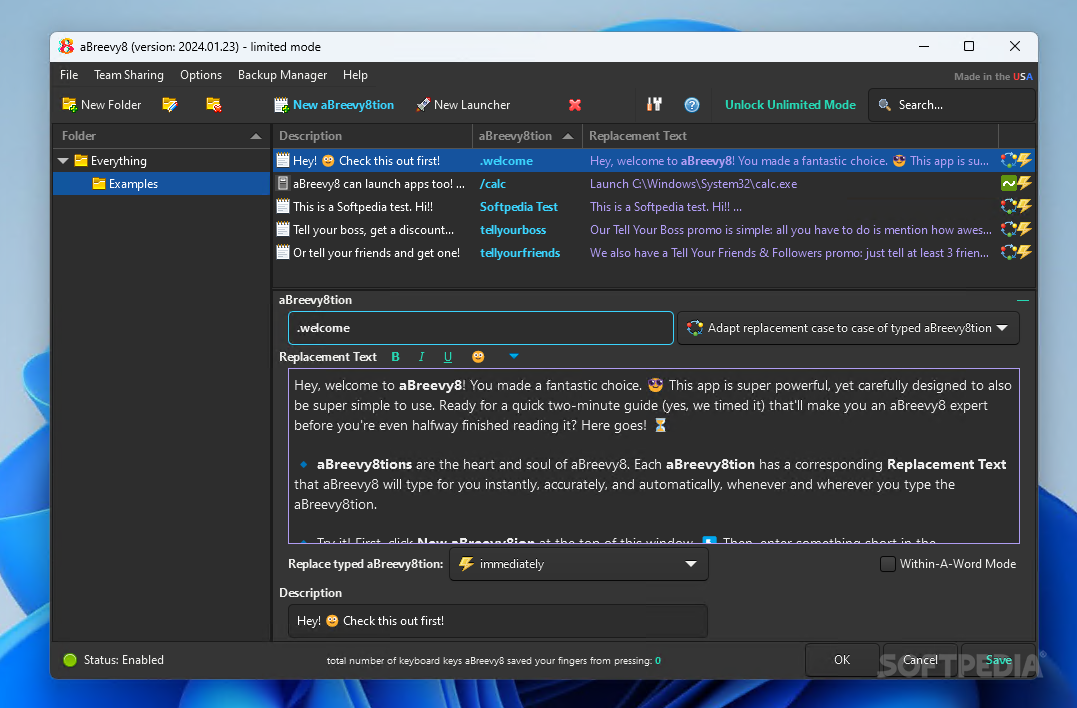
The less time it takes you to do certain workflows, the better. Some tasks are more menial than others, and the desire to optimize them is quite common: taking advantage of dedicated shortcuts through a general-purpose hotkey manager app, or using a clipboard manager to more easily access your copied elements are just two quick examples that come to mind.
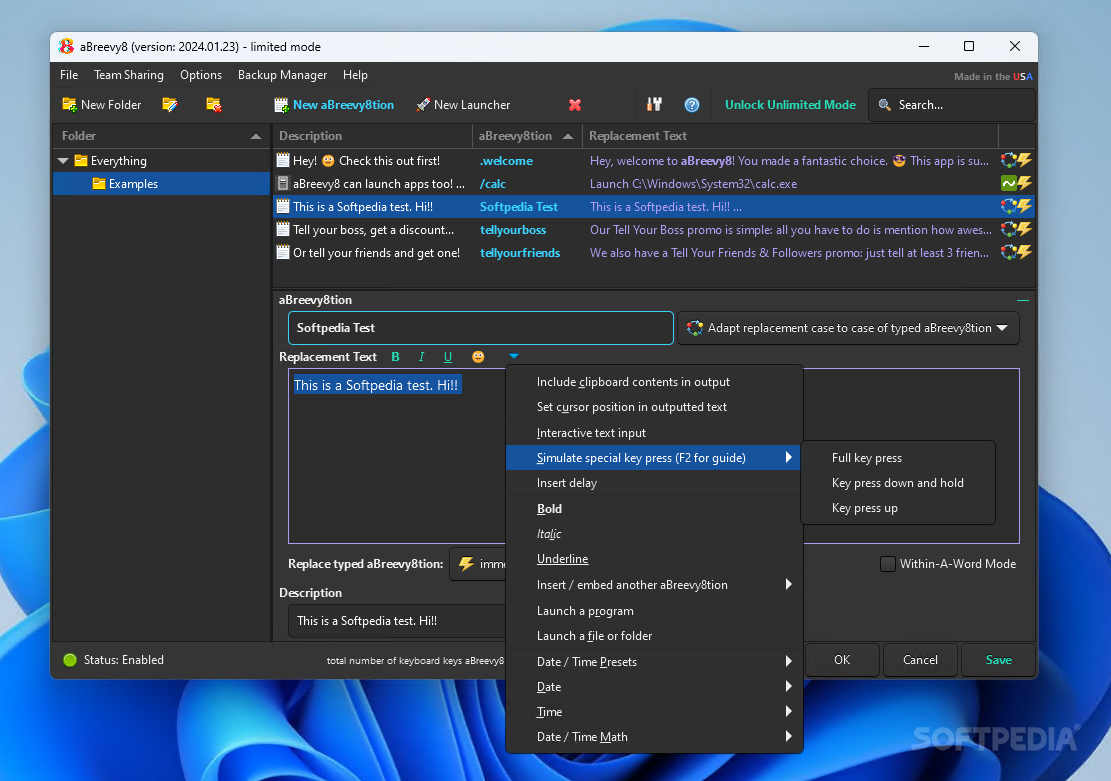
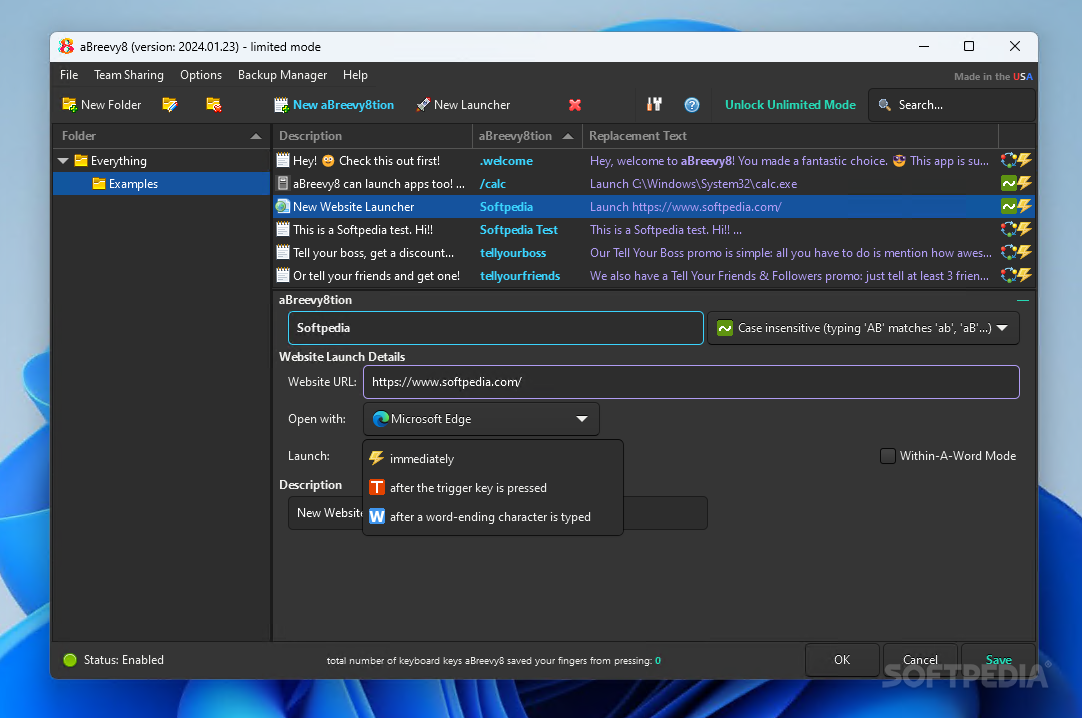
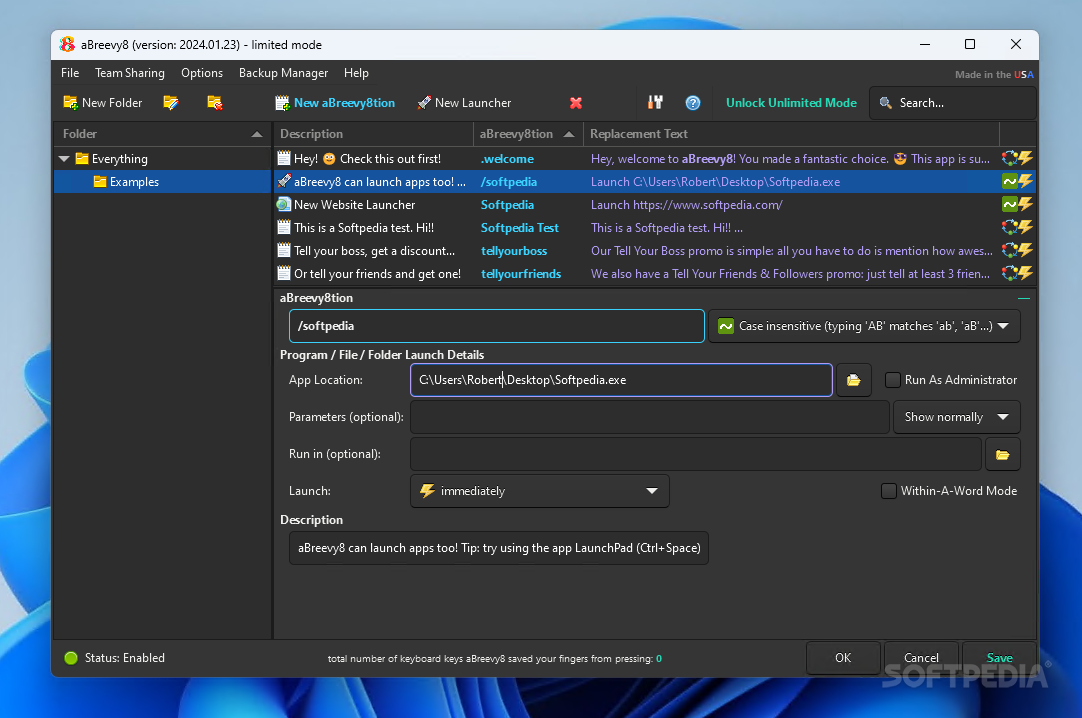
A segue to aBreevy8 is quite fitting in that sense, as it manages to provide a new way to optimize your workflows. Relying on user-set abbreviations, the app automatically executes the desired action that corresponds with the inputted text: from typing a sentence to launching an app or website, the program can be adapted to enhance productivity.
While the concept behind this solution is arguably not difficult to understand, it’s the implementation that matters. In this case, you get a program that is both expandable and user-friendly, meaning that you can ramp up the complexity of your abbreviations as you go.
There’s certainly a lot of benefit to having a program automatically execute a task when inputting a command. A simple abbreviation can thus quickly turn into a complex phrase, or lead you to the required folder, app, or website: and the best thing is, it activates anywhere.
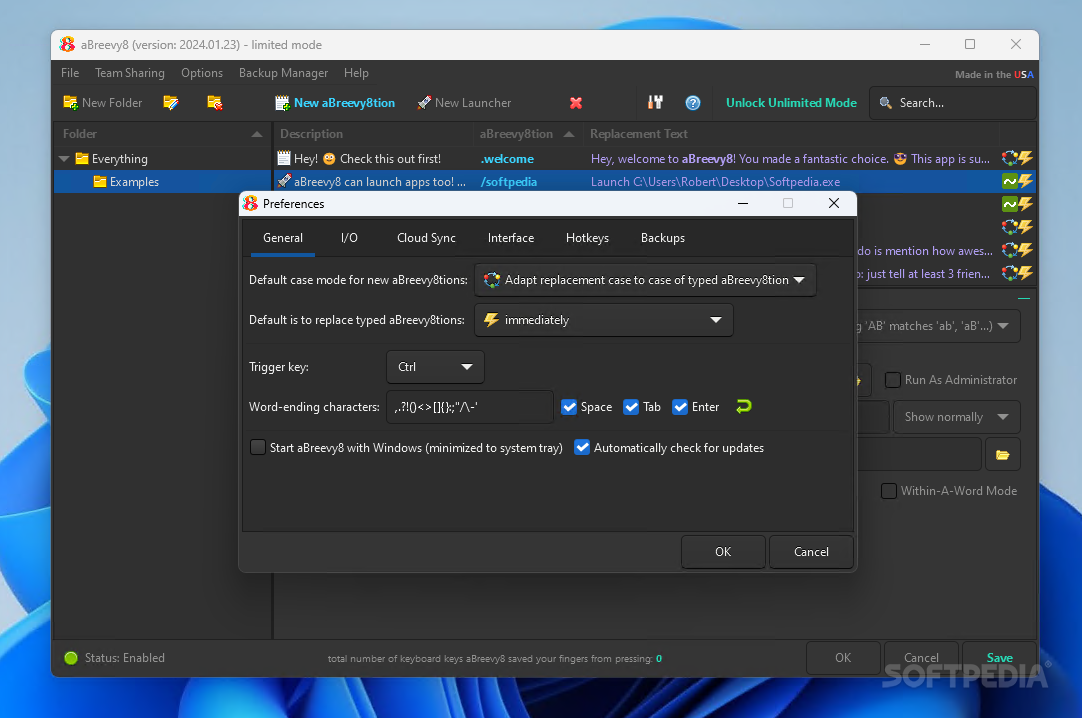
Of course, a lot of the appeal of aBreevy8 is how it can address your use cases, and thankfully the app can be customized to meet your needs to some degree. You can modify how abbreviations are recognized, as well as when the corresponding action is executed: when pressing a trigger key, after a word-ending character, or immediately.
There’s also the Within-A-Word mode, where the program can recognize abbreviations even within words without replacing the respective word following the action. This is more niche than anything, but some advanced users might see this setting’s value when it comes to editing typos, for instance.
aBreevy8 is intriguing. as it offers an interesting way to enhance productivity. The program is approachable enough to make it suitable to a wider audience, so all that remains is figuring out the best way to incorporate it into your workflows.
Download Hubs
aBreevy8 is part of these download collections: Text Abbreviations Managers
aBreevy8 2024.04.10
add to watchlist add to download basket send us an update REPORT- portable version
- This is the portable version of the application. An installable version is also available: Portable Breevy
- runs on:
-
Windows 11
Windows 10 32/64 bit - file size:
- 10.3 MB
- filename:
- aBreevy8_Setup.exe
- main category:
- Office tools
- developer:
- visit homepage
4k Video Downloader

Context Menu Manager

ShareX

Windows Sandbox Launcher

Zoom Client

Microsoft Teams

Bitdefender Antivirus Free

IrfanView

7-Zip

calibre

- IrfanView
- 7-Zip
- calibre
- 4k Video Downloader
- Context Menu Manager
- ShareX
- Windows Sandbox Launcher
- Zoom Client
- Microsoft Teams
- Bitdefender Antivirus Free