
User-friendly program that helps you convert various types of documents (e.g. PDF, HTML, DOCX, ODT and PSD) to PDF or RTF file format. #Docx Converter #Convert Docx File #Docx to RTF #Converter #Convert #Conversion

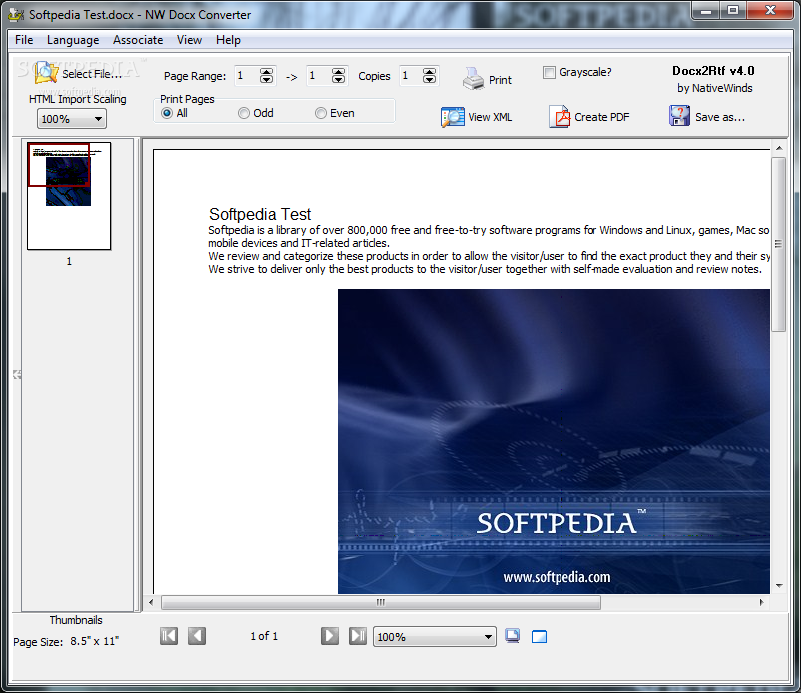
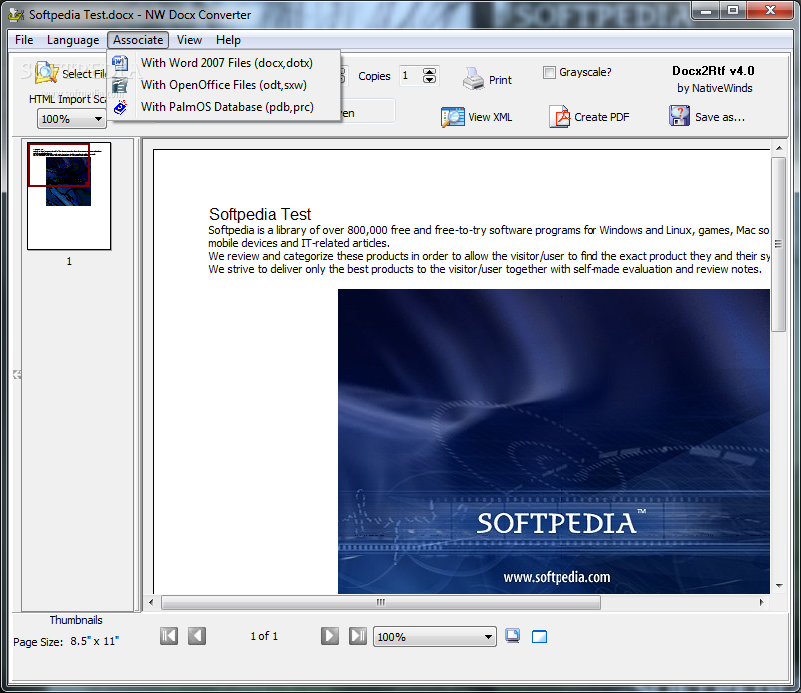
NW Docx Converter is yet another tool that can convert one file type to another. In this case - Word 2007 files, OpenOffice files, and others to the RTF or PDF extension type.
The small application doesn't require any installation, so you can simply run the executable file. This also means that it's portable, so you can store it on an external device and run it directly from there.
The program's interface is very simple, so users with any kind of experience level can easily work with it. All you have to do is select the file you wish to convert (supported document types include PDF, HTML, DOCX, ODT and PSD), then save the output file as a PDF or RTF. Images cannot be converted.
You can print documents, and select the language file you wish to use. That means that NW Docx Converter can also convert special characters found in other languages.
If you want to get into more advanced controls, you can run NW Docx Converter from the command-line to simultaneously convert several documents.
We tested NW Docx Converter by inserting a few files. Fortunately, you can preview the results without performing any actions. In most cases, NW Docx Converter perfectly preserves the text, but sometimes it doesn't.
For example, in one case it removed all the line breaks of a text. But the time it takes to convert a document is very fast. CPU and memory resources are minimally used when NW Docx Converter is doing its job.
To sum things up, NW Docx Converter is a great tool for converting various files to the PDF or RTF format. It works smoothly most of the times and the results are satisfactory.
Download Hubs
NW Docx Converter is part of these download collections: Convert DOCX
NW Docx Converter 4.4
add to watchlist add to download basket send us an update REPORT- runs on:
-
Windows 2008
Windows 2003
Windows 7 32/64 bit
Windows Vista 32/64 bit
Windows XP 32/64 bit
Windows 2K - file size:
- 3.6 MB
- filename:
- Docx2Rtf.zip
- main category:
- Office tools
- developer:
- visit homepage
Zoom Client

Bitdefender Antivirus Free

IrfanView

Microsoft Teams

ShareX

7-Zip

4k Video Downloader

Context Menu Manager

calibre

Windows Sandbox Launcher

- Context Menu Manager
- calibre
- Windows Sandbox Launcher
- Zoom Client
- Bitdefender Antivirus Free
- IrfanView
- Microsoft Teams
- ShareX
- 7-Zip
- 4k Video Downloader
