
ODF Plugin for Microsoft Office that comes with support for Word, Excel and PowerPoint within the 2000, XP and 2003 editions and offers a simple solution for opening ODF files. #Microsoft Office Plugin #Create charts #PDF Export #Plugin #Microsoft Office #Read
Office suites can be found almost on every PC because of the tools they bring along when a document, spreadsheet, presentation or database is set to be created, edited or just viewed.
While some of them are compatible with multiple platforms, the majority pick their sides when it comes to running on Microsoft Windows, Mac OS X or Linux-based operating systems.
Microsoft's office suite is simply called Office and it has a price tag on its box. That made and still make many users look for free software that incorporates the features of this particular suite.
The problem arises when you try to open a non-Microsoft-Office file, such as an Open Office file, and you realize that it cannot be loaded. However, Open Office can easily work with Microsoft Office files.
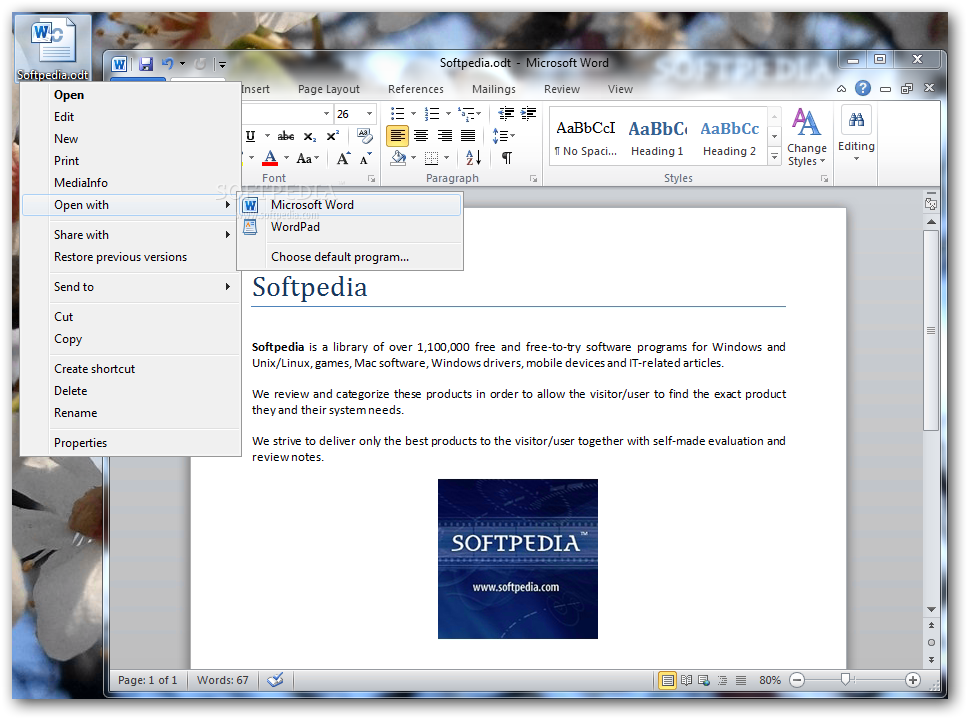
Since the trend of users that turn to Open Office is continuously rising, the need for a way to open, edit and even save ODF documents within Microsoft Office became essential. Thus, back in 2007, Sun Microsystems (which at that time were developing Open Office) released the first version of their ODF Plugin for Microsoft Office that came with support for Word, Excel and PowerPoint within the 2000, XP and 2003 editions.
Many have complained about its size neglecting the fact that before its arrival, there was no real and simple workaround in this particular matter. The latest iteration of the plugin seamlessly integrates with Microsoft's Office 2007 and 2010, so there can be no complain regarding the compatibility with newer versions of the suite. The conversion of the opened files happens instantly, just like loading a native document within your Office tool.
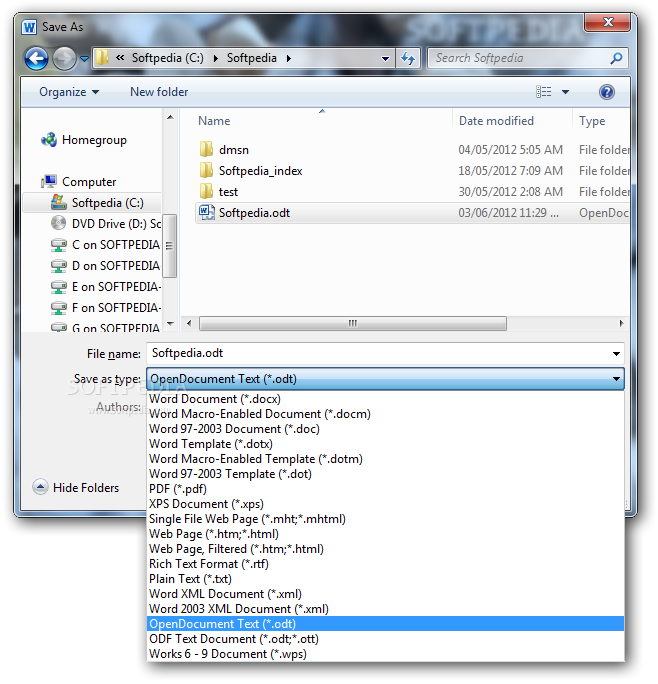
With Sun's ODF Plugin for Microsoft Office, your Open Office – Microsoft Office compatibility issues are gone. The OpenDocument format is not a stranger to Microsoft's suite anymore and you can start working with Open Office Writer, Calc or Impress documents right away. The plugin also offers PDF export capabilities that come in very handy for earlier versions of Microsoft Office. This piece of software is a must when dealing with ODF files in a Microsoft Office environment.
What's new in Sun ODF Plugin for Microsoft Office 3.1:
- The new release of the ODF Plugin, version 3.1, supports ODF 1.2 and improves the import and export of ODF files into Microsoft Office, increasing the interoperability of the plugin. Also new to this release is the ability for users to disable the 'Registration and Update' feature. This version supports Microsoft Office 2007 (Service Pack 1 or higher) and is available in 16 different languages.
- English
- German
- French
Sun ODF Plugin for Microsoft Office 3.1
add to watchlist add to download basket send us an update REPORT- runs on:
- Windows All
- file size:
- 75.7 MB
- filename:
- odp-3.1-bin-windows-en-US.exe
- main category:
- Office tools
- developer:
ShareX

Bitdefender Antivirus Free

Windows Sandbox Launcher

IrfanView

Microsoft Teams

calibre

Context Menu Manager

7-Zip

Zoom Client

4k Video Downloader

- 7-Zip
- Zoom Client
- 4k Video Downloader
- ShareX
- Bitdefender Antivirus Free
- Windows Sandbox Launcher
- IrfanView
- Microsoft Teams
- calibre
- Context Menu Manager