
A comfortable text editor for work with multiple documents. #Text editor #Edit text #Syntax highlight #Text #Edit #Bookmark
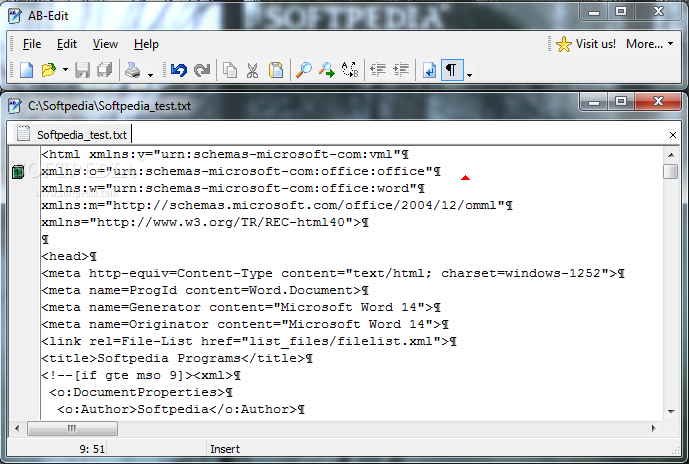
AB-Edit is the comfortable text editor for work with multiple documents. Edit your Mac, Windows or Unix files in ANSI, UTF-8 or Unicode encoding using this fast and easy to use editor.
The AB-Edit Windows The main parts of AB-Edit:
AB-Edit is built of two main windows: The Menu Window and the Editor Window.To separate both windows and position them on the screen, click the Undock button in the Editor Window's title bar.
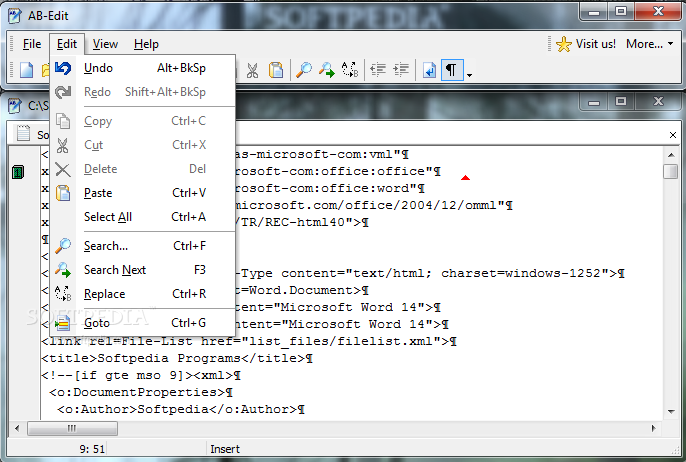
It contains the AB-Edit Menu and toolbars. It is always visible, no matter if a file is loaded into the editor or not. The menu offers access to the central features of the editor. Some of these features are also accessible by toolbar buttons.
Right below the Editor Window's title bar, you see a number of tabs displaying the different files opened for editing. By clicking on a tab, the associated file is brought to the foreground. With Drag'n'Drop you can change the order of the tabs at any time.
By right-clicking inside the editor, you will get a context menu with some important commands for text editing. More information can be found in the description of the AB-Edit Menu
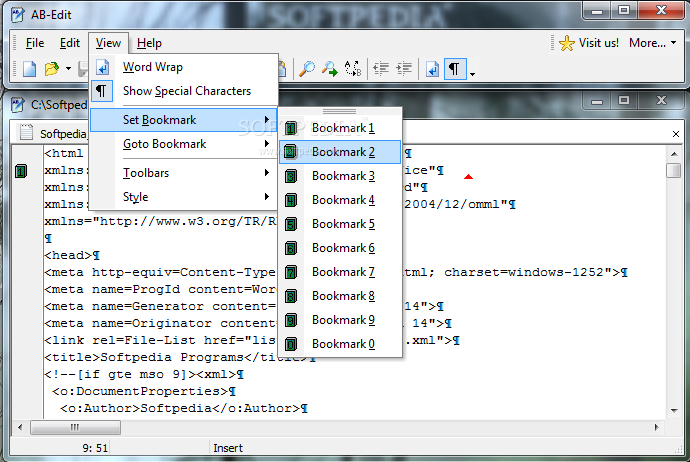
On the editor's left side, you will find a gray bar. Any defined bookmarks get displayed inside that bar. By right-clicking on the bar, you get a context menu for setting and going to bookmarks.
Selected text parts can be moved or copied (by holding down the CTRL key) via drag'n'drop. To select a block inside the text, hold down the ALT key while selecting.
What's new in AB-Edit 1.2.1.0:
- Toogle between menu and editor with F12 key
- When using start parameter / newinstance, a new file was created
AB-Edit 1.2.1.0
add to watchlist add to download basket send us an update REPORT- runs on:
-
Windows Unix
Windows All - file size:
- 1.6 MB
- filename:
- AB-Edit.exe
- main category:
- Office tools
- developer:
- visit homepage
ShareX

calibre

4k Video Downloader

7-Zip

Windows Sandbox Launcher

Microsoft Teams

Bitdefender Antivirus Free

IrfanView

Context Menu Manager

Zoom Client

- IrfanView
- Context Menu Manager
- Zoom Client
- ShareX
- calibre
- 4k Video Downloader
- 7-Zip
- Windows Sandbox Launcher
- Microsoft Teams
- Bitdefender Antivirus Free