WINDOWS CATEGORIES:


NEWS ARCHIVE >>
SOFTPEDIA REVIEWS >>

WEEKLY HIGHLIGHTS

DVD Cloner45
Spyware Doctor40
1Click DVD Copy40
Apollo DVD Copy40
ABC Amber BlackBer...45
Protected Music Co...40

7-DAY TOP DOWNLOAD

#
Program
Avira AntiVir
Personal - Free
Antivirus 8.1.0.331

130,829
Windows Live
Messenger 2009
14.0.5027.908

107,385
Windows Live
Messenger
8.5.1302.1018

82,928
Internet Download
Manager 5.14 Build 5

42,472
DVD Shrink 3.2.0.15
39,379
Y! Multi Messenger
8.x and 9.x

38,302
Vista Transformation
Pack 8.0.1

36,599
Microsoft Office
2007

35,251
Adobe PhotoShop CS3
31,735
Nero 7 Premium
7.11.10.0

29,312

WEEK'S BEST

  • DAEMON Tools Pro (...
  • Opera 9.60 Build 1...
  • Maxthon Standard 1...
  • DAEMON Tools Pro B...
  • Advanced X Video C...
  • WinRAR 3.80 Stable
  • Nero 9 9.0.9.4
  • Net Transport 2.64...
  • Advanced SystemCar...
  • Windows Live Messe...
  • Acronis True Image...
  • ImTOO DVD Ripper S...
  • Combined Community...
  • Fastream IQ Web/FT...
  • VirtualDub 1.8.6 B...
  • Super DVD Creator ...
  • Deluge 1.0.2
  • Adobe Flash Player...
  • WinPatrol 15.9.200...
  • Trend Micro Intern...
  • COMODO Internet Se...
  • WinZip 12.0 Build ...
  • Real Alternative 1...
  • Camfrog Video Chat...
  • iTunes 8.0.1.11
  • QuickTime 7.55.90.70
  • SiSoftware Sandra ...
  • EVEREST Ultimate E...
  • Google Chrome 0.3....
  • BS.Player 2.31 Bui...
  • Home / Windows / Office tools / Text editors
     Report spyware

    PabloDraw 2.0.8 Build 70


    Downloads: 516  Add to download basket  Tell us about an update
    User Rating:
    Rated by:
    Good (3.5/5)
    16 user(s)
    Developer:

    License / Price:

    Size / OS:

    Last Updated:

    Category:
    Curtis Wensley | More programs
    Freeware / FREE
    532 KB / Windows All
    July 8th, 2007, 01:01 GMT [view history]
    C: \ Office tools \ Text editors

     Read user reviews (0)  Add a review  Refer to a friend  Subscribe


    PabloDraw description


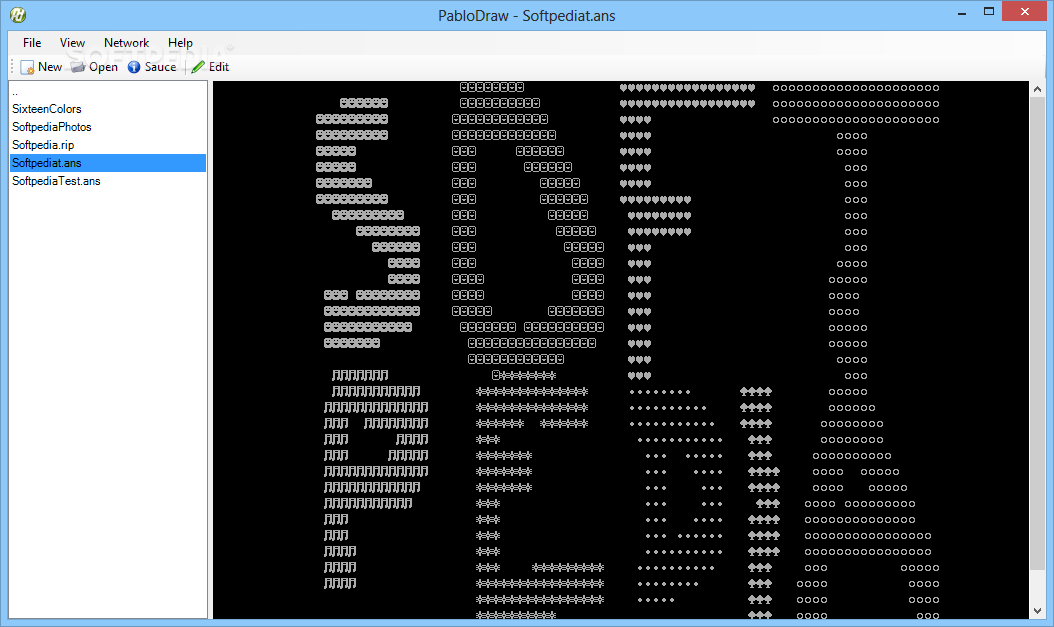
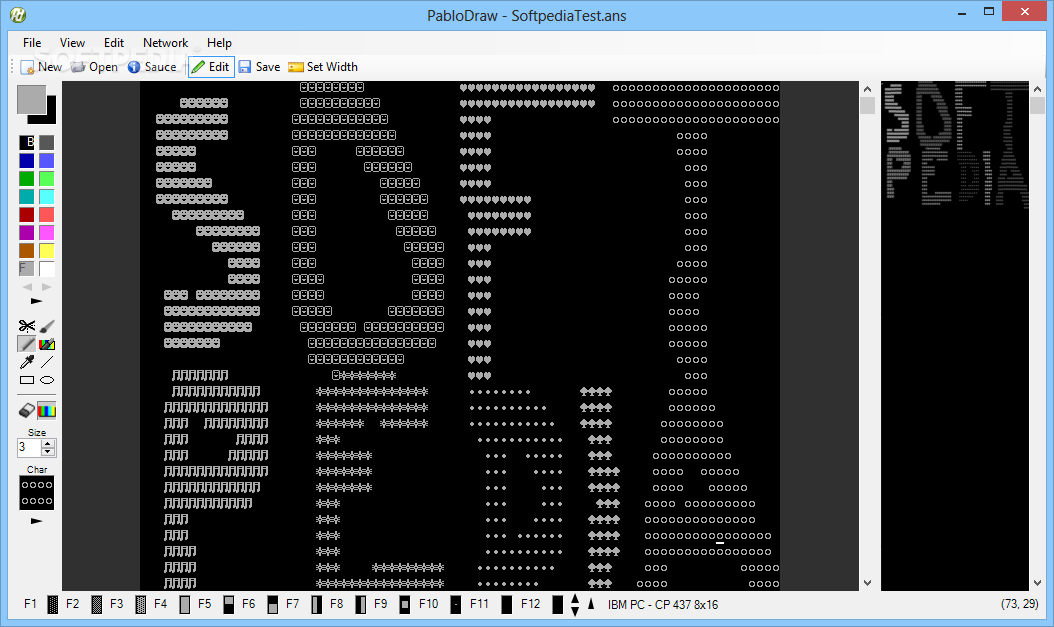
    PabloDraw is an open-source multi-user ansi/ascii editor for windows.

    PabloDraw is what is called an 'Ansi Editor'. PabloDraw can be used to easily create and edit Ansi coloured text files.

    Nowadays, these files usually are drawings of fictional characters, or a logo of some sort to promote a telnet board or group.

    What is Ansi? Ansi is essentially coloured text, which is best represented in a mono space font, such as used in a DOS, or command line.

    PabloDraw is best used with the keyboard. It has been designed to closely match the same type of drawing programs that were used in DOS in the 90's.

    However, there are many Windows-like features that give it that extra 'kick' into the next millennium, such as the snazzy GUI interface, and multi-user capabilities.

    PabloDraw features a fullscreen mode and Amiga font support.

    Here are some key features of "PabloDraw":

    · Fullscreen mode using DirectX (640x400, 640x480)
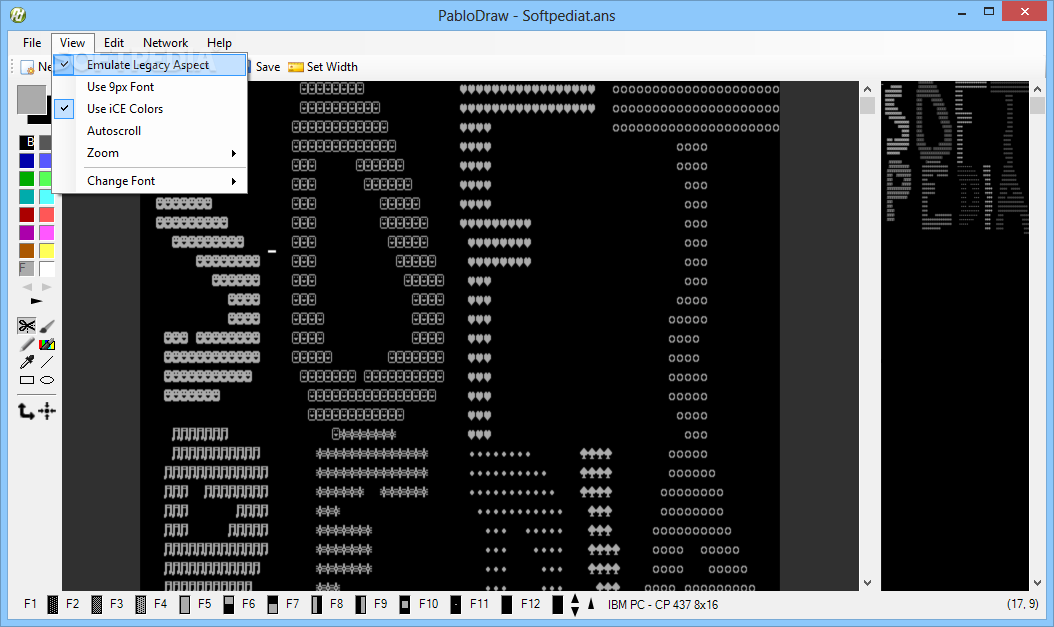
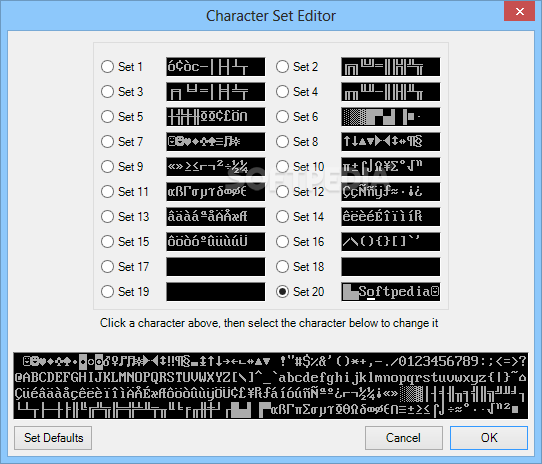
    · 80x50, 80x25 and Amiga font support
    · Always-on VGA preview pane
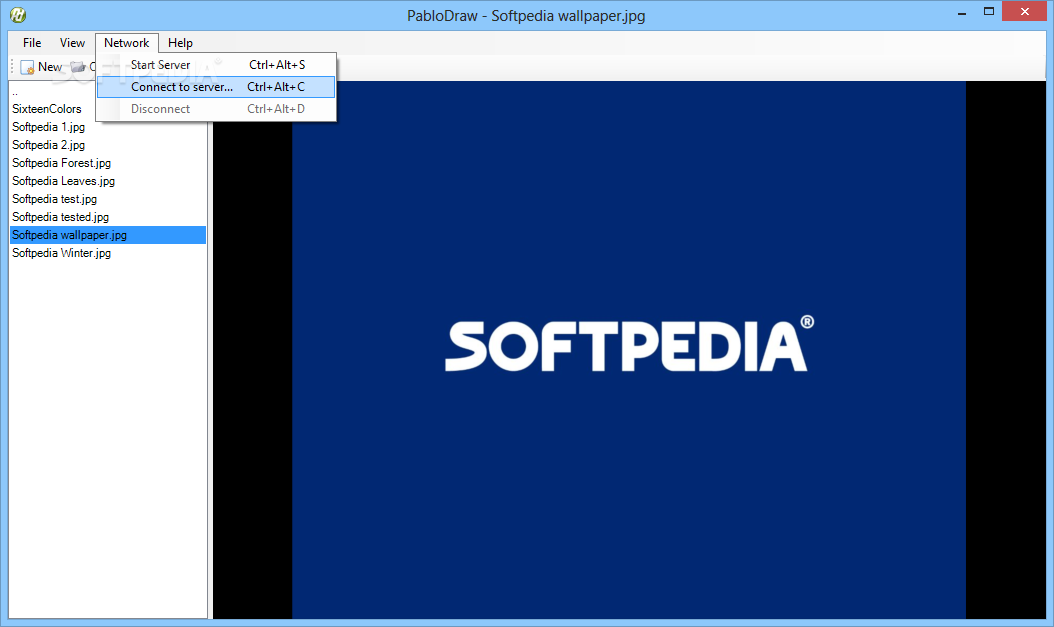
    · Draw and chat with your friends with multi-user editing
    · Full ansi editing capabilities
    · Keyboard shortcuts similar to other popular DOS-based editors
    · Loads Binary, Ansi, and Ascii files


    Requirements:

    · DirectX 7.0 or greater (for full-screen mode)

    What's New in This Release: [ read full changelog ]

    · Added option to toggle use of SHIFT Arrows/PGDN/PGUP/etc for selecting a block for all youz ascii peeps out there (Tools->Options->Use Shift Arrows for selection). You can still select a block using alt b, or the mouse.
    · Added option to toggle the blinking cursor cuz for some, it’s annoying I guess! (Tools->Options->Blinking Cursor)
    · Bug: Fixed problem with miscellaneous characters showing as you draw, cut/paste, etc. in both single and multiuser modes.
    · Did MASSIVE re-working of the multiuser code. This included a) sending a tag & size of each packet sent/recieved, b) making the client & server both handle invalid clients connecting to the server, etc. c) re-working the client connect sequence so that packets aren't sent even though the connection hasn't been fully established yet, d) changed the client to receive data in a separate thread, and e) other miscellaneous fixes. This should make the server much more stable, and able to handle many more clients. Also, the responsiveness on the client should be improved considerably. As spinsane put it, it's like BUTTER. (:
    · Bug: Fixed block rotate when you do not move/copy first (select, then press 'b', then 'r'). It didn’t properly clear out the old data, nor setup the undo buffers. (reported by Bhaal)
    · Bug: Fixed crash when doing first copy/paste after loading pablo. Uninitialized variable (reported by Bhaal)
    · Added 'Notepad Mode' for those of you that are used to a white background. Kinda useless (can just select, then (b)lock, (f)ill, (a)ttribute), but nice nonetheless (requested by spinsane).
    · Added a dotted line to the window to signify the width of the canvas (requested by Ohseven and cat-dog)
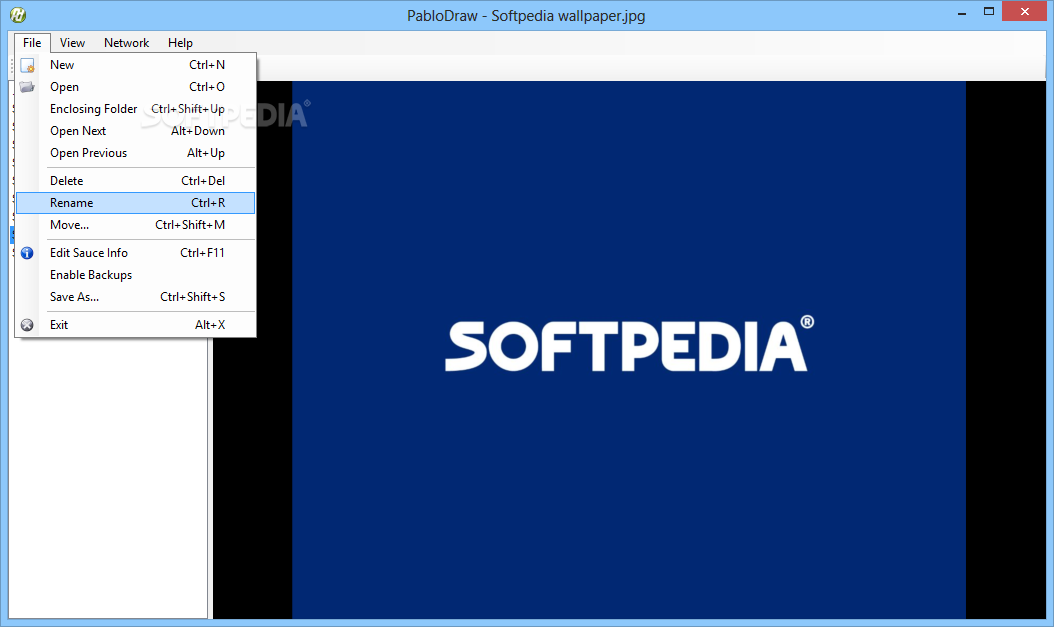
    · Added file backups. If the file exists, it will be renamed to the backup file. If multiple backups are selected, then it will append the backup number to the file name (Tools->Options->Enable Backups and Tools->Options->Multiple Backups).
    · When scrolling using the mouse wheel while pasting a block, the block will update based on the new scroll position.
    · Added Mini/Classic mode, which makes the color/character/status bars to be more like the dos ansi editors (uses full-screen mode controls)
    · Full-screen mode will now work with 640x480 if 640x400 isn't supported by the video card. Also tests for 24-bit modes as well as 16-bit modes. This should make ANY video card work with full-screen!
    · Main window will now remember it's size from the last time it was run
    · Will now remember if you were in full screen when launching (for people that like full-screen only)
    · Fixed multi-user chat history window to work with wine under linux (everything should now work in wine, even hosting a server!).
    · Added CTRL 0-7 and ALT 0-7 keys to quickly set the foreground or background colors. ALT 0-7 is for background, CTRL 0-7 is for foreground. Pressing the first time will set the color. Press again, and it will set it to the light color. E.g. Press CTRL 7 will set the foreground to gray. Press CTRL 7 again and it will set the foreground to white. This was originally in pablo-dos.
    · Can now set the width of the canvas without having to load a .BIN to do it. Just go to file->Set Canvas Width
    · Increased most recently used file list to 10 items instead of just 4
    · Bug: When changing fonts (80x50, 80x25, and Amiga), it will now update the preview pane as well.
    · Bug: Fixed crash with the first block paste operation after starting pablo
    · Bug: Some mice always post a mouse move event, causing the cursor to move to the mouse position when copying/moving a block. It is now avoided by only moving to the mouse cursor when the character position of the mouse changes, instead of the pixel position (same as what was done for fullscreen mode in 44).
    · Updated to a new high-color PabloDraw icon
    · Added ESCAPE/Alt A color selection menu.
    · Supports using arrows to select foreground/background, and also you can just type the numeric value for the colors, so the functionality matches other ansi editors and what people are typically used to doing.
    · Added option to turn off usage of standard windows keys (Tools->Options->Use Windows Keys). This disables keys such as CTRL C, CTRL V, etc so that they can be used like they are in dos apps (e.g. ctrl v inserts a mini block character). (Requested by abstrakt).
    · Added ALT R and SHIFT ALT R to undo/redo respectively. This is because CTRL Z/CTRL Y are windows keys and can now be turned off. This is the alternative, which matches aciddraw and other dos editors for undo (although pablo has multiple undo so a redo key is necessary)
    · Added moving by TAB/SHIFT TAB. Turn on Tools->Options->Keyboard->Use Tabs. To switch between chat window and drawing surface, press CTRL TAB when this is on (requested by abstrakt).
    · Made the cursor show always when moving. This will make it easier to follow the cursor when using the arrow keys. When you stop moving the cursor, it will continue to blink (if blinking cursor is turned on).
    · Made the cursor show as an underscore instead of a full block. When insert mode is on, it'll show as a half-block. This emulates dos much better, and makes the blinking cursor much less annoying. When blinking cursor is turned off, it will still be a full block, however.
    · Bug: Fixed deleting a block when it included the last column on the canvas (Reported by goatboy, smoke)
    · Added more default extensions to the loading formats (*.diz, *.mem, *.nfo, *.ice, *.tnt) so other typical file types will show up by default (suggested by nstage)
    · Bug: Fixed pasting under or transparent blocks when in multi-user mode (reported by svg, nstage, etc)

     Softpedia guarantees that PabloDraw 2.0.8 Build 70 is 100% CLEAN, which means it does not contain any form of malware, including spyware, viruses, trojans and backdoors. [read more >]


    TAGS:

    ansi editor | ansi text | create ansi | ansi | text | editor

    Related downloads IT News Popular downloads New additions   Latest reviews  
    PabloDraw 2.0.8 Build 70
    PabloDraw is an open-source multi-user ansi/ascii editor for windows.


    HTML code for linking to this page:


    Go to top


    SUBMIT PROGRAM   |   ADVERTISE   |   GET HELP   |   SEND US FEEDBACK   |   RSS FEEDS   |   ENTER NEWS SITE   |   ENGLISH BOARD   |   ROMANIAN FORUM