
Check your JavaScript, HTML or CSS source code for syntax errors using JSLint or JSHint, set the JSLint toleration or JSHint warning levels #Notepad++ plugin #JSLint checker #JavaScript code checker #Error #Syntax #Javascript

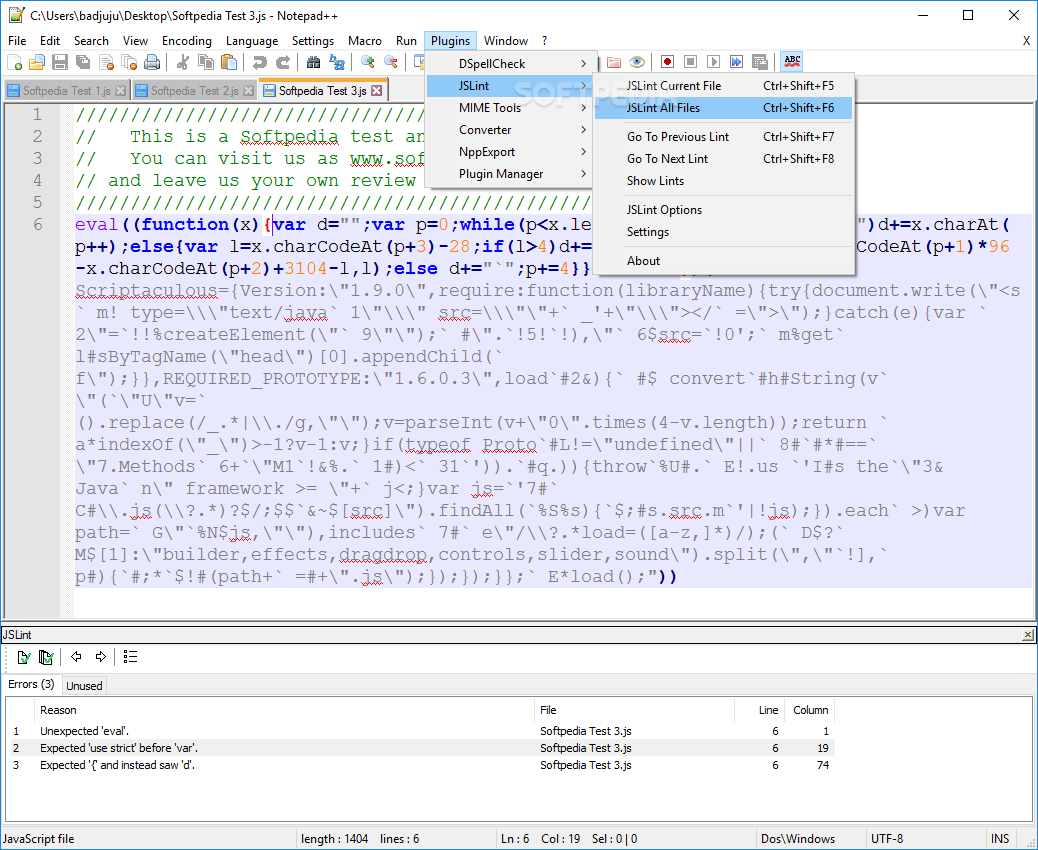
Dedicated to JavaScript developers, JSLint is a Notepad++ plugin that can quickly match your code against JSLint (JavaScript Code Quality Tool), straight from the main window of the text editor.
This is a static code analysis tool available as an online service, which is utilized in JavaScript development to verify if the source code complies with the coding rules.
JSLint is designed for coders who prefer Notepad++, the feature-rich text editor which supports a wide range of programming and scripting languages, including JavaScript, HTML and CSS.
The lightweight add-on can be seamlessly integrated into Notepad++, whether you have an installer or portable edition of the utility.
This can be done by extracting the DLL file from the downloaded archive and by moving it to the "plugins" directory of Notepad++. Make sure to restart the application if it was already launched before this step.
From this point on, you can access JSLint from the "Plugins" menu in the central window. While working in a JavaScript, HTML or CSS file, you can ask the tool to verify the code of the current document (Ctrl+Shift+F5) or all (Ctrl+Shift+F6), in case you have multiple files opened in different tabs.
JSLint displays a new pane on the bottom side of the window, where you can view errors (reason, file name, line and column number) and unused variables (functions, file name, line and column number), as well as jump to the previous or next lint (line of error, by pressing Ctrl+Shift+F7 or Ctrl+Shift+F8).
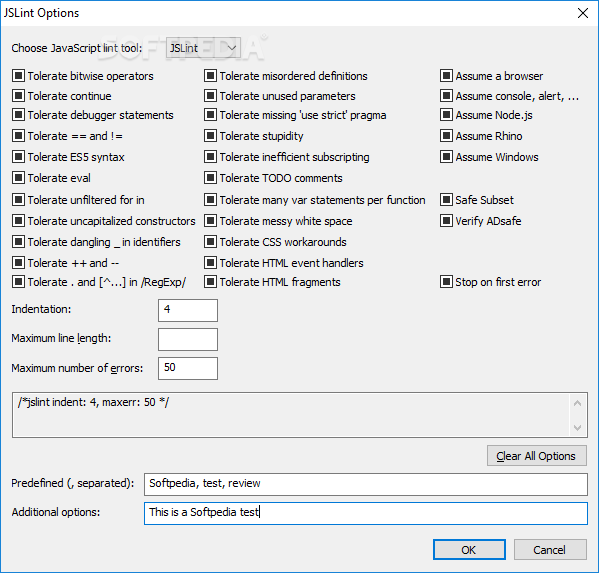
Skilled JavaScript users can configure JSLint options to select the type of allowed issues. For example, it's possible to prevent the tool from tolerating bitwise operators, continue, debugger statements, == and !=, ES5 syntax, eval, misordered definitions, and unused parameters. The default indentation along with the maximum line length and number of errors can be modified.
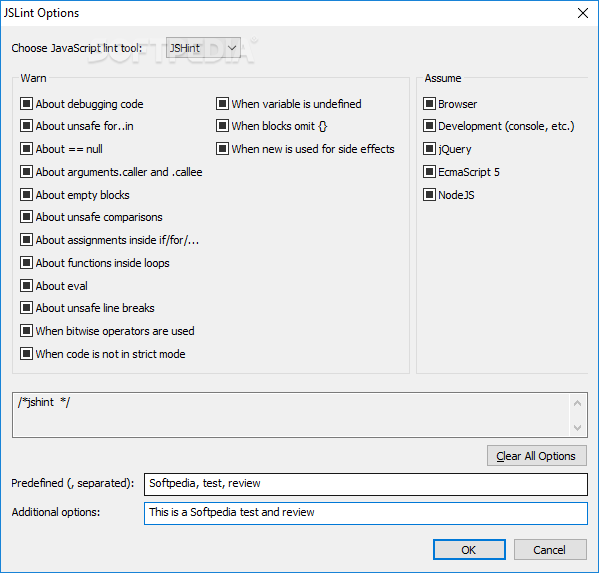
You can also switch from JSLint to JSHint verification mode (JSHint is a fork project from JSLine) and configure warning settings such as debugging mode, empty blocks, unsafe comparisons, functions inside loops, unsafe line breaks, and undefined variables.
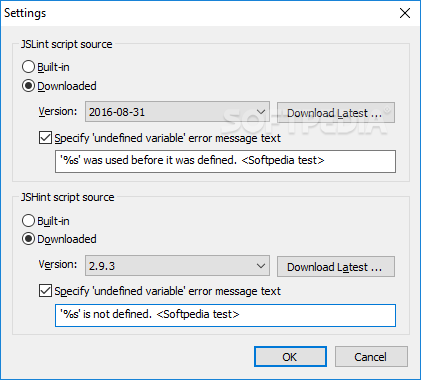
Additional commands can be defined for execution. For both JSlLint and JSHint script sources, you can allow the plugin to use the built-in database with syntax errors or ask it to download the latest ones and stay up to date.
In conclusion, this is an incredibly useful open-source project for JavaScript developers who want to effortlessly keep their JavaScript, HTML and CSS code in check with the aid of JSLint and JSHint.
What's new in JSLint 0.8.3:
- Bug fixed: "#12 Doesn't work with Javascript/JSON files in newer versions of N++"
- JSLint script updated to version from 2015-11-16
- JSHint script updated to version 2.6.3
- (Warning: versions of JSHint newer than 2.6.3 doesn't work anymore with the version of V8 JavaScript engine that this plugin is using!!!)
JSLint 0.8.3
add to watchlist add to download basket send us an update REPORT- runs on:
- Windows All
- file size:
- 1 MB
- main category:
- Programming
- developer:
- visit homepage
Bitdefender Antivirus Free

Microsoft Teams

4k Video Downloader

ShareX

7-Zip

Zoom Client

IrfanView

Windows Sandbox Launcher

calibre

Context Menu Manager

- Windows Sandbox Launcher
- calibre
- Context Menu Manager
- Bitdefender Antivirus Free
- Microsoft Teams
- 4k Video Downloader
- ShareX
- 7-Zip
- Zoom Client
- IrfanView