
An easy to operate software solution that you can use to add a multitude of custom POI files and use them with a wide variety of GPS devices. #POI Editor #Edit POI #GPX Editor #Editor #POI #GPX
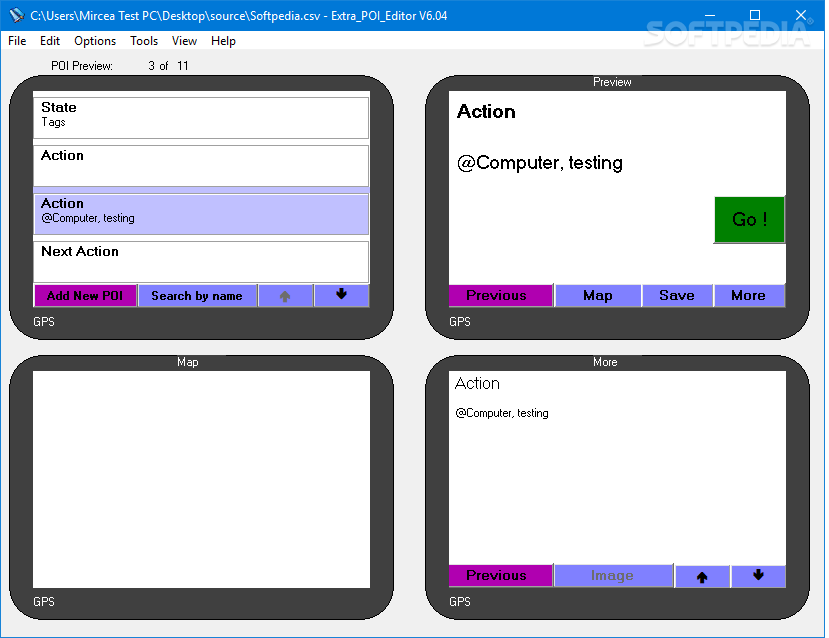
Extra_POI_Editor is an application designed to offer you a simple means in which you can create and edit POI files.
A POI file is used to mark a certain location in space and can contain information in the form of text, images and audio. This application enables you to work with file types such as GPX, CSV, MGLN, OV2, XLS and KML.
Extra_POI_Editor displays a user-friendly interface which makes it very easy for you to add, edit and export new POI files. It’s separated into four sections that allow you to view a list of all the POI files you have, a preview of the map that shows the actual location and two areas where you can view the information you added about the points.
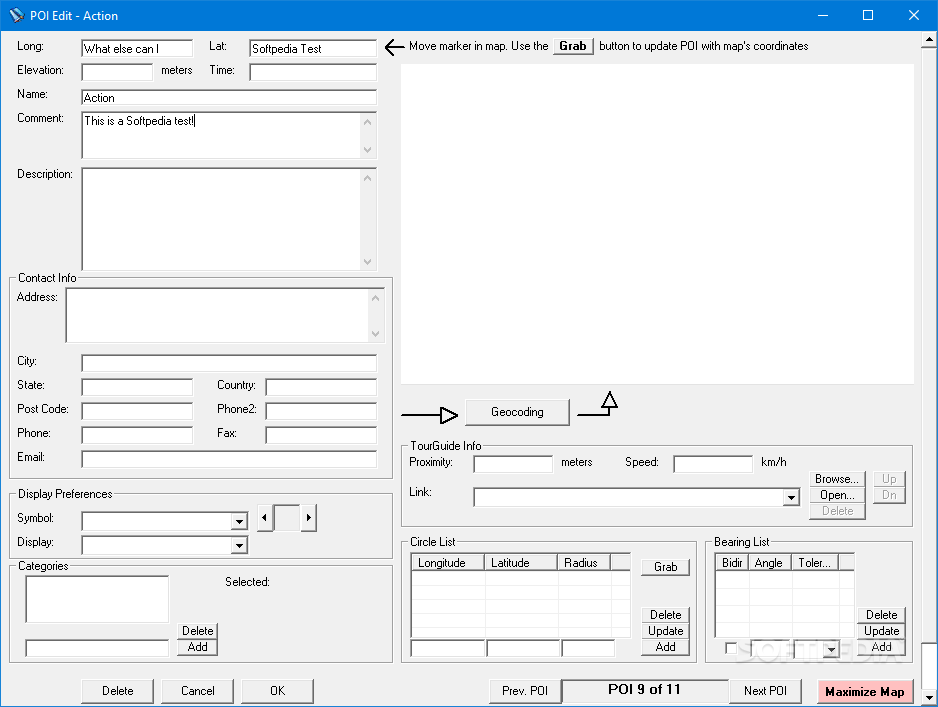
Adding a new POI is a very simple task. You get a fairly big window in which you insert information such as longitude, latitude, elevation, time, name, description, address, symbol, tour guide info and much more. Once you insert the coordinates, the application automatically displays a the location on the map. If it is off by a few meters or more, you can fine-tune the exact positioning by dragging the map with the help of your mouse.
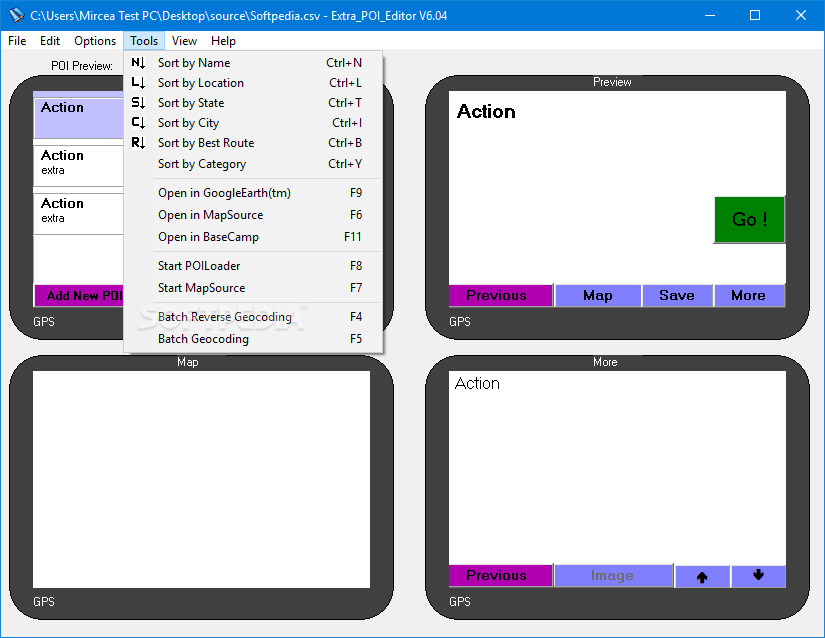
In case you have to deal with a large number of points, Extra_POI_Editor provides a handful of helpful options that you can use to manage them. You are able to sort them by name, location, state, category, best route and open the maps to get a better view.
As the POI files you create end up on GPS devices, it’s important to note that Extra_POI_Editor is compatible with manufacturers such as TomTom, Magellan and Garmin.
To sum things up, if you’re on the look for a POI editing applications which allows you to customize the files in great detail, you can definitely try Extra_POI_Editor.
What's new in Extra_POI_Editor 6.04:
- Added a new search location and logic in the registry to find GE Pro exe file
- Added Lon/Lat value checking when importing CSV/XLS file
Extra_POI_Editor 6.04
add to watchlist add to download basket send us an update REPORT- PRICE: Free
- runs on:
- Windows All
- file size:
- 8.7 MB
- filename:
- Extra_POI_Editor_Installer_v604_setup.exe
- main category:
- Others
- developer:
IrfanView

4k Video Downloader

Context Menu Manager

calibre

Zoom Client

Bitdefender Antivirus Free

Microsoft Teams

7-Zip

Windows Sandbox Launcher

ShareX

- 7-Zip
- Windows Sandbox Launcher
- ShareX
- IrfanView
- 4k Video Downloader
- Context Menu Manager
- calibre
- Zoom Client
- Bitdefender Antivirus Free
- Microsoft Teams