
Ensure your multi-volume file archives are complete and accurate by having them thoroughly analyzed with the help of this practical application. #Archive checker #File checker #Sfv checker #Archive #Check #Checker
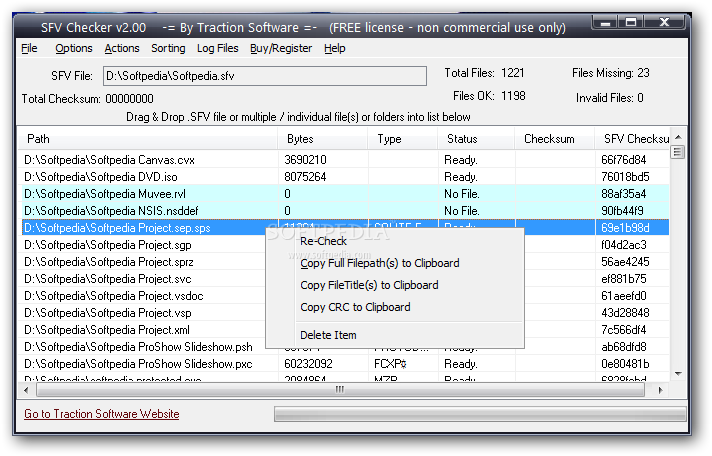
Working with multi-volume archives is a very popular method to get content from one computer to another. It is a very good alternative to sending enormous files over the Internet, for instance. If the transfer fails due to endless error possibilities, then you'd have to start from scratch. This is where multi-volume comes into play and saves hours and even days of your work.
Alongside these multiple archives, another very helpful file can be generated to save more time on the task at hand – the checksum file. If that file is missing though, you can count on specialized software, specifically developed to test your files against CRC-32 errors. By doing this, you will be ensured of the integrity of your files and if one of them is corrupted you won't need to go through the unpacking process to find out. You can spend that time to re-download that exact segment.
SFV Checker may save you minutes to hours on every transfer of multi-volume archives. Erroneous downloads are generally happening over unstable Internet connections such as 56K modems. It displays reports of SFV (Simple File Verification) files and check any given file for inconsistency. Its interface keeps it simple and takes a non-artistic approach. Users will be prompted to drag and drop their SFV files and start the checking process.
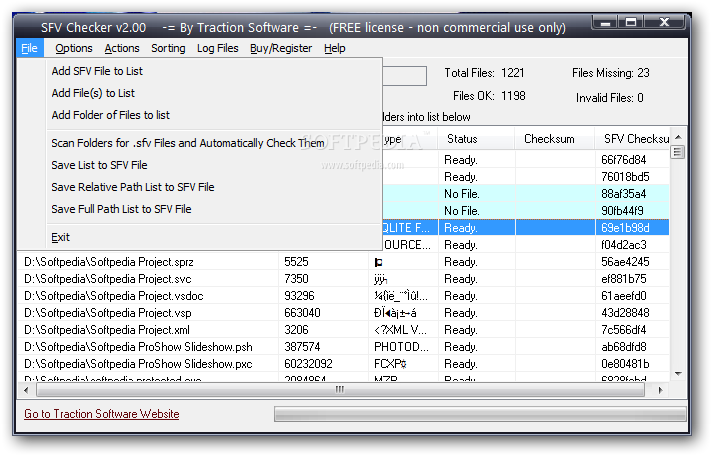
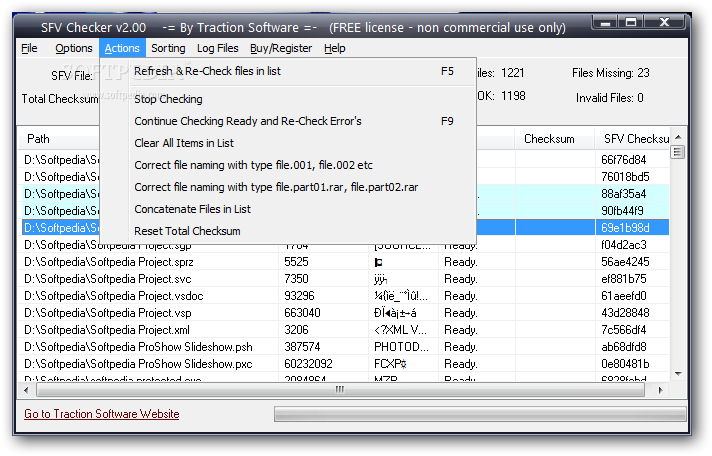
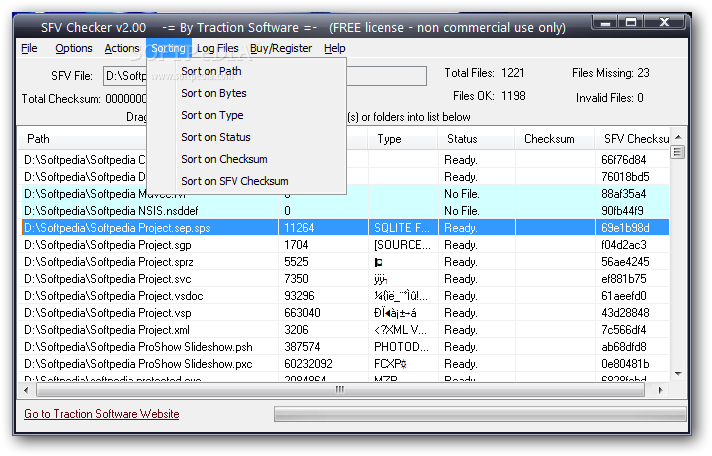
We can also go on and access the File menu instead and load an entire folder or lists of files in order to be verified for CRC-32 errors. The association with SFV files can be made within the Options menu for cutting more time to analyze them. Another very helpful feature of the application refers to the renaming of the “.00x” files as well as the “.part.rar” files to “.rar”, “.r01”, “.r02” and so on. The Sorting selection menu will offer a list of options like Path, Bytes, Type, Status, Checksum or SFV Checksum.
To sum it up, SFV Checker is an excellent checksum inspector that takes the job seriously and provides great results. It will surely help you in your daily work with multi-volume archives time-wise and as well as accuracy-related tests. File integrity is the main target and SFV Checker packs all the right tools to aid you on this matter.
What's new in SFV Checker 2.04:
- Added command line for single files. e.g. SFVChecker.exe C:testa.pdf -cc:a.sfv -q
- Fix for sfv.log file permissions issue.
SFV Checker 2.04
add to watchlist add to download basket send us an update REPORT- runs on:
- Windows All
- file size:
- 5.3 MB
- main category:
- Compression tools
- developer:
- visit homepage
4k Video Downloader

Zoom Client

ShareX

Context Menu Manager

Bitdefender Antivirus Free

IrfanView

7-Zip

calibre

Microsoft Teams

Windows Sandbox Launcher

- calibre
- Microsoft Teams
- Windows Sandbox Launcher
- 4k Video Downloader
- Zoom Client
- ShareX
- Context Menu Manager
- Bitdefender Antivirus Free
- IrfanView
- 7-Zip