
Open and view pictures, comics, books or magazines and generate slideshows with this lightweight and straightforward software application #Comics Viewer #Image Viewer #Comics Reader #Comic #Manga #Viewer

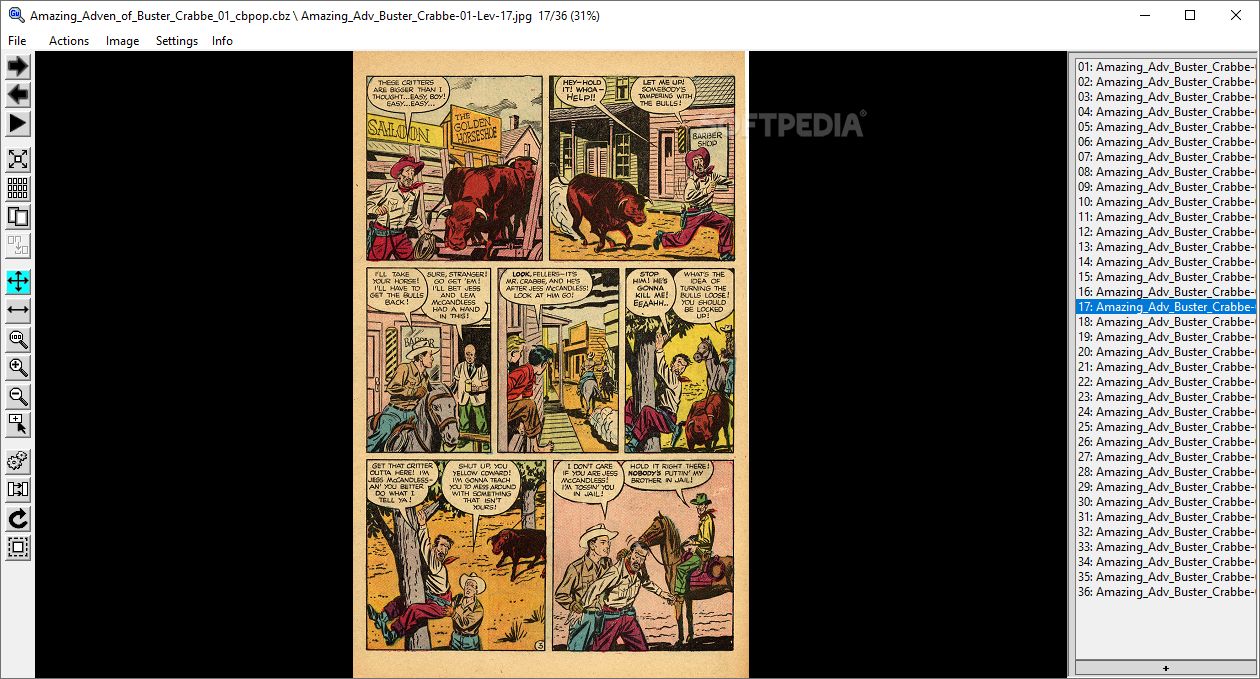
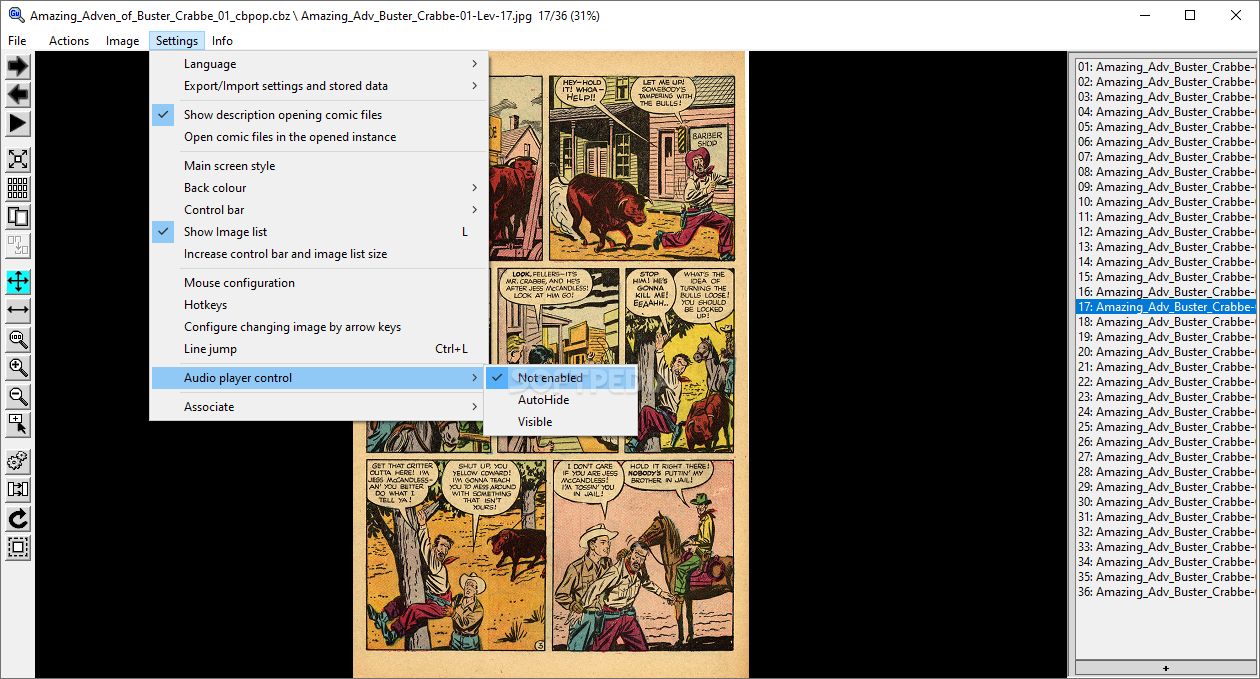
GonVisor is one of the best multi-format viewers for comic e-books, mangas, and magazines while also being able to fulfill the role of an above-average image viewer.
With the help of its portable counterpart, you are able to take advantage of everything this app has to offer while benefiting from a lot more freedom and the lack of installation.
For starters, being such as versatile viewer/reader app, Portable GonVisor is able to open a lot of file formats. These include the obvious JPG, PNG, TIFF, WEBP, but also some of the most popular manga, e-book, and comic book-related formats such as CBZ, CBR, CBA, and CB-7.
The app is also capable of opening the images contained within PDF files. The list of nifty features on this front goes on as the app can also open images contained in archives such as RAR, ZIP, 7-ZIP, and ACE files. Thanks to its neat Windows integration, you simply have to drag and drop multiple files, or folders, or archives on the interface and the app simply displays them in an orderly fashion.
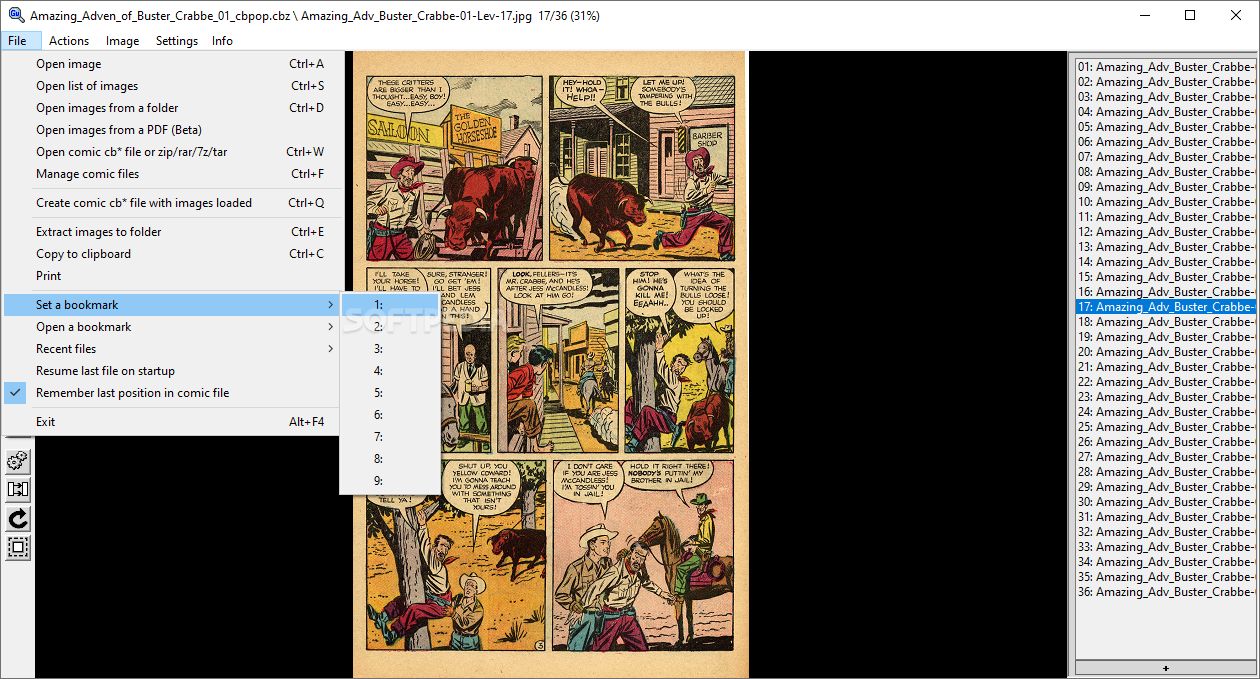
Portable GonVisor ticks all the right boxes as both a proficient image viewer and a manga, comic-book reader. For example, it allows you to bookmarks in order to continue the reading at a later point.
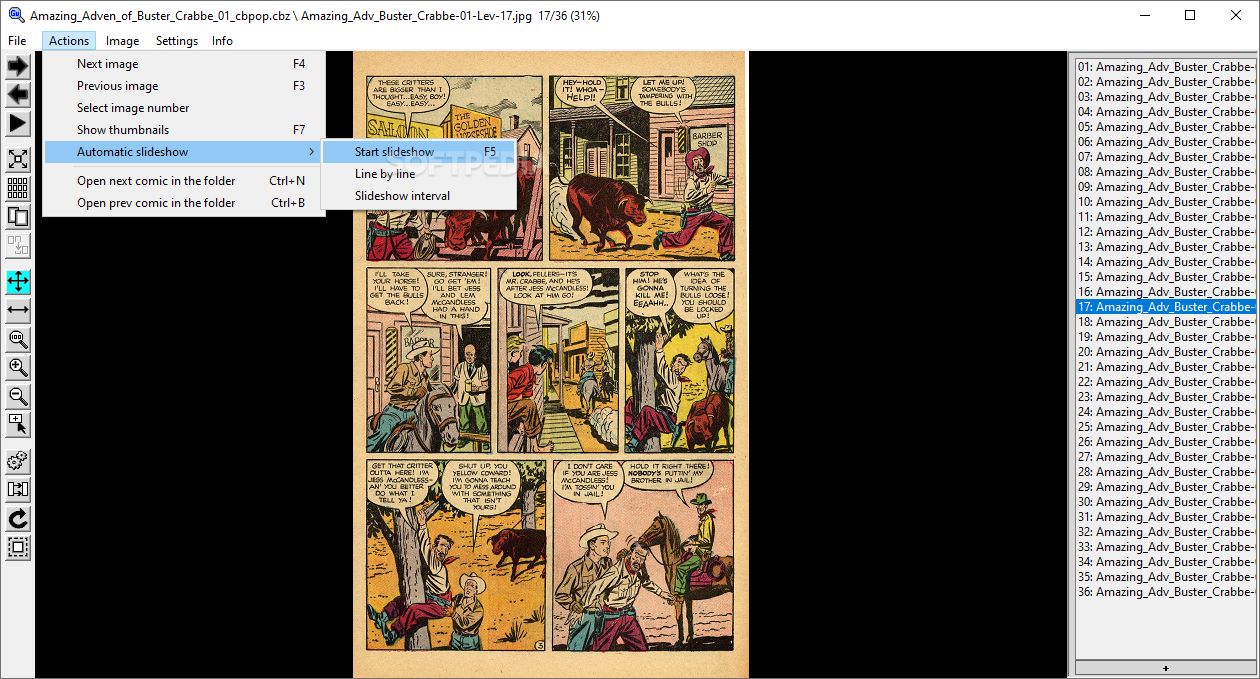
The app can also be used for creating presentations using the built-in slideshow features that have various transition effects. You can also rate comics, search all your CB format file.
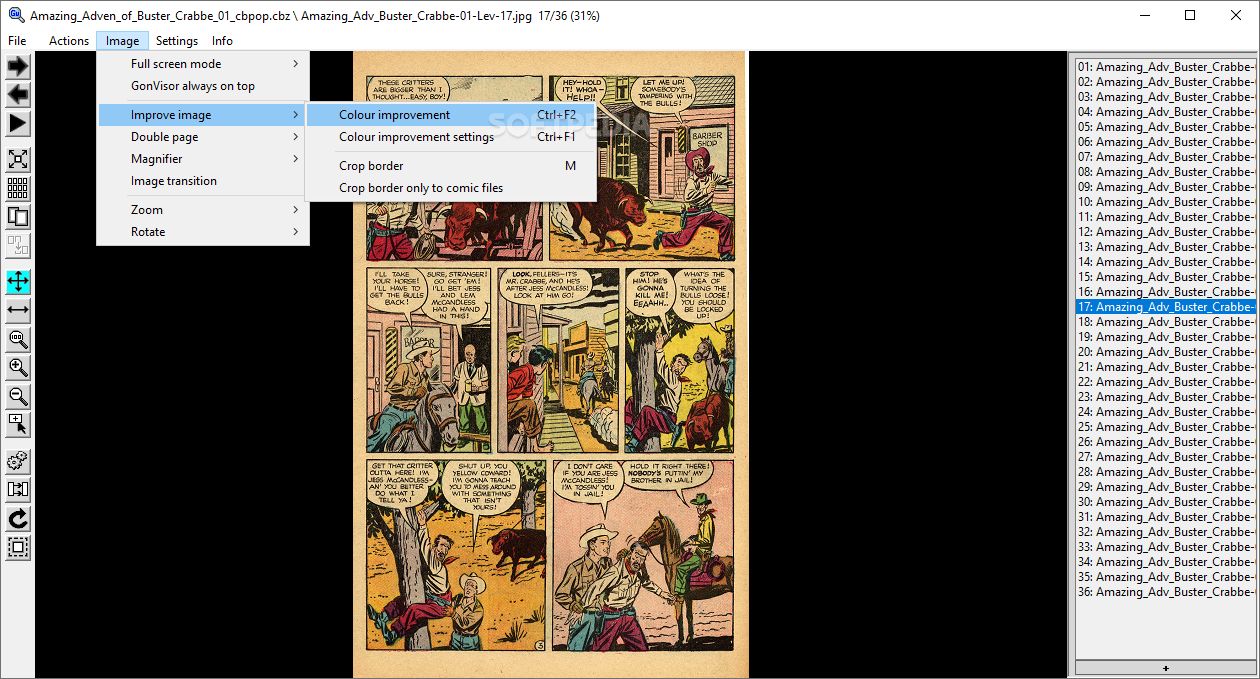
Of course, it also allows you to adjust the image to perfectly fit the size of your screen, enlarge or reduce the zoom levels while reading (thanks to its built-in magnifier function), as well as rotate images or parts of the e-books you're currently reading.
Other noteworthy little advantages include the app's ability to automatically detect and reduce the margins, the option to view two pages at once, to turn pages automatically after a desired time period, walk through the images line by line, as well as customizable hotkeys and mouse functions.
Portable GonVisor is a comprehensive tool that is bound to offer a top-tier experience to all its users who are into reading comic books and other e-related content, or for those who simply want a multi-purpose image viewer.
It's true that some might not be particularly fond of the app's GUI which, truth be told, is not extremely attractive, but the upside is that it's fast and very user-friendly.
What's new in Portable GonVisor 2.82.00:
- New Double page setting: Advance one page.
- New action to open cb* file info anytime.
- Go to next/previous cb* file using right click menu.
- Any dialog can be closed using ctrl+enter keys.
Portable GonVisor 2.82.00
add to watchlist add to download basket send us an update REPORT- portable version
- This is the portable version of the application. An installable version is also available: GonVisor
- runs on:
-
Windows 11
Windows 10 32/64 bit
Windows 8 32/64 bit
Windows 7 32/64 bit - file size:
- 2.3 MB
- filename:
- Portable_GonVisor_2_82_00.zip
- main category:
- Portable Software
- developer:
- visit homepage
Bitdefender Antivirus Free

Windows Sandbox Launcher

ShareX

calibre

Context Menu Manager

4k Video Downloader

7-Zip

IrfanView

Zoom Client

Microsoft Teams

- IrfanView
- Zoom Client
- Microsoft Teams
- Bitdefender Antivirus Free
- Windows Sandbox Launcher
- ShareX
- calibre
- Context Menu Manager
- 4k Video Downloader
- 7-Zip