
An advanced icon editor #Icon editor #Edit icons #Icon creator #Icon #Editor #Builder

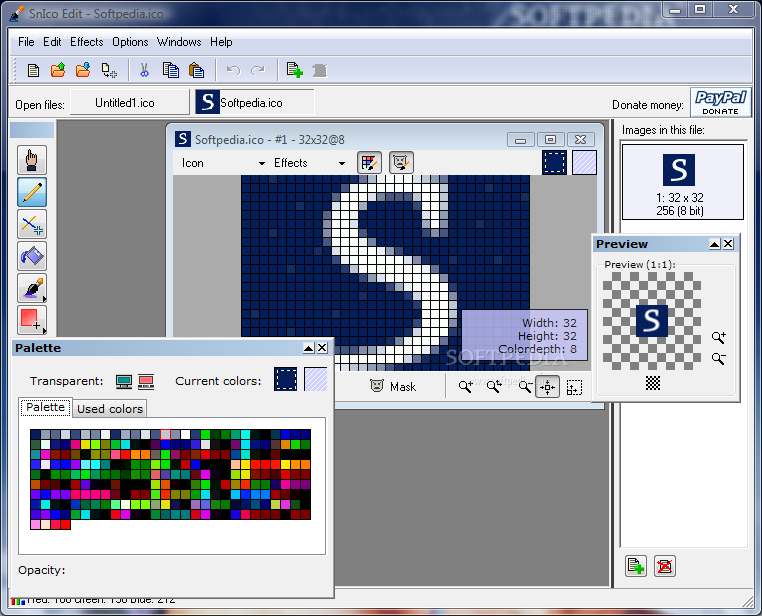
Portable SnIco Edit is a program designed to help you easily create and design icons for your files.
Since installation is not necessary, you can place Portable SnIco Edit on a removable drive (such as a USB flash drive), plug it into any computer and directly run its executable file. But the most important part is that your Windows registry keys will not be changed.
The interface of the application is similar to the one of a common graphic editing tool, but it is clearly outdated. Portable SnIco Edit definitely needs some major improvements from this point of view.
Icons can be imported into the list via the file browser or "drag and drop" method. Besides creating an icon, you can also design a cursor (normal or animated).
You can move the raster in the window, paint pixels with a pencil or brush, fill color, draw rectangles, use a color picker, write text and set the cursor hotspot.
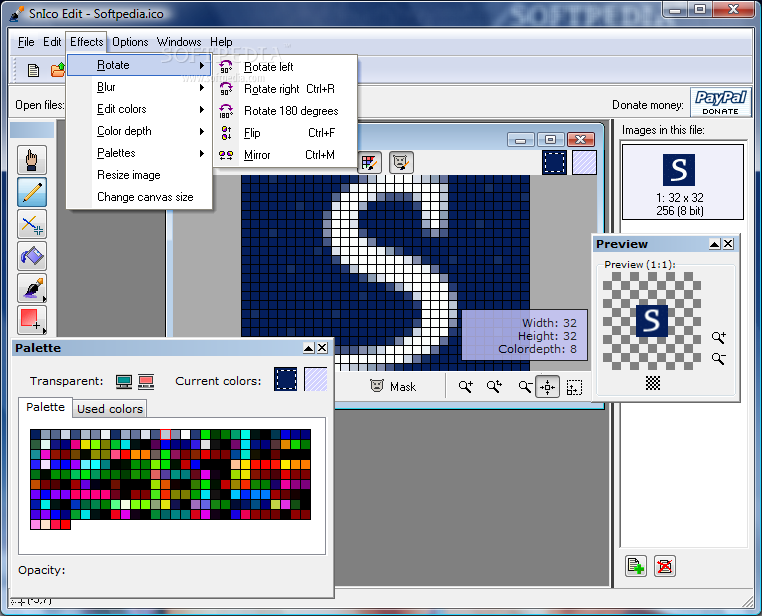
You can import and export images, take screenshots, save the palette, use the undo and redo functions, convert ICO and CUR files, as well as apply various picture effects (e.g. rotate, resize, blur, grayscale, color depth), and more.
The graphic editing tool runs on a very low amount of system resources (which is barely noticeable) and has a pretty good response time. No errors have occurred during our tests and Portable SnIco Edit did not freeze or crash. Unfortunately, we weren't able to access the help file (clicking the option didn't do anything). Taking all matters into account, we recommend Portable SnIco Edit with some reservations.
What's new in Portable SnIco Edit 2.2.8:
- Version number included in splash screen
- After a the new icon wizard, the new image wizard now appears
- After the new image wizard, the new image opens directly
- BUG: Blur, antialiasing diabled in raster window if image does not support these.
Portable SnIco Edit 2.2.8
add to watchlist add to download basket send us an update REPORT- runs on:
- Windows All
- file size:
- 1.3 MB
- filename:
- Portable SnIco Edit.exe
- main category:
- Portable Software
- developer:
- visit homepage
Zoom Client

Microsoft Teams

Windows Sandbox Launcher

4k Video Downloader

Bitdefender Antivirus Free

7-Zip

IrfanView

Context Menu Manager

ShareX

calibre

- Context Menu Manager
- ShareX
- calibre
- Zoom Client
- Microsoft Teams
- Windows Sandbox Launcher
- 4k Video Downloader
- Bitdefender Antivirus Free
- 7-Zip
- IrfanView
