
Encrypt and compress files on your USB flash drives by turning to this lightweight application that packs an intuitive wizard component. #Secure files #Compress files #Encrypt files #Encryption #Encryption #Compression

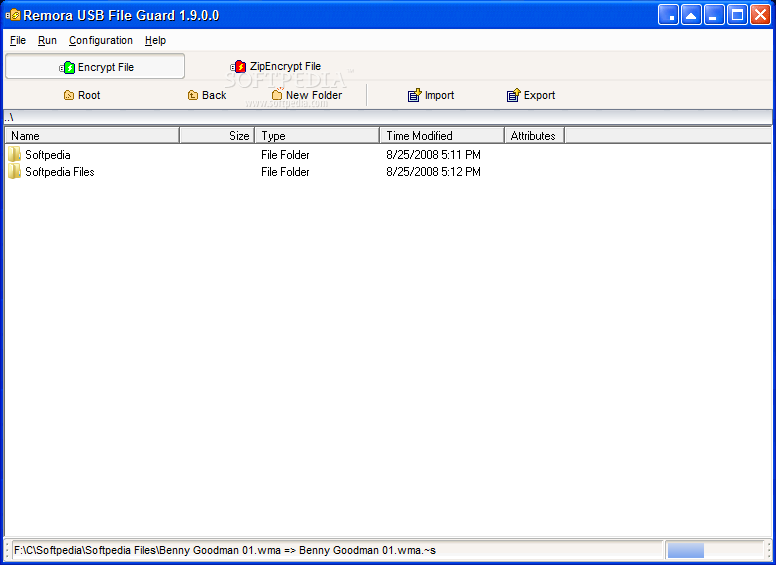
Portable Remora USB File Guard is a tool that you can use to encrypt the files you store on your USB flash drives.
Since this is a portable software, installation is not necessary. You can simply place Remora USB File Guard on a removable device and directly run its executable file on any computer.
What is more important is that your Windows registry entries will not be changed.
Upon the initial setup, you are required to input an application logon password and a password for file encryption.
The interface of Remora USB File Guard is plain and simple. In the list you can check out the name, size, type, attributes and date of modification of every file that you import.
You can import and export files, encrypt or zip-encrypt them, as well as select the compression rate (from level 1 to 4) and open the destination folder after export.
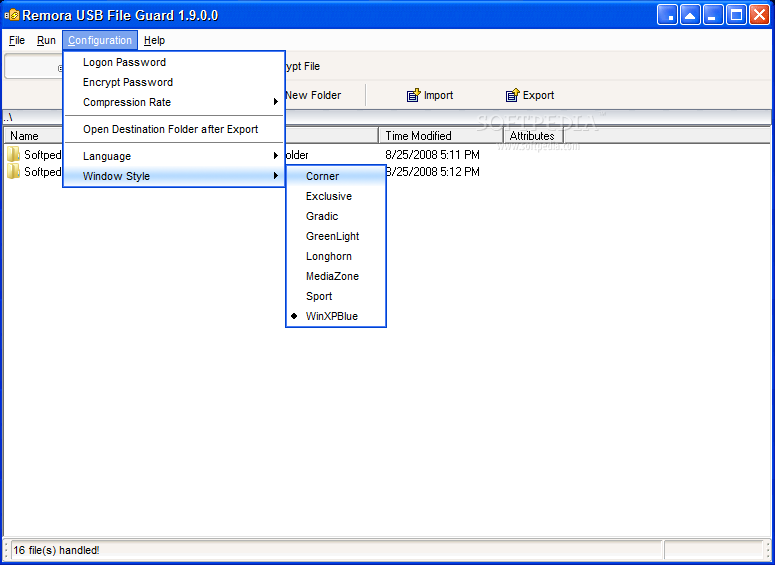
You can change the logon and encrypt passwords, select a different appearance for the interface and switch to another language. The program takes up a low-to-moderate amount of system resources, includes a brief step-by-step tutorial with snapshots and didn't freeze or crash during our tests.
On the other hand, errors popped up on multiple occasions but they didn't interface with the program's overall functionality. Plus, the tool's interface could use some improvements since it is a little outdated. Also, Portable Remora USB File Guard doesn't necessarily bring something new to the table. Nevertheless, it can be easily used by individuals of any experience level and we strongly recommend it.
Portable Remora USB File Guard 1.9.0.0
add to watchlist add to download basket send us an update REPORT- portable version
- This is the portable version of the application. An installable version is also available: Remora USB File Guard
- runs on:
- Windows All
- file size:
- 2.4 MB
- filename:
- Portable Remora USB File Guard.zip
- main category:
- Portable Software
- developer:
Bitdefender Antivirus Free

Zoom Client

Microsoft Teams

IrfanView

ShareX

calibre

Context Menu Manager

7-Zip

4k Video Downloader

Windows Sandbox Launcher

- 7-Zip
- 4k Video Downloader
- Windows Sandbox Launcher
- Bitdefender Antivirus Free
- Zoom Client
- Microsoft Teams
- IrfanView
- ShareX
- calibre
- Context Menu Manager