
Clean up your computer from obsolete registry entries, temporary data and other junk files using this lightweight and user-friendly application. #Clean history #Delete temporary #Scan registry #Cleaner #Delete #Scan

Regular maintenance does not only improve the lifespan of your computer, but it can also prevent malware, bugs and data loss. Wagnardsoft Tools (Wtools) is a lightweight utility that packs several tools to clean your system of temporary and other obsolete files that take up space and may put your PC at risk. Users are warned to use the app at their own risk.
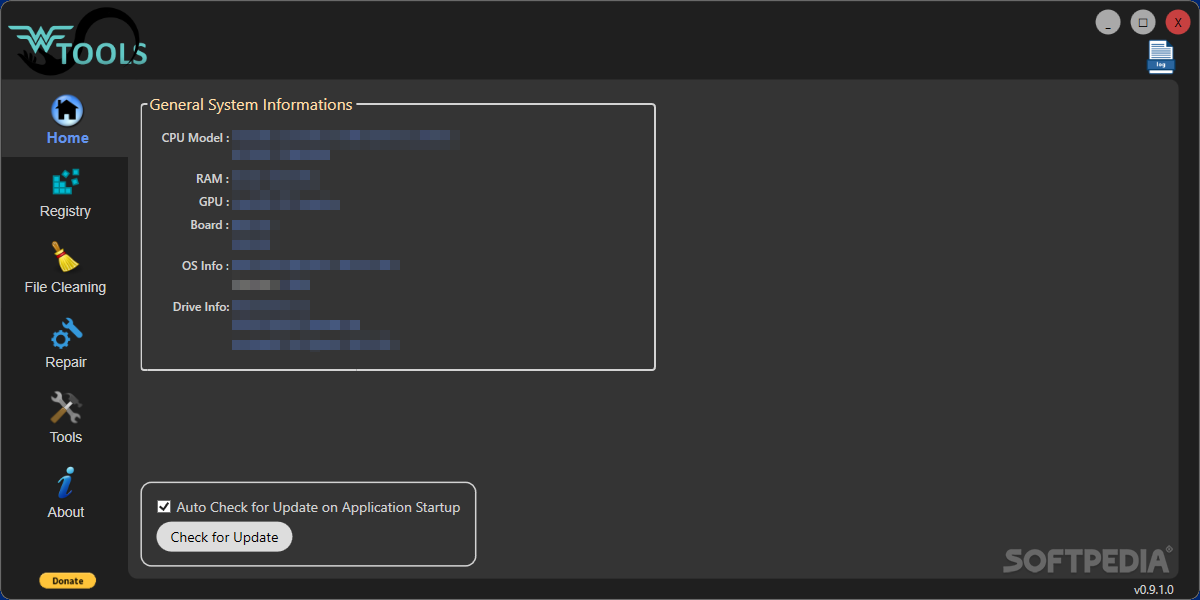
The application comes with a modern and user-friendly interface that is designed as a dashboard for easier access. On the main page or Home, you can preview details about your system configuration, including CPU model, RAM, GPU, OS and Drive Info.
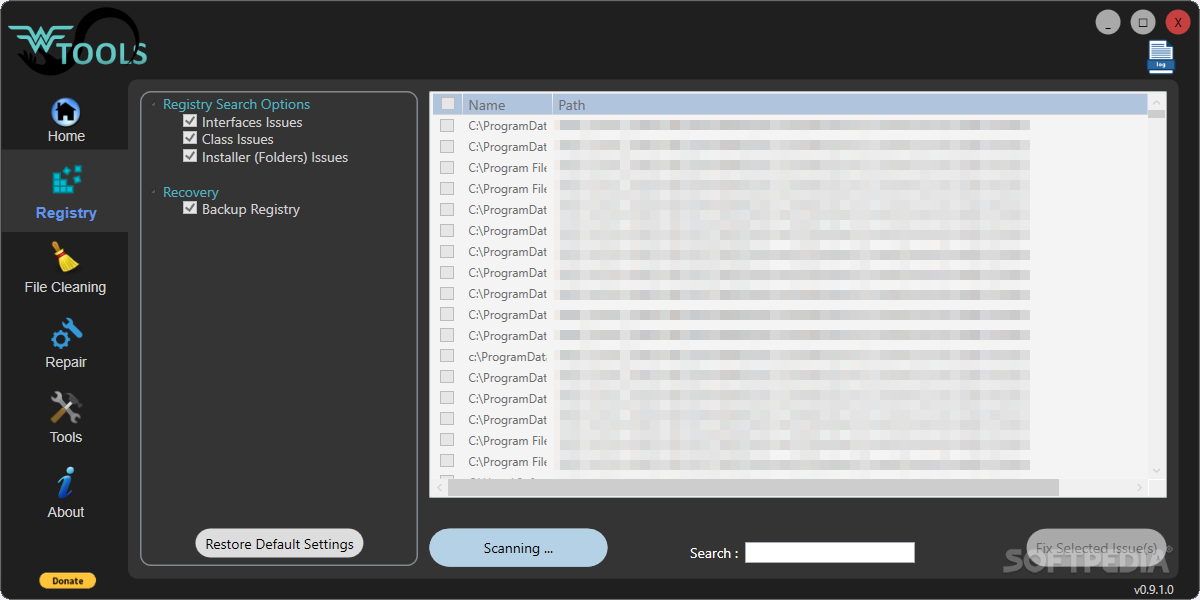
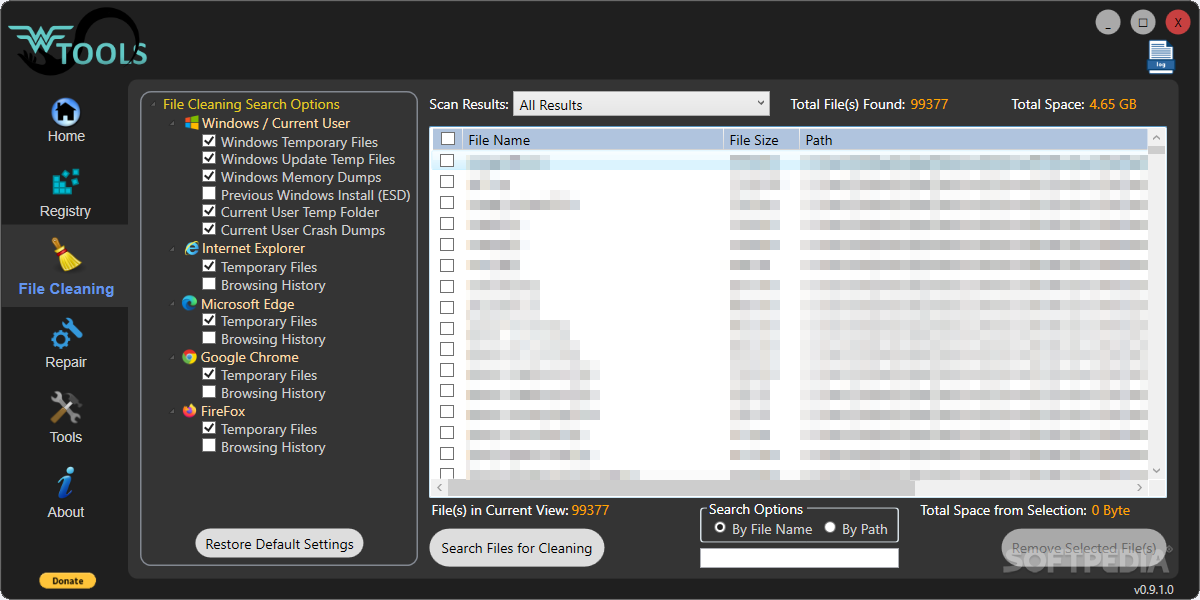
The PC cleaning part can be performed by Registry and File Cleaning. As the name suggests, File Cleaning entails a scan over the computer of Windows and browser junk. It goes without saying that you can select the browsers to be checked and whether you want to clean temporary files, history or both. On a side note, during our test the Registry function crashed the app, perhaps because the app is still in pre-release edition.
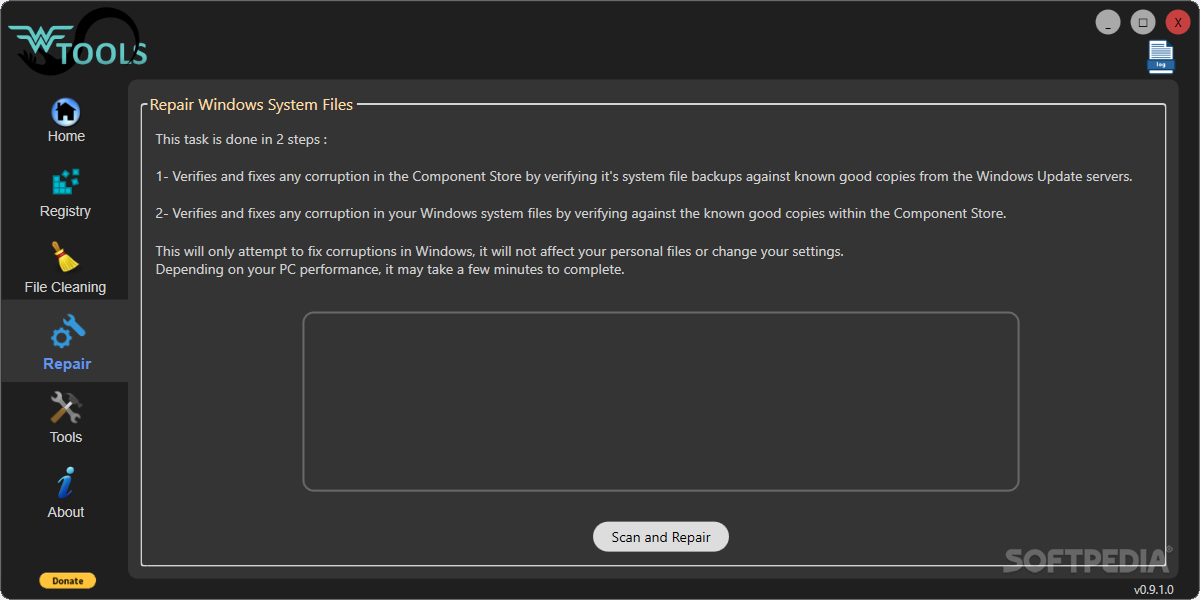
A noteworthy function of the tool is the Repair Windows System Files, an operation done in two simple steps. For starters, the program checks and fixes corrupted files in the Component Store using the system file backups. Afterwards, it compares the system files against the good known copies and corrects the problematic ones.
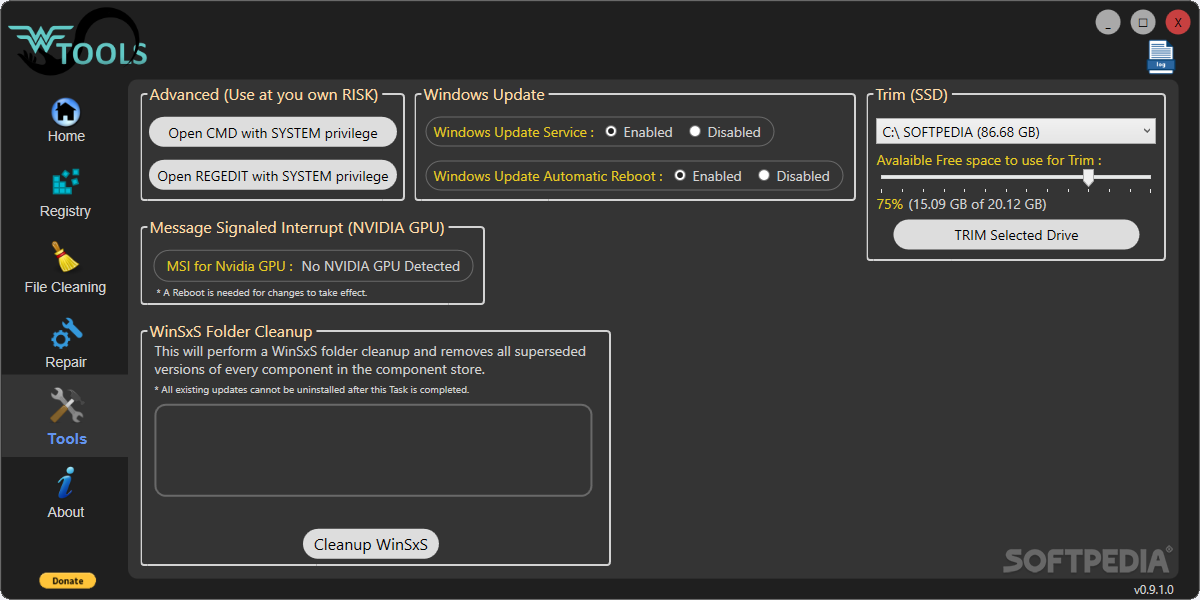
The application includes a few other tools that may come in handy, such as toggling the Windows Update Service and Windows Update Automatic Reboot on and off, WinSxS folder cleanup and drive trimming.
Wagnardsoft Tools (Wtools) comes with several basic functions that allow you to remove obsolete files, fix registry keys and system files and correct bugs that make your PC underperform.
What's new in Wagnardsoft Tools (WTools) 1.0.2.4:
- Fixed an issue causing loss of Firefox bookmarks.
Wagnardsoft Tools (WTools) 1.0.2.4
add to watchlist add to download basket send us an update REPORT- runs on:
-
Windows 11
Windows 10 32/64 bit
Windows 8 32/64 bit
Windows 7 32/64 bit - file size:
- 69 MB
- filename:
- Wtools v1.0.2.4.exe
- main category:
- Tweak
- developer:
- visit homepage
Zoom Client

4k Video Downloader

Windows Sandbox Launcher

calibre

Microsoft Teams

7-Zip

ShareX

IrfanView

Bitdefender Antivirus Free

Context Menu Manager

- IrfanView
- Bitdefender Antivirus Free
- Context Menu Manager
- Zoom Client
- 4k Video Downloader
- Windows Sandbox Launcher
- calibre
- Microsoft Teams
- 7-Zip
- ShareX