
Recover accidentally deleted pictures, documents, archives, software or other types of files using this portable tool that can look into the entire computer. #Recover file #Undelete file #Deleted file #Recover #Undelete #Deleted

Portable Recuva is a tool that helps you recover deleted files.
Since this is a portable product, Portable Recuva does not need to be installed, so there will be no changes made to your Windows registry entries. Plus, you can run the software directly from an external device.
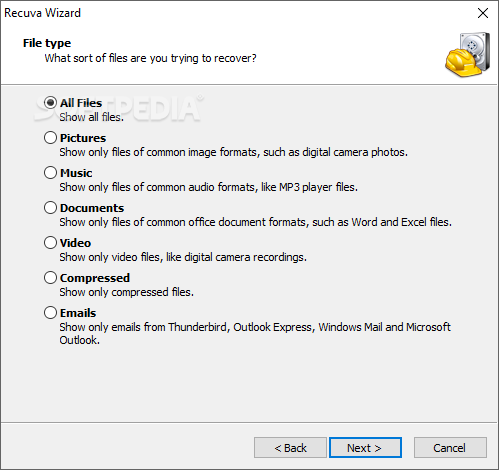
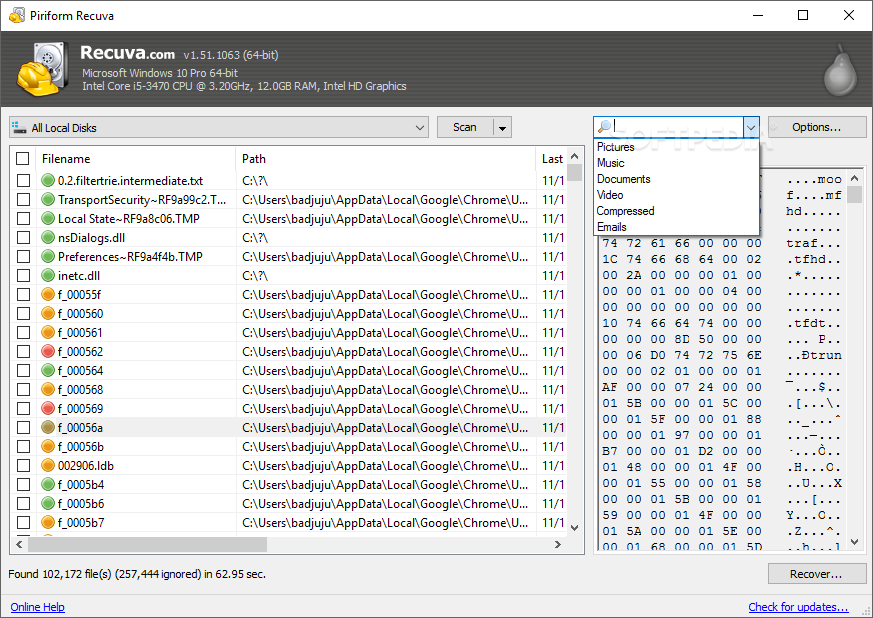
Once you initiate Portable Recuva, you are welcomed by the Recuva wizard, in which you answer some simple questions to get you started (but there is also an advanced mode). This proves the software is designed for both beginners and power users.
You have to specify the types of files you are trying to recover. They can be pictures, music, documents, videos, compressed files, emails or others.
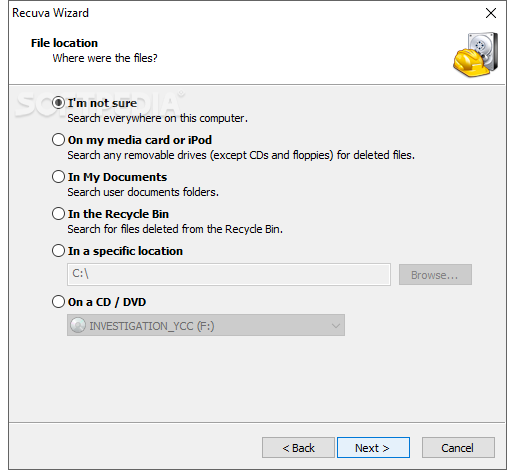
Optionally, you can input the last known location of those particular files (e.g. on a media card or iPod, in My Documents or Recycle Bin) and, if you switch to advanced mode, you can also specify the exact format of your files.
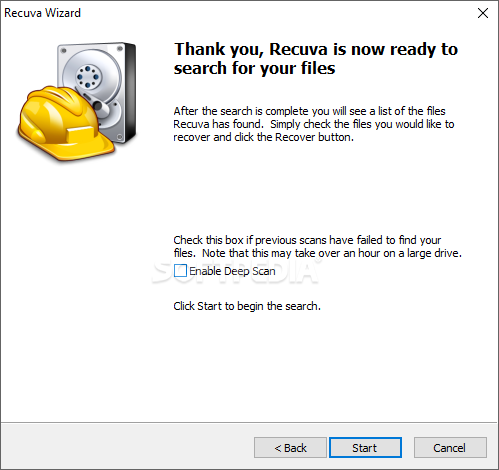
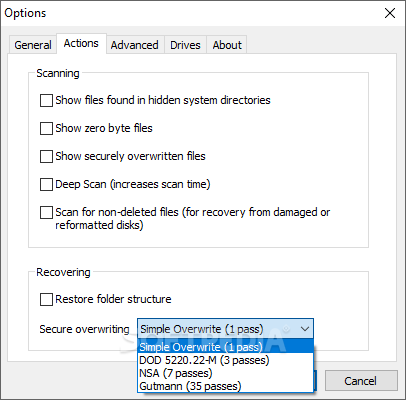
If Recuva is unable to find the respective files at the first attempt, you can enable deep scan (increases scan time), for a thorough search within your computer system.
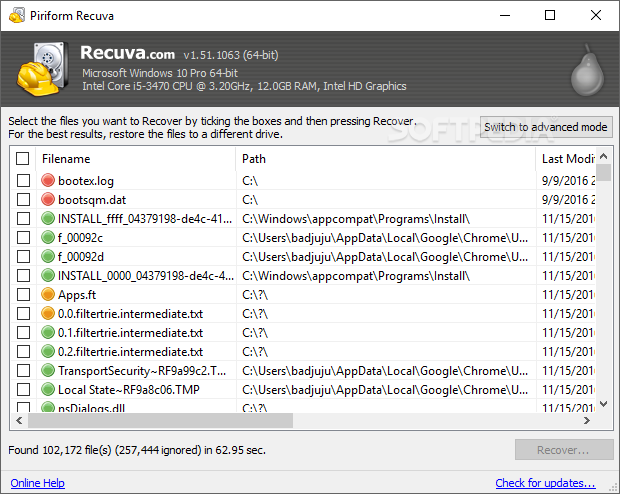
Portable Recuva does not take a long time to detect a deleted file (you can view elapsed and remaining time), and results are displayed in thumbnails. Once you have selected files, Portable Recuva restores them to your computer in the destination of your choice (you can also enable secure overwriting).
We have assigned a few tasks to Portable Recuva, and it managed to deliver successful results every time. The program uses a significant amount of CPU and system memory, and you can access online detailed documentation on how to use it.
The bottom line is that Portable Recuva is an excellent tool for recovering lost files, and the fact that it is portable makes it even more attractive.
Download Hubs
Portable Recuva is part of these download collections: File Uneraser, File Recovery
Portable Recuva 1.53.2096
 Softpedia Editor's Pick
add to watchlist
add to download basket
send us an update
REPORT
Softpedia Editor's Pick
add to watchlist
add to download basket
send us an update
REPORT
- portable version
- This is the portable version of the application. An installable version is also available: Recuva
- runs on:
-
Windows 11
Windows 10 32/64 bit
Windows 8 32/64 bit
Windows 7 32/64 bit
Windows Vista 32/64 bit
Windows XP 32/64 bit - file size:
- 1.1 MB
- filename:
- rcvPortable_1.53.2096_online.paf.exe

- main category:
- Portable Software
- developer:
- visit homepage
Microsoft Teams

Bitdefender Antivirus Free

4k Video Downloader

Context Menu Manager

7-Zip

Zoom Client

IrfanView

Windows Sandbox Launcher

ShareX

calibre

- Windows Sandbox Launcher
- ShareX
- calibre
- Microsoft Teams
- Bitdefender Antivirus Free
- 4k Video Downloader
- Context Menu Manager
- 7-Zip
- Zoom Client
- IrfanView