Search Perform an advanced search query SOFTPEDIA
 
SOFTPEDIA
Updated one minute ago
HomeSubmit a program for being reviewedAdvertise on our websiteGet help on surfing our websitesSend us your feedbackGet information about our XML/RSS backend and how to use itBrowse the news archiveVisit our discussion forumVizitati forumul in limba romana


Program Finder NormalFreeware onlyShareware only

Visual Assist X 10.4.1646 Report spyware 

Click to download Visual Assist X
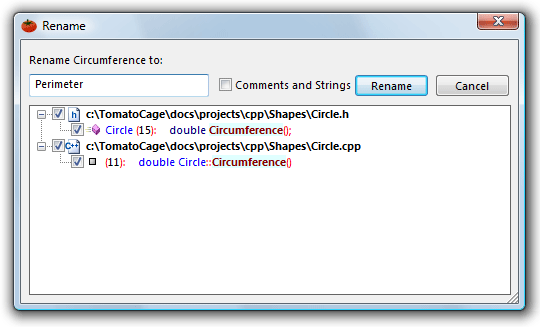
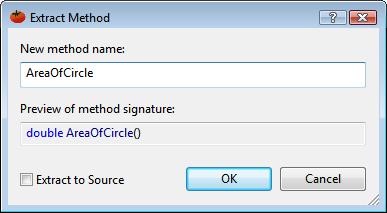
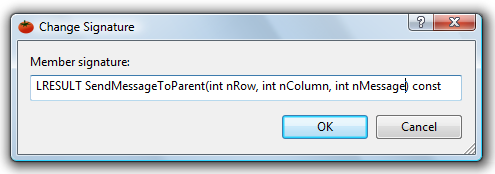
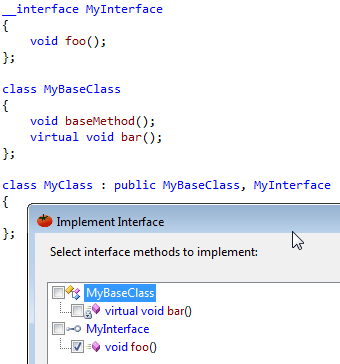
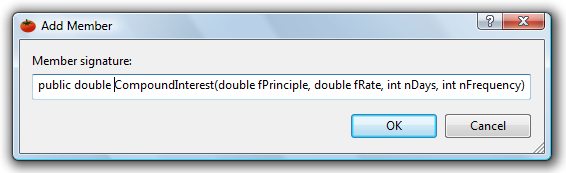
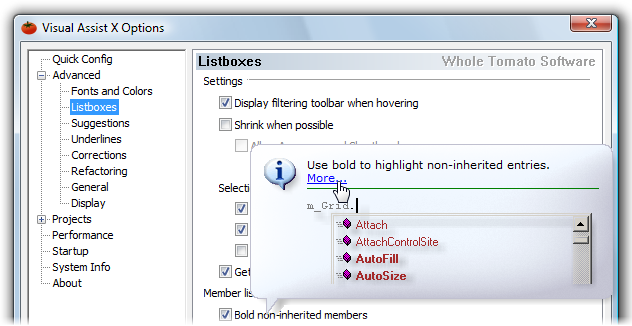
View more Visual Assist X screenshots (6)
 Downloads: 3,391
Rating: Good (3.5/5) | Rated by: 21 user(s)
Add to download basket     Send us update information
 Developer: Whole Tomato Software | More programs by this producer
 License: Trial , 129 $ to buy 
 Size / OS: 4.11 MB, Windows All
 Last Updated: July 27th, 2008, 14:26 GMT
 Category: C: \ Programming \ Coding languages / Compilers
 Read user reviews (2) Add a review Refer to friend Subscribe
    Download Visual Assist X

Visual Assist X description
Increases automation, simplifies navigation and displays vital information as you develop new software.

Visual Assist X increases automation, simplifies navigation and displays vital information as you develop new software.


Visual Assist X boosts productivity with powerful editing features integrated into your Microsoft development environment.

Here are some key features of "Visual Assist X":

· Type Code Faster
· See what you type, before you type it, in suggestion lists. Type just fragments of symbols using acronyms and shorthand. Keep typing or accept a suggestion to move faster. Define Autotext/Code Templates ahead of time and accept them just as easily. Type hungarian notation without pressing underscore.
· Correct Mistakes Automatically
· Watch your IDE correct simple but costly mistakes as you make them. Upper and lower case is repaired as you type. Dot references are converted to -> automatically.
· Get Information Faster
· Scan and comprehend code faster than ever. Watch the Hovering Class Browser inside the new VA View for detailed information on the current symbol. Get a quick shot of info by looking at small context and definition fields added to the source window. Bypass lists after F1 to retrieve online help more efficiently.
· Exploit Colors and Format
· Take advantage of enhanced color and formatting options to decipher code quickly. Enhance syntax coloring provided by the IDE. Display local symbols in bold and stable symbols in italics. Highlight matching and mismatching braces as you type. Add a column indicator. Print in color. Put RTF in the clipboard
· Simplify Search and Navigation
· Search and navigate with ease. Skip similarly named symbols when you find by context. Find symbol definitions anywhere in your workspace. Goto the implementation of any symbol in your code. List methods in your file. Toggle between a header and cpp. Open from a list of files in your workspace. Bounce among active pieces of code using a most recently used list. Move scope and advance to the next method. Navigate back and forward.
· Spell Check
· Spell check as you write code and see the familiar red underlining of applications such as Microsoft Word. Underline spelling errors in comments and strings for a professional touch. Underline mistyped symbols in code and avoid wasted builds. Additional dictionaries are available for more than 50 languages and dialects.
· Extend Basic Editing
· Edit code quickly with simple but powerful editor enhancements. Automatically recover files after your IDE crashes. Surround selections with quotes, comment characters and #ifdefs. Get classic access to multiple clipboards. Sort lines of code. Save unnamed bookmarks.
· Configure Features to Your Style
· Use an options dialog to make Visual Assist X match your coding style. Access many of the commands from a context menu. Assign shortcuts for fast access to your favorite commands. Enable and disable Visual Assist X if it gets in the way, or force it to reparse and get smarter.


style='color:green'>Requirements:


· Visual Assist X is compatible with the following Microsoft IDEs. Reinstall Visual Assist X if you change or add an IDE to your system.
· Microsoft Visual Studio 2005 Team System
· Microsoft Visual Studio 2005 Professional Edition
· Microsoft Visual Studio 2005 Standard Edition
· (Express Editions not supported.)
· Microsoft Visual Studio .NET 2003
· Microsoft Visual Studio .NET 2002
· Microsoft Visual C++ .NET 2003
· Microsoft Visual C++ .NET
· Microsoft Visual C++ 6.0
· Microsoft Visual Studio 6.0
· Microsoft Visual C++ 5.0
· Microsoft Visual Studio 97
· Microsoft eMbedded Visual Tools 4.0
· Microsoft eMbedded Visual Tools 3.0
· Operating Systems
· Generally speaking, Visual Assist X works with any operating system that runs your IDE with the exception of Microsoft Windows 98.
· Performance
· Visual Assist X requires little more than a system fast enough for software development. Impact on the performance is negligible after a project is opened for the first time. (Extra parsing is done the first time each project is opened.)
· Disk Space
· Disk space requirements vary depending on the size of your projects. Only 20 MB is required for initial installation of Visual Assist X but symbol databases and file caches increase the requirement quickly. A reasonable minimum is 50 MB. Large projects can consume 100+ MB over time.
· Visual Assist X maintains a cache of parsed source files that speed opening of files. The cache is cleared periodically.


What's New in This Release:

· Fixed issue that resulted in a "VANetObj20.dll has stopped working" error in rare cases.
· Fixed problem opening large solutions
· Fixed incorrect handling of UserDataDir registry entry
· Fixed issue where Auto Recovery dialog displayed only the first character of a filename ... [ read full changelog ]


Softpedia guarantees that Visual Assist X 10.4.1646 is 100% CLEAN, which means it does not contain any form of malware, including but not limited to: spyware, viruses, trojans and backdoors.

This software product was tested thoroughly and was found absolutely clean, therefore it can be installed with no concern by any computer user.

However, it should be noted that this product will be retested periodically and the award may be withdrawn, so you should check back on this page from time to time. (click here for more information)


Related downloads IT News Popular downloads New additions   Latest reviews  
Google Translator Interface 2007 build 030000
gTrans - Google Translator Interface
Desktop Assistant 1.14
Helps to find and start programs from the Start menu quickly.
MyAssist 1.3.1
MyAssist - personal assistant on desktop who helps you arranging tasks and schedule
Surf Buddy 1.0
Surf Buddy - Internet research assistant & scrapbook and organize your surfing.
Assistance Pro 1.3
Assistance Pro service allow computer professionals to easily assist their on line customers
BitPal 3.7.9
BitPal is a well-designed, intuitive, and powerful personal assistant
Personal Asset Manager 3.0
The Personal Asset Manager, known as PAM, is a simple to use and powerful Windows based Personal Computer program
Viyya Free Edition 2.0
Viyya - Turn information overload into business intelligence!

go to top Use the following code to link to this page:


Welcome!
Hello, Guest

Login if you have a Softpedia.com account.

Otherwise, register for one.

Main categories:
  • Antivirus
  • Compression tools
  • CD/DVD Tools
  • Office tools
  • Programming
  • Authoring tools
  • File managers
  • Desktop Enhancements
  • Internet
  • Network Tools
  • IPOD TOOLS
  • Mobile Phone Tools
  • Multimedia
  • Tweak
  • System
  • Security
  • Others
  • Science / CAD
  • UNIX
  • Windows Widgets
  • PORTABLE SOFTWARE

  • Week's best:
  • Vista Sidebar 2.5 Bu...
  • FlashGet 2.11.0.1188...
  • Opera 9.52 Build 101...
  • DVDFab Platinum 5.0....
  • Vuze (formely Azureu...
  • The Bat! Professiona...
  • AVG Anti-Virus plus ...
  • Acronis True Image H...
  • Rising Antivirus Fre...
  • DirectX Redistributa...
  • Adobe Flash Player 1...
  • Nero 8 8.3.6.0
  • FileZilla 3.1.1.1
  • AVG Internet Securit...
  • Microsoft Malicious ...
  • Maxthon 2.1.3.2430 F...
  • BitComet 1.04 Beta
  • Deluge 0.9.06 (1.0....
  • Pidgin (formerly Gai...
  • ATi Multimedia Cente...
  • K-Lite Codec Pack Fu...
  • Mozilla Thunderbird ...
  • Corel DVD MovieFacto...
  • Portable Winamp 5.35
  • VirtualDub 1.8.5 Bui...
  • Winamp 5 Full 5.541 ...
  • FFDShow MPEG-4 Video...
  • Hide IP Platinum 1.2...
  • GX::Transcoder 5.0.2...
  • TopSpyAdware Remover
  • © 2001 - 2008 Softpedia. All rights reserved.
    Softpedia™ and Softpedia™ logo are registered trademarks of SoftNews NET SRL.
    Copyright Information | Privacy Policy | Terms of Use | Contact Softpedia | Update your software | Archive